
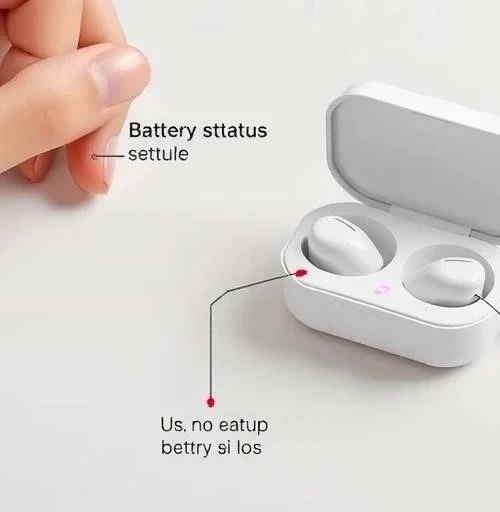
Knowing the charging level of a Xiaomi AirDots case is not always straightforward. Many AirDots and Redmi AirDots models do not show an exact battery percentage on the case itself. The available indicators depend on the model, so check the instructions for your specific version before interpreting a light or an on-screen reading.
Check the case indicator
Open the lid or press the case button, if your model has one, and observe the status light. On some versions, the light turns on briefly when the lid is opened, when the case is connected to power, or when the earbuds are placed inside. A light that goes out after a short time may be normal: it can indicate activity rather than display the remaining charge continuously.
Do not assume that one colour has the same meaning across every AirDots model. Depending on the version, a red light may indicate charging or a low battery, while a white light may signal a different state. Consult the model’s manual for the exact meanings. If the case has no visible indicator, it may not provide a direct way to check its charge.
Use the earbuds and phone as clues
When the earbuds are in the case, a status light may show that they are charging, but this does not necessarily tell you how much power remains in the case. Some Xiaomi or Redmi earbuds can display an earbud battery level on a connected phone. This reading usually refers to the earbuds, not the case, and support varies by phone, operating system, and product generation.
To check, connect the earbuds to your phone and look in the Bluetooth settings for their battery information. If the phone shows separate levels for the left and right earbuds, those figures still should not be treated as the case’s charge. A companion app may offer additional information for some models, but older AirDots versions may not be supported.
Check whether the case is charging
- Connect the case to a suitable USB power source using the cable and connector specified for your model.
- Look for the case’s charging indicator. It may light up while power is connected and switch off or change state when charging is complete.
- Leave it connected for the period recommended in the manual, then disconnect it and check whether the earbuds charge when returned to the case.
A light that confirms charging is not always a precise battery meter. For a practical estimate, note how long the case has been charging and whether it can recharge the earbuds. Avoid leaving a damaged or unusually hot case connected to power.
If the indicator does not work
First, try another compatible cable and USB power source. Check the charging port for lint or debris, and clean it gently with a dry, non-metallic tool. Do not use liquid or force objects into the connector. Make sure the earbuds sit correctly in their charging slots and that their contacts are clean and dry.
If the case still shows no response, charge it for a short period and check again. A deeply discharged battery may not produce an immediate light. If there is still no indicator or the earbuds do not charge, consult the manual or contact the seller or Xiaomi support. A reset may help with pairing problems, but it does not reveal or restore the case’s battery level.
In brief
For most Xiaomi AirDots cases, the light provides only a general status, not an exact percentage. Phone readings commonly describe the earbuds rather than the case. The most reliable approach is to identify the precise model, check its manual, observe the indicator while charging, and confirm that the case can recharge the earbuds.
2 Comments. Оставить новый
The guidance is practical and appropriately notes that a phone may show the earbuds’ battery without reporting the case’s charge. Including model-specific instructions helps avoid misinterpreting indicator lights.
The article clearly distinguishes between the case’s charge and the earbuds’ battery level. Its reminder to check the manual is useful because indicator meanings can vary by model.