
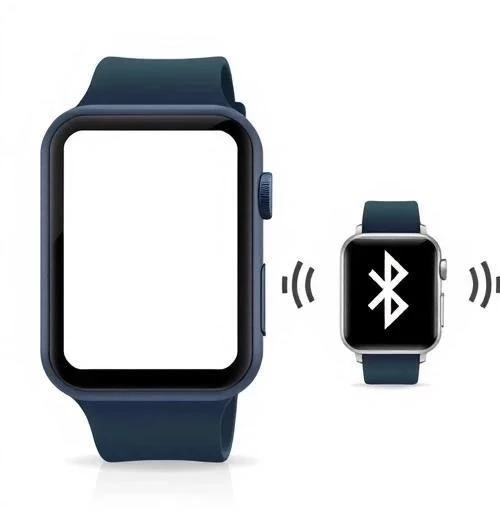
Short answer: An Apple Watch cannot be paired with or initially set up using an Android phone. Apple requires a compatible iPhone for activation, software updates, and most management tasks. There is no official Android app or supported workaround that turns an Android phone into the watch’s companion device.
Why direct setup is not possible
Apple Watch uses Apple’s Watch app on iPhone to complete pairing, configure settings, install updates, and connect services such as Apple Pay. The watch does not offer a standard Bluetooth pairing process for Android phones. Seeing the watch in an Android phone’s Bluetooth menu, if it appears there, does not enable setup or normal phone notifications.
As a result, an Android user cannot independently activate a new Apple Watch, sync it with Android contacts, or receive Android notifications on it. Apps and services that require an iPhone connection may also be unavailable or limited.
What you can do instead
- Use an iPhone for setup. Borrow or use a compatible iPhone, update it if needed, and install the Apple Watch app. Turn on the watch, hold it near the iPhone, and follow the on-screen pairing instructions. The iPhone owner may need to sign in with an Apple Account and complete security checks.
- Check cellular support. A cellular model may make calls or use some online features away from the iPhone after setup, provided the watch has an eligible active plan and carrier support. Availability depends on the model, country, carrier, and account. Cellular capability does not create Android compatibility.
- Consider Family Setup. Some models and carriers support setting up a watch for a family member who does not have an iPhone. The organizer still needs an iPhone, and the feature has eligibility and service requirements. It is not a way to pair the watch with an Android phone.
- Choose an Android-compatible watch. If you need Android calls, message alerts, health tracking, and phone settings to work together, a watch designed for Android is usually the practical option.
If the watch was already set up
A previously activated Apple Watch may continue to perform certain tasks without its paired iPhone nearby. Depending on its configuration, it can track activity, play downloaded media, use Wi-Fi, or connect through cellular service. These capabilities are not the same as pairing it with Android: Android notifications will not be mirrored, and the Android phone cannot manage the watch through Apple’s Watch app.
Some features may stop working or require the paired iPhone, an internet connection, or an Apple Account. For example, setup changes, updates, and troubleshooting generally require access to an iPhone. Before relying on the watch without one, check which features are available for your exact model and region.
Before buying or resetting
- Confirm the exact model and whether it is GPS-only or cellular.
- Ask the seller to remove Activation Lock and disconnect the watch from their Apple Account. A reset alone may not remove this lock.
- Do not erase a working watch until you have access to an iPhone that can set it up again.
- Verify carrier and Family Setup requirements directly with Apple and the carrier.
Bottom line: You cannot set up or pair an Apple Watch directly with an Android phone. An iPhone is needed for standard setup and ongoing management; cellular or Family Setup can provide limited independence, but neither makes the watch an Android accessory.
3 Comments. Оставить новый
The setup options are presented in a practical way, especially the clarification that Family Setup still requires an iPhone organizer.
This is a useful overview for Android users considering an Apple Watch. The note about Bluetooth visibility helps address a common source of confusion.
The article clearly explains that an iPhone is required to set up an Apple Watch and distinguishes cellular features from Android compatibility.