
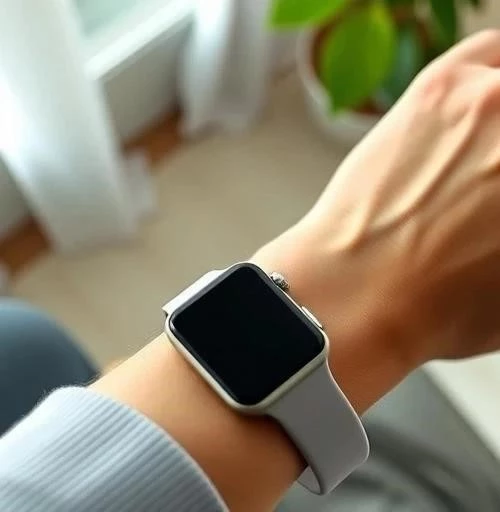
Apple Watch does not work like a conventional thermometer. Compatible models can track changes in wrist temperature while you sleep‚ but they do not provide an on-demand reading of your core body temperature or a result such as 37.0°C. The feature is intended to show patterns over time‚ not to diagnose a fever or replace a medical thermometer.
Which models support temperature sensing?
Wrist-temperature tracking is available on Apple Watch Series 8 and later models with temperature sensors‚ and on Apple Watch Ultra models. Apple Watch SE models do not include this feature. Availability of related Health and Cycle Tracking features can vary by model‚ software version‚ region‚ and age.
Set up overnight tracking
- Update your iPhone and Apple Watch to compatible software‚ and make sure the watch is paired with the iPhone.
- In the Health app on iPhone‚ set up Sleep and a sleep schedule. Turn on Track Sleep with Apple Watch. You can also check sleep settings in the Watch app.
- Wear the watch to bed with a comfortable fit. It should have enough battery for the night; charge it before bedtime if needed.
- Keep Sleep Focus enabled during the scheduled sleep period. For a usable baseline‚ Apple requires the watch to be worn during sleep for several nights—typically at least four hours a night for five nights.
The watch samples wrist temperature during sleep. It may take several nights to establish a baseline‚ so the information will not necessarily appear immediately. Removing the watch‚ a loose fit‚ or disrupted sleep tracking can leave gaps or delay results.
Find the results on iPhone
After enough overnight data has been collected‚ open Health on your iPhone. Choose Browse‚ then look under Body Measurements for Wrist Temperature. The exact labels or location can differ by software version. The chart shows how readings compare with your personal baseline; it is not a direct thermometer reading. You can select a date or time range to review changes.
For some users‚ overnight wrist-temperature data can also support Cycle Tracking estimates‚ including retrospective ovulation estimates. These are estimates‚ not confirmation of ovulation or a method of contraception. They depend on sufficient consistent data and the relevant Health settings.
What a change means
Wrist temperature can vary with sleep environment‚ alcohol‚ illness‚ exercise‚ travel‚ menstrual-cycle changes‚ or other factors. A rise or fall from baseline does not by itself identify the cause. It also should not be interpreted as a diagnosis or as proof that you do or do not have a fever.
If you feel unwell or need to know your actual temperature‚ use a suitable clinical thermometer according to its instructions. Seek medical advice when symptoms are concerning‚ persistent‚ or severe. Do not delay care because the watch shows no change. If temperature data is missing‚ confirm model compatibility‚ sleep tracking‚ Sleep Focus‚ fit‚ and overnight battery; then allow more nights for tracking.
1 Comment. Оставить новый
The article clearly distinguishes overnight wrist-temperature trends from an on-demand body-temperature reading. Its setup steps and explanation of baseline requirements are useful, while noting that availability and menus may vary helps set realistic expectations.