
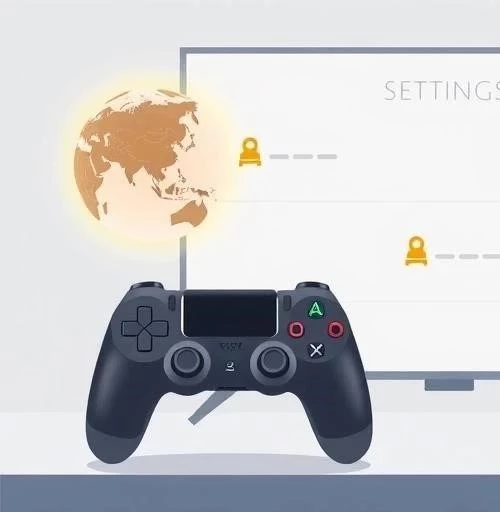
If you want to access another PlayStation Store, use a different currency, or download content available in another country, it is important to understand what “region” means on PlayStation. The key limitation is that the country or region selected when a PlayStation Network (PSN) account is created generally cannot be changed later. Changing your console’s language or location does not change the account’s Store region.
In most cases, the practical solution is to create a separate PSN account for the country whose Store you want to use. Before doing that, consider the effects on purchases, subscriptions, payment methods, downloadable content, and account balances. Sony’s menus and policies can change, so check the current PlayStation support information for your country if an option described here is not available.
First, identify which region you mean
- PSN account country or region: The country selected during account registration. It determines the Store associated with that account and can affect available products, prices, currency, payment options, and services. This is the setting people usually mean when they ask how to change their PlayStation region.
- Console language and location: Settings that affect the system interface, time, or other local preferences. Changing them does not normally move an existing account to another country’s Store.
- Game or disc region: A game’s packaging or edition may be intended for a particular market. Many PlayStation games can be played on consoles bought elsewhere, but regional differences can matter for add-ons and services.
These are separate things. A console set to English and located in a different time zone can still show the Store linked to the signed-in account’s country. Likewise, changing the console’s region-related settings is not a way to convert an account or transfer its purchases.
Can you change the country on an existing PSN account?
Usually, no. PlayStation does not generally provide a setting that lets you edit the account country after registration. You may be able to update other profile details, such as your sign-in information or address, but changing those details does not necessarily change the account’s country or Store. Do not enter a false address in an attempt to make an existing account use a different Store.
If you have moved to another country, contact PlayStation Support in your current location and ask what options apply to your account. Support can clarify the rules for your region, but you should not assume that it can transfer an account, wallet funds, purchases, or subscriptions to another country. If the country cannot be changed, a new account registered in the correct country is the usual alternative.
Before creating a new account
Make a plan before registering. A second account is separate from your original one: it does not automatically inherit your games, saved data, trophies, friends, wallet balance, or subscription history. Keep access to the original account, especially if you have bought games or subscribed to services through it.
- Check payment options. A Store may accept only payment methods issued in its country, and a card or PayPal account from elsewhere may be rejected. Gift cards are generally country-specific: a code must match the Store country for which it was issued. Check the current payment rules before buying a code.
- Check prices and availability. Catalogues, editions, prices, taxes, age ratings, and release dates can differ. A title listed in one Store may not be sold in another, and availability can change.
- Think about subscriptions. A subscription bought on one account belongs to that account. Features and benefits may vary by country, and an existing subscription or wallet balance should not be expected to move to a new account.
- Consider add-ons and game editions. Downloadable content, in-game currency, and expansion packs usually need to match the game’s edition or region. A foreign Store add-on may not work with a disc or digital game bought from a different market.
- Use accurate registration details. Follow the account registration requirements and the Store’s terms. Do not create an account for a country you are not entitled to use or provide made-up information to bypass local rules.
- Protect both accounts. Use a unique password, keep recovery details current, and enable two-step verification where available. Make sure you can receive security messages for the email address used on each account.
How to create a second account on PS5
- On the PS5 home screen, select your profile icon and choose the option to switch users or add a user. The wording can vary slightly with system software.
- Choose to add a user, then follow the prompts to create or sign in to a PlayStation account. Do not select an existing account if you intend to register a new one.
- When account registration asks for a country or region, select the country that genuinely applies to the new account. Check the selection carefully: it may not be editable later.
- Enter the requested date of birth and other details accurately, and use an email address you control. Complete any email verification or security steps shown on screen.
- Review the terms and privacy information, finish the setup, and sign in to the new account.
- Open PlayStation Store while signed in to that account. Confirm the country, currency, and available payment methods before making a purchase.
How to create a second account on PS4
- From the PS4 home screen, select New User, then choose the option to create a user and proceed to PlayStation Network.
- Select the option to create a new account and follow the on-screen registration steps. If you already have a PSN account, choose to sign in instead of creating another one.
- Choose the correct country or region when asked. Review it before continuing, because the account country generally cannot be changed afterward.
- Provide the requested account and security details, verify the email address if prompted, and complete setup.
- Open the Store using the new profile and check that it is the intended Store before adding funds or buying anything.
You can also create an account through an official PlayStation website, where available. Use Sony’s official site rather than an unfamiliar registration service, and check every country selection before submitting the form. On either console, menu labels can change after software updates, but the important step is choosing the desired country during account creation—not changing the console’s language.
How to use the new account on your console
After setup, switch profiles from the console’s user menu and sign in to the account whose Store you want to browse. Each account has its own Store, purchases, friends, and account settings. You can keep more than one user profile on a console and switch between them, subject to PlayStation’s account and console rules.
Some purchased games may be playable by other users on the same console if the appropriate console-sharing feature is enabled. On PS5 this is called Console Sharing and Offline Play; on PS4 the relevant setting is commonly called Activate as Your Primary PS4. These features have eligibility and device limits, and they do not merge accounts or transfer ownership. Check the current instructions in console settings before relying on sharing.
Saved data and trophies are generally associated with the profile that created them. Do not expect a save, trophy list, wallet funds, or purchase history on your original account to appear on the new one. Some games have their own account systems or cross-progression, but that depends on the publisher and game.
Changing language or location is different
If you only want to change the interface language, adjust the console’s language settings rather than creating another PSN account. On PS5, open Settings and look under System for language options. On PS4, open Settings and select Language. Exact labels may differ by software version.
Time zone, date, and other system preferences can also be adjusted in Settings. These changes may make the console more convenient after a move, but they do not change the country attached to your PSN account, switch your Store catalogue, or change the currency used by that account.
Games, discs, and downloadable content
Do not assume that a disc’s country and your account country are interchangeable. Many games are not locked to a particular console region, but add-ons, season passes, redeemable codes, and in-game purchases can have region or edition requirements. Before buying DLC, compare the game’s product details and the add-on’s requirements. If you use a disc, check the disc’s market or product code and confirm compatibility with the Store where you plan to buy the add-on.
Redeemable voucher codes are also commonly restricted to the country or region for which they were issued. A code bought abroad may not redeem on your account, even if it looks like a standard PlayStation code. Confirm the country printed on the voucher and the account Store before purchasing. If a code fails, do not repeatedly try codes from uncertain sources; contact the retailer or PlayStation Support with proof of purchase.
Common problems and what to do
- The Store still shows the old country. Check which user profile is signed in. Store region follows the account, not the console’s language, location, or current internet connection.
- A payment card is declined. The payment method may not be supported for that Store or may need to match the account country. Check the Store’s accepted methods and billing requirements; do not assume that changing the profile address will solve a country mismatch.
- A gift card or voucher will not redeem. Verify that the code is valid, unused, and intended for the signed-in account’s country. Ask the retailer to confirm the region if it is unclear.
- An add-on does not appear in the game. Confirm that it was purchased on the right account, installed, and matched to the game’s edition or region. Also check the publisher’s instructions and the game’s in-game account requirements.
- You cannot access an old purchase. Sign in to the account that bought it and check the library, licence, and subscription status. A new regional account does not automatically receive another account’s library.
- You cannot register or verify the new account. Use a valid email address, follow the displayed requirements, and check spam folders for verification messages. If the service reports a restriction, use official support rather than a third-party workaround.
Important things not to do
Avoid buying an account from another person, sharing passwords with sellers, or using unofficial services that promise to “convert” a PSN region. You may lose access to the account, expose payment or personal information, or violate PlayStation’s terms. Do not purchase a region-specific code until you have confirmed that it can be redeemed on the account you intend to use.
Also avoid deleting your original profile just because you created a second one. Deletion can affect access to locally stored data and does not move purchases to the new account. If you are considering closing an account, first read PlayStation’s current account-closure guidance and back up anything you are allowed to retain.
Frequently asked questions
Can I change my PSN region by using a VPN?
A VPN does not change the country registered to an account. It may alter how a website sees your network connection, but it does not transfer your account, purchases, payment eligibility, or Store region. Follow the account and Store requirements instead of relying on a VPN to bypass them.
Will I lose my games if I create another account?
Creating a second account does not normally delete purchases on the first account, but it does not move them either; Keep the original account and use it to access its library. Console-sharing features may let other users play some eligible content on that console, but they are not a purchase transfer.
Can I move my wallet balance or subscription?
Do not expect wallet funds, subscriptions, or purchase history to transfer between accounts or countries. Review the terms for the relevant Store and contact official support if you need an answer about a specific balance or subscription.
Should I make a new account if I have moved permanently?
First ask PlayStation Support whether your account has any options under the rules that apply to your situation. If the account country cannot be changed, a new account for the appropriate country may be the available route, but it will remain separate from your old one.
Bottom line
You generally cannot change the country or region of an existing PlayStation Network account. If you need another country’s Store, the usual option is to create a separate account and select the correct country during registration. Check payment compatibility, voucher restrictions, game and DLC matching, and the consequences for purchases and subscriptions before spending money. Keep your original account, use accurate details, and consult official PlayStation support for country-specific questions.

8 Comments. Оставить новый
Good practical advice to check Sony’s current support information, since policies and menus can change. The explanation is straightforward and easy to follow.
A concise and useful explanation of why adjusting location settings won’t switch an account to another regional Store.
I like that the article sets expectations early: an existing account’s country generally cannot be changed. That saves readers from searching for a setting that may not exist.
Helpful overview. I especially appreciate the reminder that changing the console language does not change the country linked to a PSN account.
The distinction between account region and console location is explained clearly. This answers the main question without making the process sound more complicated than it is.
Clear, well-organized, and helpful for understanding the possible differences between regional Stores and game editions.
The section separating account region, console settings, and game region is useful. Those terms are easy to confuse.
This gives a clear starting point for anyone considering a separate account for another Store. The mention of purchases, subscriptions, and balances is important.