
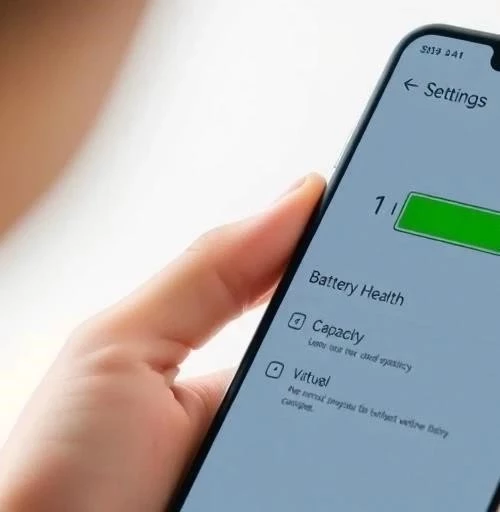
Your Xiaomi’s battery is a tiny fuel tank with no dashboard gauge for “litres remaining in the tank’s original size.” Android usually shows the charge left right now, not how much energy the battery can still hold compared with when it was new. To check its condition, combine Xiaomi’s built-in diagnostics with a careful estimate.
First, know what you’re measuring
Charge level is the percentage currently available: for example, 42%. Battery capacity is the energy the battery can store, usually stated in milliamp-hours (mAh). Battery health compares its present full-charge capacity with its original capacity. A 5,000 mAh battery estimated at 4,000 mAh is holding roughly 80% of its original capacity—not necessarily giving exactly 80% of its former screen time.
Method 1: Try Xiaomi’s hidden battery menu
- Open the Phone app and bring up the dial pad.
- Enter *#*#6485#*#*. On many Xiaomi, Redmi, and POCO models, a battery-information screen appears automatically.
- Look for labels such as MB_06, MF_02, or MF_05. Depending on the model and software, these may indicate battery condition, charge-cycle count, or capacity-related information.
The important catch: Xiaomi does not use one identical set of labels across every model, region, or MIUI/HyperOS version. Some codes may be missing, renamed, or show values that are not self-explanatory. Don’t treat a number as mAh unless your device’s menu or reliable model-specific documentation confirms what it means. If the code does nothing, that alone does not mean your battery is faulty.
Method 2: Check Settings
Open Settings → Battery (the exact wording can vary) to review battery use, charging options, and power-saving features. Some Xiaomi phones or software versions provide additional battery-health or protection information; many show usage rather than remaining capacity. This screen is still useful: unusually rapid drain by one app can imitate a worn-out battery.
Method 3: Estimate it with an app
An app such as AccuBattery can estimate how much charge the battery accepts during charging. Install it from Google Play, allow it to collect data, and use the phone normally through several charging sessions. Compare its estimated full-charge capacity with the original capacity listed for your exact Xiaomi model. For example, 4,100 mAh against a nominal 5,000 mAh is about 82%.
Think of this as a weather forecast, not a laboratory measurement. Estimates need time and multiple sessions; charging habits, temperature, background use, and the phone’s own battery-management system affect the result. The number can move around, so look for a trend rather than judging the battery from one reading.
For a more technical check
Advanced users can connect the phone to a computer with USB debugging enabled and inspect Android’s battery data using ADB. However, adb shell dumpsys battery commonly reports the current charge level and status, not a trustworthy measurement of full capacity. It is not a magic shortcut to the battery’s original mAh rating.
When should you worry?
Consider a service check if capacity estimates remain low over time and the phone also shuts down unexpectedly, drains unusually fast, or struggles to last through your normal day. Heat during demanding use can be normal; swelling, a lifted screen, or a damaged battery is not. Stop charging a swollen or damaged phone and seek professional repair—never press the case closed.
Best quick plan: try the Xiaomi code, check Settings, then use an app for a multi-session estimate. Together, these clues reveal whether your battery is merely having a dramatic afternoon or has genuinely lost much of its old stamina.


7 Comments. Оставить новый
The distinction between today’s charge and the battery’s long-term capacity is the star here. It turns a familiar percentage into something readers can actually interpret.
Clear, practical, and refreshingly cautious about model differences. The best advice may be the least flashy: a code that fails is not proof that your battery is failing.
A thoughtful guide for anyone tempted to blame every short day on an aging battery. It leaves room for the less dramatic culprit: an app quietly sipping power in the background.
A useful little map through Xiaomi’s battery menus—and, more importantly, a reminder that one cryptic number shouldn’t send anyone shopping for a new phone.
The “tiny fuel tank” analogy makes battery health click without turning the explanation into a lecture. I especially appreciate the warning that a mysterious code is not a diagnosis.
The article gives readers a sensible toolkit instead of promising a secret universal battery-health button. That honesty is more valuable than a suspiciously precise percentage.
I like that this guide treats battery checking as detective work, not magic: inspect the menu, check Settings, and remember that apps can be the real energy thieves.