
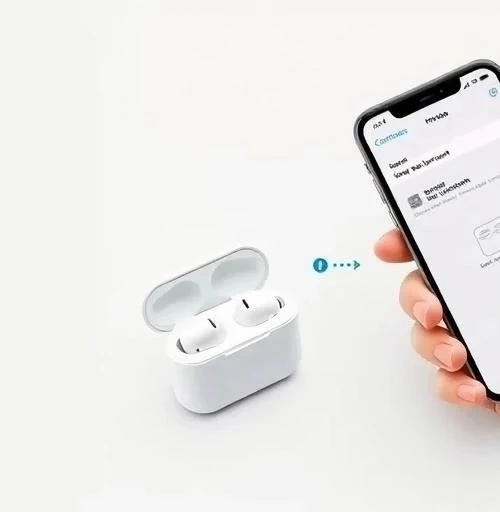
Your AirDots are tiny, wireless, and occasionally determined to behave like two strangers sharing a charging case. The good news: setup is usually simple once you know the sequence. This guide covers first-time pairing, reconnecting, resets, one-earbud problems, and a few sound fixes. Button names and light patterns vary between AirDots versions, so treat the instructions as a map—not a promise that every model blinks in exactly the same way.
Give the earbuds a proper first charge
Before pairing, place both earbuds in the case and check that they sit firmly on the charging contacts. Charge the case and buds for a while, especially if the set has been unused; Remove any protective film covering the metal contacts; it can be nearly invisible but still block charging. If an earbud shows no light or refuses to respond, wipe its contacts and the matching pins in the case gently with a dry, soft cloth. Avoid liquid and metal tools.
Keep the earbuds near your phone during setup. You do not need a Xiaomi account, a special app, or a secret handshake: standard AirDots models connect through your phone’s Bluetooth settings.
Pair them with your phone
- Open Settings > Bluetooth on your phone and switch Bluetooth on. Leave this screen open so new devices can appear.
- Take both earbuds out of the case. On many classic AirDots models, they turn on automatically. If yours do not, press and hold each earbud’s button or touch control until its indicator responds.
- Wait a few seconds for the earbuds to find each other. Usually one becomes the main connection and its light pattern changes or settles down.
- In the phone’s available-device list, tap the AirDots or Redmi AirDots name. Confirm pairing if prompted. If two similar entries appear, do not tap both repeatedly; put the buds back in the case, try again, and choose the normal headset entry.
- Play a short audio clip. Check both sides, then adjust volume on the phone.
On another phone, tablet, or computer, the steps are much the same: open Bluetooth settings, make the earbuds discoverable, and select their name. If they reconnect instantly to a device you are not using, turn Bluetooth off on that old device first. AirDots can remember previous partners and may race back to the familiar one.
One earbud connects, but the other stays silent
This usually means the left and right buds have lost their link with each other, or one has run out of charge. First, forget or remove the AirDots from your phone’s Bluetooth list. Put both earbuds in the case, confirm that they are charging, and take them out together. Wait briefly before pairing again. Keep other nearby devices’ Bluetooth switched off during this step so they do not interrupt the reunion.
If that does not help, try a reset. A common procedure on classic button-style AirDots is to remove both buds, turn them off, then hold their buttons for roughly 15 seconds until the indicators flash or change pattern. Return them to the case, wait a few seconds, take them out together, and pair again from the phone’s Bluetooth menu. Some versions use touch controls or a different reset sequence; consult the leaflet for your exact model rather than forcing a control that does not match it.
When AirDots do not appear in Bluetooth
- Check the case and contacts. A flat earbud may look connected while never entering pairing mode.
- Restart Bluetooth. Switch it off and on, or restart the phone, then search again.
- Clear an old pairing. Choose “Forget” or “Unpair” for the AirDots before starting fresh.
- Move closer. Keep the phone within a metre or two and away from crowded wireless equipment while pairing.
- Test with another phone. If the earbuds appear there, the first phone’s Bluetooth settings may be the obstacle.
If one side is much quieter, check that its sound outlet is clean and that your phone’s left-right audio balance is centred. A soft, dry brush can remove surface dust; do not push debris into the mesh. For stuttering, charge the buds, reduce distance from the phone, and temporarily disconnect other Bluetooth audio devices.
Make everyday use less mysterious
After successful pairing, AirDots generally reconnect to the last phone when removed from the case, provided Bluetooth is on and the buds have power. Returning them to the case should disconnect them and begin charging. If automatic reconnection fails, select the saved AirDots entry in Bluetooth settings. Controls for calls, playback, and voice assistants differ by model, so check the printed guide for your version; a long press on one model may do something entirely different on another.
The quick recipe: charge both buds, remove old pairings, take them out together, choose AirDots in Bluetooth settings, and reset only if the two sides will not sync. Think of the case as their little harbour: charge there, reunite there, and set sail to your phone again. If pairing still fails after a careful reset and contact check, consult the model-specific manual or Xiaomi support—persistent trouble may point to a battery or hardware fault.
5 Comments. Оставить новый
This guide treats Bluetooth pairing like a tiny travel ritual: charge, clear the contacts, and let the earbuds find their rhythm before inviting the phone in. The reminder that model lights differ is especially useful.
The invisible protective film is a wonderfully specific detail; it gives this guide the feel of someone who has actually met a stubborn earbud. Clear, calm, and useful without pretending every AirDots model behaves identically.
Like a patient lighthouse for people stranded in Bluetooth settings, this article steers readers through charging, pairing, and basic checks. The dry-cloth warning is a small but welcome bit of care.
I like that the instructions leave room for different versions instead of promising one magical button sequence. It turns a fiddly setup into a manageable checklist—and gives the earbuds fewer chances to win the staring contest.
A refreshingly practical map through the little maze of wireless audio. I appreciate the advice not to tap every similar device name in sight—sometimes troubleshooting begins with resisting the urge to panic-click.