
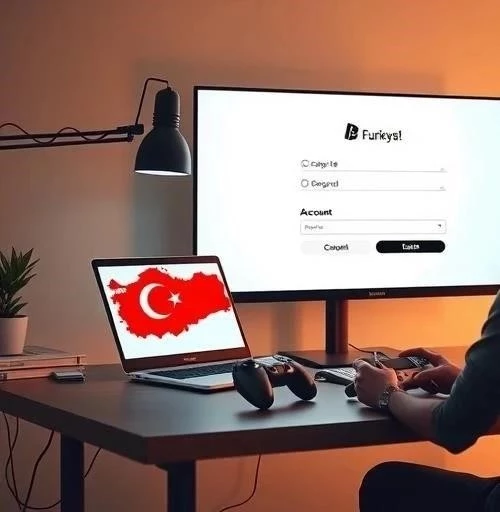
A PlayStation Network (PSN) account is associated with the country or region selected when it is created. That choice affects the PlayStation Store you see‚ the currency and payment options available‚ and which subscriptions or digital products you can buy. Sony generally does not let you change the country or region of an existing account later. For that reason‚ choosing Turkey should be a deliberate decision—not simply a way to change the language or browse a different storefront.
This guide explains how to create a Turkish account when you are eligible to register with Turkish details‚ what to check before you begin‚ and how to use the account safely. Sony’s screens‚ payment options‚ and policies can change‚ so confirm the current requirements on the official PlayStation website for your country.
Before you start: check whether a Turkish account is right for you
Use accurate information and follow the PlayStation Network terms that apply to you. If you live in Turkey or otherwise meet Sony’s requirements for registering a Turkish account‚ prepare the information requested during sign-up‚ including a valid email address and any required residence or billing details. Do not invent a Turkish home address‚ use someone else’s identity‚ or enter false information to get around regional requirements. A mismatch between account‚ residence‚ and payment details can lead to failed purchases or account-access problems.
If you live elsewhere and only want Turkish-language menus‚ you usually do not need a Turkish account. Console language settings can change the interface language independently of the PSN account’s country. Likewise‚ the language available in an individual game depends on that game’s edition‚ not just the account region.
- Country and region: The selection made during account creation is important and is generally not editable afterward. If you need another region‚ check Sony’s current guidance; you may need a separate account rather than changing the existing one.
- Email address: Use an inbox you control and can access. You will need it to verify the account and may need it for security and recovery messages.
- Age and family settings: Enter your real date of birth. Child accounts and parental controls have separate requirements and should be set up through the appropriate family-management process.
- Payments: A payment card may need to be issued in the account’s region and have billing details that match the issuer’s records. The Store’s accepted methods can vary and may change.
- Account security: Have a unique password ready and plan to enable two-step verification or another security method offered by Sony.
What you will need
Use a computer or phone with a secure internet connection‚ or create the account directly on a PlayStation console. You will need a working email address‚ a password that you do not reuse on other services‚ and the personal details requested by the sign-up form. If you intend to buy something‚ check the current Turkish PlayStation Store payment options before registering. Do not assume that a card‚ wallet balance‚ subscription‚ or code purchased for another country will work with a Turkish account.
It is sensible to create and verify the account before adding a payment method. This gives you time to check that the country‚ email address‚ and other details are correct. Never share your password‚ verification codes‚ or account recovery information with a seller or stranger.
Create the account on the PlayStation website
- Open the official PlayStation account page. Type the official PlayStation website address into your browser or reach the account-creation page through PlayStation’s own site. Avoid links sent by unknown sellers‚ ads‚ or messages;
- Choose to create a new account. Select the sign-up option and read the terms and privacy information shown during registration.
- Select the country or region carefully. Choose Turkey only if that choice accurately reflects your eligibility and intended account details. Review the selection before continuing; do not assume it can be changed later.
- Enter your date of birth. Use the correct date. Age affects account eligibility‚ available features‚ and family controls.
- Provide an email address and password. Make sure there are no typing errors. Use a strong‚ unique password and store it in a reputable password manager if you use one.
- Complete the requested profile and residence fields. Enter accurate information. If the form asks for an address or other local details‚ do not make up information to bypass the requirement. If you cannot provide what is requested‚ stop and contact PlayStation Support for clarification.
- Verify your email. Open the message from PlayStation and follow its verification instructions. If it does not arrive‚ check your spam folder‚ confirm that you entered the address correctly‚ and use the page’s resend option if available.
- Review security and privacy settings. Add a recovery method if offered‚ enable two-step verification or a passkey if available‚ and check who can see your profile‚ activity‚ and friend information.
Create an account on a PS5 or PS4
You can also register from the console. The wording and location of menus may differ slightly by system software version‚ but the general process is similar.
- Turn on the console and choose the option to add a user or sign in to PlayStation Network.
- Select the option to create a new account rather than signing in with an existing PSN ID.
- Follow the on-screen instructions for date of birth‚ country or region‚ email‚ password‚ and any profile or residence information requested.
- Choose Turkey only when it is appropriate for your circumstances‚ and check the selection before submitting the form.
- Complete email verification and any security prompts. If verification requires you to use another device‚ finish the process there before relying on the account.
- Set privacy‚ communication‚ and family controls. These options can usually be reviewed again later through account or console settings.
If you already use a different PSN account on the console‚ you can usually add another user without deleting the original one. Keep the accounts separate and note which account owns each digital purchase‚ subscription‚ and save file. Do not remove your existing user as a troubleshooting shortcut; deleting users or changing console settings can affect locally stored data.
Using the Turkish PlayStation Store
Sign in with the Turkish account and open the PlayStation Store to see the storefront associated with that account. Check the product page carefully before buying: availability‚ editions‚ language options‚ prices‚ and subscription terms can differ between regions. A game’s Turkish Store listing does not guarantee that the game includes Turkish text or audio. Read the language information for the specific edition where it is provided.
Payment is one of the most common difficulties. PlayStation may accept only particular methods in a given region‚ and a card issued outside Turkey may be declined even if it works for other online purchases. The cardholder name‚ billing address‚ issuing country‚ and account region may all matter. Confirm accepted methods directly with PlayStation and your bank; do not repeatedly submit card details if the Store rejects them.
Prepaid codes and wallet top-ups are also region-specific in many cases. A code intended for another country may not redeem on a Turkish account‚ and a Turkish code may not work on your regular account. Before purchasing a code‚ verify that its stated country or region matches the account and that the seller is reputable. Avoid unofficial marketplaces offering unusually low prices‚ shared accounts‚ or codes with unclear origins. Such offers can be invalid‚ already used‚ obtained fraudulently‚ or put your account at risk.
Games‚ add-ons‚ subscriptions‚ and accounts on one console
Digital purchases are associated with the account that bought them. When you sign in with that account‚ you can normally access its eligible content subject to licensing‚ device‚ and service rules. If more than one account uses the same console‚ Sony’s console-sharing or primary-console settings may allow some purchases to be shared on that device. The exact features and restrictions depend on the console and current PlayStation policies. Sharing access does not transfer ownership to another account.
Pay special attention to downloadable content (DLC). Add-ons commonly need to match the region or edition of the base game. A Turkish Store add-on may not work with a disc or digital game from a different region‚ even if the title appears identical. Check the game’s product code‚ edition‚ and publisher information before purchasing. If you are unsure‚ ask PlayStation Support or the game publisher rather than buying an add-on and hoping it will match.
Subscriptions‚ wallet funds‚ and benefits should also be treated as belonging to the account and region where they were purchased or redeemed. Check the renewal date‚ price‚ included games‚ and cancellation terms on the Store page. Do not assume that a subscription or balance on one PSN account can be moved to another. Keep receipts and confirmation emails for purchases‚ and use the official account settings to manage renewal or payment details.
Common problems and sensible fixes
- The verification email is missing: Check spam and junk folders‚ make sure the email address is correct‚ and request a new message through the official sign-up page. Do not give your inbox password to anyone offering to verify the account for you;
- A payment is declined: Check the current Store payment rules‚ your bank’s international-payment settings‚ and whether the billing details match the card issuer’s records. Contact the bank or PlayStation Support for an explanation. Do not falsify an address to force a payment through.
- A code will not redeem: Check that it is unused‚ valid‚ and intended for Turkey and for the correct type of product. Contact the retailer or code issuer using the receipt and official support channels.
- An add-on is not appearing in a game: Confirm that the add-on and base game are compatible and from matching regions or editions. Check the game’s add-on management screen and restore licenses only through the console’s official settings if appropriate.
- You chose the wrong region: Do not expect support to change the account country. Contact PlayStation Support to ask what options are available. If a separate account is necessary‚ understand that purchases‚ balances‚ trophies‚ and subscriptions generally do not transfer between accounts.
- You cannot sign in: Use the official password-reset and account-recovery pages. If you suspect someone else has accessed the account‚ change the password from a trusted device‚ secure the email account‚ and contact PlayStation Support.
Important safety and policy reminders
Avoid VPNs‚ false addresses‚ borrowed payment details‚ and account-resale services as supposed fixes for regional restrictions. These approaches may violate applicable terms‚ fail during payment or verification‚ or make it difficult to prove that you own the account. Never buy a pre-made account: the original creator may be able to recover it‚ and purchases or account access could disappear. If an offer requires you to share a password or a one-time security code‚ treat it as unsafe.
Keep your account recovery details current and save purchase receipts. Use a unique password‚ enable the strongest available sign-in protection‚ and review active devices and recent account activity when those controls are available. If you have a child in your household‚ create or manage the appropriate child account instead of entering an inaccurate age. For account‚ payment‚ or regional eligibility questions‚ PlayStation Support is the authoritative source.
Quick checklist
- You are eligible to register with Turkish account details and can provide accurate information.
- You understand that the account’s country or region is generally fixed after creation.
- Your email is accessible‚ verified‚ and protected with a unique password.
- You have checked which payment methods and prepaid codes the Turkish Store currently accepts.
- You have checked game language‚ DLC compatibility‚ and subscription terms before paying.
- You will keep the account secure and will not share credentials or use a purchased account.
In short: create the account through PlayStation’s official website or console sign-up flow‚ choose Turkey only when the regional details are accurate for you‚ verify your email‚ and secure the account. Before making purchases‚ confirm payment eligibility and product compatibility. If you are outside the region or cannot meet the requested requirements‚ ask Sony for guidance rather than relying on false information or unofficial workarounds.
4 Comments. Оставить новый
A responsible and informative introduction. Emphasizing that region choices are generally difficult to change encourages readers to consider their needs before creating an account.
This is a helpful reminder that a PSN account’s region affects more than the language—it can determine store access, currency, and payment options. The advice to check Sony’s current requirements before signing up is especially useful.
I appreciate the clear warning against entering false residence or billing details. That practical point helps readers understand the potential account and purchase issues involved.
The distinction between account region, console language, and a game’s language is useful. It addresses a common misconception without making the setup sound more complicated than it needs to be.