
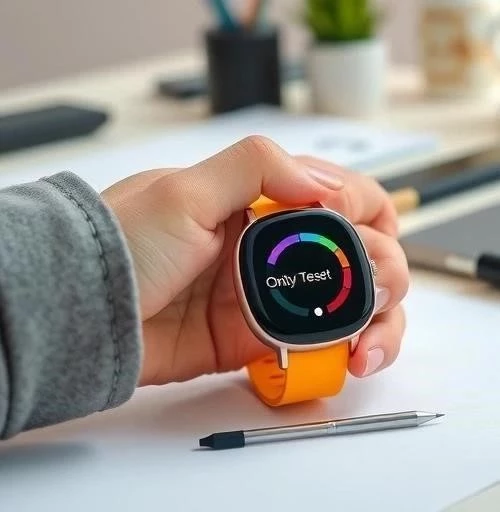
A factory reset can help if a Smart Baby Watch is frozen, misconfigured, or being prepared for a new user. The exact procedure depends on the watch model and its companion app. A command that works on one model may do nothing—or change settings unexpectedly—on another. Before proceeding, check the manual for the exact model number, usually printed on the back of the watch or on its box.
Before you reset
- Understand what may be erased. A reset can remove contacts, Wi-Fi details, alarms, and other settings stored on the watch. It may also interrupt location and calling features until setup is completed again.
- Keep account details. Make sure you know the administrator account and password for the app used to manage the watch. A reset does not necessarily remove the watch’s ID or unlink it from an online account.
- Check the battery and connection. Charge the watch, and make sure its SIM card and mobile service are working if you plan to use an SMS command.
- Save anything important. Record useful contact numbers and settings before resetting. Do not reset a child’s watch without the parent or account administrator’s permission.
Method 1: Use the watch’s settings
If the watch has a settings menu, this is usually the simplest option. Open Settings and look for a choice such as Reset, Restore factory settings, or Factory data reset. Read the confirmation prompt carefully, then confirm. The watch may restart; leave it powered on until the process finishes.
Not every Smart Baby Watch has an on-device reset option. Menu names and locations vary by model, and some children’s GPS watches have only a small number of controls. If you cannot find the option, do not try random button combinations: use the model’s manual or contact the seller or manufacturer for instructions.
Method 2: Use the companion app
Open the app that is currently linked to the watch and sign in to the administrator account. Select the correct device and check its settings for a reset or restore option. Follow the app’s prompts. Keep the watch switched on and connected while the request is being processed.
If the app offers only Remove device or Unbind, read the warning before choosing it. Removing a device from a list is not always the same as erasing its settings, and it may affect who can manage or locate the watch. If the watch is being transferred, follow the app’s official transfer or unbinding instructions as well as the reset procedure.
Method 3: Reset by SMS, if the model supports it
Some older GPS watch models accept configuration commands by SMS. A manual listed for certain models gives this factory-reset format:
pw,123456,factory
This is not a universal Smart Baby Watch command. Use it only if the manual for your exact model confirms the command and default password. Send it as a plain text message to the phone number of the SIM installed in the watch, from the administrator’s phone number if the manual requires that. Do not add quotation marks or extra words. Wait for a confirmation message, if the model provides one.
If you receive no reply, do not repeatedly send commands or guess other passwords. Check that the watch is powered on, the SIM can receive SMS messages, and the watch has mobile coverage. Some SIM plans block incoming texts, and some models require a specific app or administrator number. Follow the manual’s instructions for checking the watch’s version or status; command formats differ between devices.
After the reset
- Restart the watch if it does not restart automatically.
- Install or open the correct companion app and sign in to the administrator account.
- Add the watch again using the model’s ID or QR code, if requested. If the app says it is already bound to another account, contact the previous administrator or official support; a factory reset may not clear account binding.
- Set the time zone, approved contacts, emergency numbers, and location permissions. Test calling and location features with an adult present.
If the reset does not work
First confirm the model number and repeat only the procedure documented for that model. If the watch is unresponsive, try charging it and performing a normal restart as described in its manual. Avoid opening the case, shorting contacts, or installing unofficial firmware: these steps can damage the watch or disable safety features. For a forgotten administrator password, account lock, or persistent reset error, contact the app provider, seller, or manufacturer and provide proof of ownership.
Important: A factory reset restores device settings; it does not necessarily cancel the SIM plan, erase data held by an app service, or remove an online account link. Check each separately before giving the watch to someone else.

4 Comments. Оставить новый
The reminders to check the exact model and save important settings before resetting are especially helpful. They make this guide practical and cautious.
I appreciate the warning against trying random button combinations. Model-specific guidance is important for devices with different menus and procedures.
The checklist is easy to follow, especially the advice to confirm administrator access and check the battery before starting. Including the model number is a useful tip.
A clear explanation of why a reset may not unlink the watch from its account. That detail could save readers a lot of confusion during setup.