
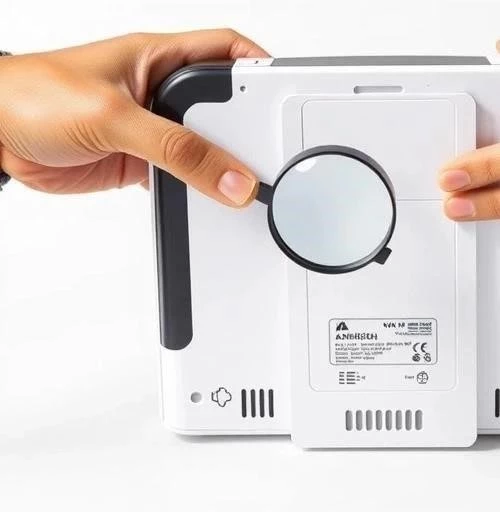
If you are buying a used PS5, checking a repair part, or comparing console versions, the most reliable starting point is the model number. The console’s appearance, release date, or seller’s description can suggest which version it is, but none is as dependable as the code printed on the console or its box. It is also important to distinguish a model family from a specific internal hardware revision: the model number identifies the product version, but it does not reveal every component change.
Find the model number
- Check the console’s label; Look for a small label on the underside or rear area of the console. Its position can vary with the PS5 design and how the console is placed. Carefully move the console if necessary; do not pull on cables or remove panels just to find the label.
- Read the retail box. The model information is usually printed on a barcode or product-information label. This is convenient if the console is still packed, but make sure the box belongs to that particular unit.
- Compare the codes. If you have both the console and its original box, check that their model information agrees. For a second-hand purchase, rely on the label on the actual console rather than a box that could have been swapped.
The code begins with CFI and continues with numbers and, in many cases, a letter. Examples include CFI-1215A and CFI-1215B. Record the full code exactly as printed. A partial number can be misleading because the final digits may identify a market or region, while the letter may distinguish a disc-drive configuration.
What the CFI number tells you
For the original, full-size PS5, model-number families commonly include CFI-10xx, CFI-11xx, and CFI-12xx. The “xx” represents additional digits, which differ by market. These families broadly correspond to successive production revisions. For example, a CFI-12xx unit is a later revision of the original-style console than a CFI-10xx unit.
Later families identify different product designs. The smaller PS5, commonly called the PS5 Slim, uses CFI-20xx model numbers. The PS5 Pro belongs to a separate model family, commonly identified by CFI-70xx numbers. Check the complete code and the product description rather than assuming that every higher number is simply a newer revision of the same console.
These groups are useful for identifying the broad model, but they are not a guarantee of a particular heatsink, motherboard, fan, or other component. Sony can make component changes within a product family, and parts can vary between manufacturing batches and regions. If you need a revision number for a repair or replacement part, match the exact console model with the part supplier’s compatibility list. When the distinction is important, ask a qualified repairer to inspect the component itself.
Understanding the A and B suffixes
On many original PS5 model codes, A indicates a version with an Ultra HD Blu-ray disc drive, while B indicates a Digital Edition without a built-in disc drive. Thus, CFI-1215A and CFI-1215B refer to different configurations within a related model family. The number after the hyphen may differ by region; it should not be mistaken for the hardware revision by itself.
There is an extra detail with the Slim: some Digital Edition models support a separately sold detachable disc drive. That does not mean the console originally had a built-in drive. Check the console’s exact model and what is included in the sale, especially if you expect to play disc games.
What not to use as proof
- Console appearance alone: covers can be replaced, and different revisions of the original PS5 can look almost identical.
- Serial number alone: a serial number identifies a unit, but it is not a simple, public revision code. Avoid relying on unofficial serial-number charts as definitive evidence.
- Purchase date or seller claims: an older-looking listing may describe a newer revision, and a console bought recently may be older stock.
- System software screens: software information is useful for checking the installed system version, but it is not a substitute for the hardware model label.
A practical checklist
Before buying or ordering parts, photograph the label and write down the full CFI code. Confirm whether the unit is an original PS5, Slim, or Pro, and verify whether a disc drive is built in or included separately. Then compare that information with the seller’s description, the warranty details, and the compatibility requirements for any accessory or repair part. If the label is missing or unreadable, ask for clear photographs and do not guess from the serial number or the console’s shape.
In short: to find your PS5 revision, locate the CFI model number on the console or its matching box. Use the leading model family to identify the broad generation, and the suffix to understand the configuration where applicable. For component-level repairs, however, treat the full model code as a starting point—not proof that a particular internal part will fit.


9 Comments. Оставить новый
The overview of the CFI-10xx, CFI-11xx, and CFI-12xx families is concise and gives readers a useful sense of how revisions are grouped. The caution that these families do not disclose every component change keeps the explanation appropriately measured.
The strongest point is the advice to record the complete model code exactly as printed. That is more dependable than using a partial number when checking compatibility or comparing versions.
This is a clear explanation of why the full CFI code matters. The distinction between a model family and a specific hardware revision is important, since a model number should not be treated as a complete inventory of internal components.
I appreciate the practical reminder not to remove panels or tug on cables just to find the label. That makes the identification steps safer and more useful for someone who has never handled a PS5 before.
The comparison of the box and console labels is a helpful extra check when both are available. It is a small detail, but it can reveal whether the packaging actually belongs to the unit being sold.
The examples make the CFI format easier to understand, especially the note that regional digits and the final letter can have different meanings. Recording the whole code is a sensible way to reduce confusion.
The advice to check the label on the console itself is especially useful for second-hand buyers. A retail box can be swapped, so confirming that its model information matches the unit helps avoid a simple but costly mistake.
This is a straightforward guide that avoids relying on cosmetic clues, which can be unreliable across different PS5 designs. The step-by-step approach should help both owners and prospective purchasers identify a console more confidently.
This article gives buyers a reliable first step before comparing consoles or ordering parts. It correctly favors the console’s own label over assumptions based on appearance or a seller’s description.