
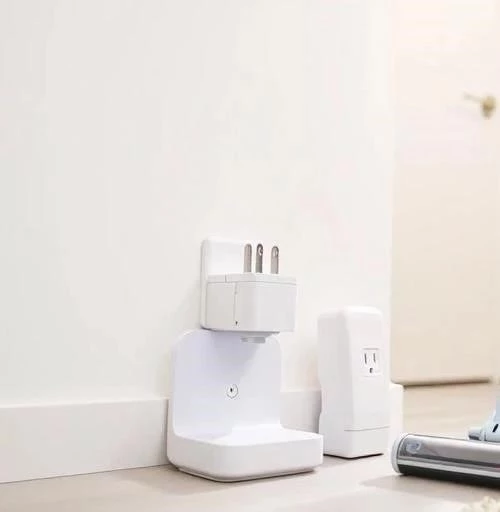
A Xiaomi vacuum that refuses to charge can feel like a tiny household mystery: the machine is home, the dock is waiting, and yet the battery icon stays stubbornly asleep. The cause may be as simple as a loose plug—or as serious as a worn battery. Work through the checks below in order, from easiest to most involved. They apply broadly to Xiaomi cordless and robot vacuums, although names, lights, and charging arrangements vary by model.
First, identify what “not charging” means
Notice what happens when you connect the vacuum. Does it show no light or app response? Does it begin charging and then stop? Does the indicator claim the battery is full, while the machine runs for only a few minutes? These clues point in different directions. A blank display suggests a power connection problem; repeated interruptions can mean poor contact, overheating, or a failing battery; unusually short runtime may indicate that charging is occurring but the battery no longer holds much energy.
Check the power path
Start at the wall, not at the vacuum. Confirm that the outlet works by testing it with another device. Check that the charger is firmly connected at both ends, and inspect its cable and plug for cuts, crushed sections, bent pins, or burn marks. If the adapter has an indicator light, see whether it turns on. A switched outlet, loose extension lead, or tripped breaker can imitate a broken vacuum.
Use the original charger or a replacement explicitly approved for your exact model. Chargers that fit physically are not automatically electrically compatible: voltage, current, and connector design matter. Do not experiment with a random adapter, splice a damaged cable, or charge a unit whose charger smells burnt. Disconnect questionable equipment and arrange a proper replacement.
Make sure the charging contacts can meet
On a cordless stick vacuum, check that the unit is seated correctly in its wall mount or charging stand. On a robot vacuum, make sure the dock is on a firm, level floor and the robot can approach it without a rug edge, cable, toy, or furniture leg blocking the route. The dock’s contacts and the vacuum’s contacts must touch squarely. A robot that stops a little short may look parked while remaining electrically disconnected.
Unplug the charger before cleaning. Wipe exposed metal contacts gently with a clean, dry, lint-free cloth. Dust, pet hair, greasy residue, or oxidation can interrupt charging. Never scrape contacts with a knife, spray liquid cleaner into the dock, or bridge the terminals with metal. Let everything dry completely, reconnect power, and try again.
Look for temperature trouble
Lithium-ion batteries may pause charging when they are too hot or too cold. If the vacuum has just finished a long run, been left in a cold garage, or sat in direct sun, move it to a dry room at a moderate temperature. Let it rest for about 30–60 minutes before trying again. Avoid heating it with a radiator or hair dryer; rapid heating can damage the battery and create a safety risk.
Restart the electronics
Sometimes the vacuum is not refusing power; its controller has simply lost track of what is happening. Disconnect the charger, switch the vacuum off if the model allows it, and wait a minute. Reconnect the charger and check the display or app. For a robot, reseat it on the dock and allow time for it to establish contact. Follow the model’s manual for any reset procedure—button combinations are not universal, and a factory reset may erase settings or maps.
If the vacuum appears to charge but the app does not update, check whether the app is showing current information. Close and reopen it, confirm the robot is online, and compare the app with the physical indicator. A connectivity issue can make battery status look stale even when charging is working.
Consider the battery and its age
A battery is a consumable component. After many charge cycles, it can lose capacity, charge unusually slowly, or shut the vacuum down under load. Warning signs include a rapid drop from a high charge, dramatically shorter cleaning time, repeated charging errors, or a vacuum that works only while connected to power. Some models have a removable battery; others require professional disassembly. Replace it only with a compatible part from a trustworthy source, and follow the manufacturer’s instructions.
Stop using the vacuum if the battery is swollen, leaking, unusually hot, or giving off an odd chemical smell. Do not press, puncture, open, or put it in household rubbish. Keep it away from combustible materials and contact Xiaomi support or an appropriate battery-recycling service for safe handling;
When a robot vacuum will not return to its dock
A robot may have a healthy battery but fail to charge because it cannot find or align with the dock. Place the dock against a wall on a level surface, with the clear approach space recommended in the manual. Keep it away from strong direct sunlight and mirrors if navigation seems confused. Clean the robot’s sensors and dock contacts with a dry cloth, remove obstacles, then send it home using the app or its button; If it docks only when placed by hand, investigate navigation and placement before assuming the battery is defective.
When to request repair
Contact Xiaomi support or a qualified repairer if the outlet and approved charger work, the contacts are clean, the vacuum is at room temperature, and it still will not charge. Share the model name, serial number, charger details, indicator pattern, and what you have already tested. A repeating light or error code can help narrow the fault to the charger, dock, battery, or charging circuit.
A quick, safe checklist
- Test the wall outlet and reconnect the approved charger.
- Inspect the cable, adapter, dock, and charging contacts.
- Seat the vacuum correctly and remove dust or obstacles.
- Let a hot or cold unit return to room temperature.
- Restart it and check the manual for model-specific indicators;
- Seek service if the battery is damaged or the fault persists.
The useful rule: diagnose the route electricity must travel—outlet, charger, contacts, battery, and control electronics—one link at a time. That turns a silent Xiaomi vacuum from a baffling brick into a solvable checklist, while keeping unsafe chargers and damaged batteries out of the experiment.
2 Comments. Оставить новый
This turns a silent vacuum into a small detective story, with the wall outlet as the first suspect and the battery as a later one. The step-by-step checks are practical, and the warning about “compatible-looking” chargers could prevent a costly mistake.
A useful guide with the calm logic of a repair bench: follow the power, inspect the contacts, and resist guessing with a random adapter. I especially like how it separates “won’t charge” from “won’t hold a charge”—two different mysteries wearing the same costume.