
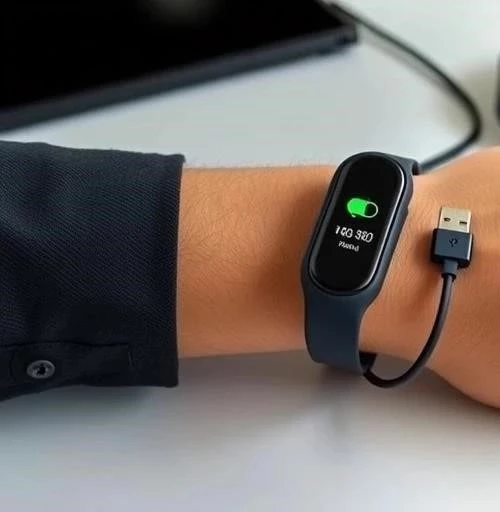
The Xiaomi Mi Band 5 has no physical power button. Normally, you turn it on by connecting it to its charger: the display should wake and show a charging symbol or battery level. If the screen is blank, first make sure the band has a reliable power connection rather than repeatedly tapping the display.
Turn it on and charge it
- Remove the tracker capsule from the strap if necessary. The Mi Band 5’s charging cradle is designed to connect directly to the capsule.
- Place the capsule in the cradle and align its two metal contacts with the matching charging pins. It should sit securely; check that it is not tilted or loose.
- Connect the cradle’s USB cable to a working USB power source. Wait a few minutes, then check the screen for the charging indicator. If the battery is fully drained, it may take several minutes before the display responds.
Use the original charger where possible, or a compatible cradle made for the Mi Band 5. A cable that fits the USB port is not necessarily the right charger for the tracker. Avoid forcing the capsule into the cradle, and keep the contacts dry and clean. If they look dirty, gently wipe them with a soft, dry cloth before trying again.
If the screen stays off
Try another USB port or a reliable USB power adapter, and check that the power source works with another device. Re-seat the capsule so both contacts touch the pins. Look for dust, moisture, or residue on the contacts, and let the band dry completely if it has been wet. Do not charge it while the contacts are damp.
Leave the band connected for 10–15 minutes before checking again. A deeply discharged battery may not show an indicator immediately. If there is still no response, test with another compatible Mi Band 5 charging cable or cradle, if available. This helps distinguish a faulty charger from a problem with the tracker itself.
The band normally wakes when charging begins; it does not require a long press on the screen. The touch key below the display is used to navigate menus, not to power the device on. After the screen lights up, tap the key or swipe the display to check that it responds.
Pairing it with a phone
Once the tracker has power, install Xiaomi’s supported companion app for your region, such as Mi Fit (now commonly called Zepp Life) or the Xiaomi Wear app, and sign in. Turn on Bluetooth on your phone, open the app, choose the option to add a band, and follow the on-screen instructions. Keep the tracker near the phone and confirm the pairing request on the band if prompted.
Pairing is not the same as turning the device on: a band can charge and display information before setup is complete. If it will not pair, check Bluetooth, restart the app, and ensure the band is not already connected to another phone or account. Follow the app’s instructions rather than repeatedly resetting the tracker.
Important troubleshooting advice
If the band remains completely unresponsive after charging with a known-good compatible cradle, the battery or charging hardware may need service. Contact Xiaomi support or a qualified repair provider, especially if the tracker becomes unusually hot, looks swollen, or has visible damage. Disconnect it immediately in those circumstances. Do not open the capsule or use improvised electrical connections.
In short: connect the Mi Band 5 to its aligned charging cradle, use a working power source, and give it time to respond. There is no separate power switch; charging is the normal way to wake a fully depleted band.