
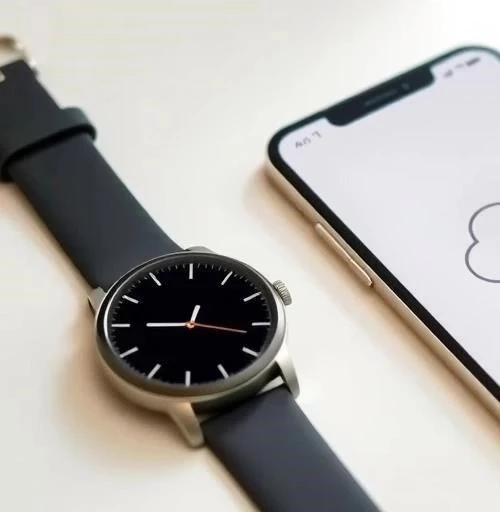
An Apple Watch can feel like a tiny locked room: the screen is yours‚ the watch is on your wrist‚ yet a forgotten password keeps the door shut. The important clue is that there are two different keys: the watch passcode and the password for your Apple Account (formerly Apple ID). They solve different problems. Before you erase anything‚ identify which key has gone missing.
First‚ what does “unlink from iCloud” mean?
Apple Watch does not have a separate iCloud password. When a watch is paired‚ Apple’s Activation Lock links it to the Apple Account used to set it up. Erasing the watch removes personal data‚ but it does not by itself remove that link. A reset is not a secret exit: during setup‚ Activation Lock may still ask for the original account and password.
If you can use the paired iPhone
This is the cleanest route‚ because unpairing through the Watch app erases the watch and removes Activation Lock as part of the process.
- Keep the iPhone and Apple Watch close together and open the Watch app.
- Tap My Watch‚ then All Watches. Tap the information button beside your watch.
- Choose Unpair Apple Watch‚ and confirm. For a cellular model‚ you may be asked whether to keep or remove its cellular plan.
- If prompted‚ enter the password for the Apple Account linked to the watch. This is not necessarily the watch’s numeric passcode.
When the unpairing finishes‚ the watch is erased and can be paired again or given to someone else. If you do not remember the account password‚ pause here and recover it first; repeatedly guessing is not a useful shortcut.
If the forgotten code is the Apple Account password
Reset your password using Apple’s official recovery options. On a trusted iPhone or iPad signed in to your account‚ open Settings‚ tap your name‚ then Sign-In & Security and Change Password. You may also start at iforgot.apple.com. Follow the prompts to verify your identity with a trusted device or phone number.
If you have no trusted device or cannot verify the account immediately‚ Apple may offer account recovery. That process can involve a waiting period while Apple confirms it is really you. Check the recovery instructions and status through Apple’s official channels‚ and avoid anyone promising an instant “iCloud unlock” for a fee. No legitimate third party can safely bypass Activation Lock.
Once the password has been reset‚ return to the Watch app and complete the unpairing steps. If you changed the password but the watch still asks for the old one‚ make sure you are entering the password for the same Apple Account that originally paired it.
If you forgot the watch passcode—or no longer have the iPhone
A forgotten watch passcode is different from a forgotten Apple Account password. You can erase the watch to clear its passcode‚ but Activation Lock may remain. If the paired iPhone is available‚ unpair through the Watch app as described above. If it is not‚ use Apple’s Find My service on a device or browser signed in to the account linked to the watch. Select the Apple Watch‚ choose the erase option‚ and‚ after erasing‚ remove the device from the account if that option is offered.
You can also erase a watch from its own settings if you can unlock it: open Settings > General > Reset > Erase All Content and Settings. This wipes the watch; it does not guarantee that Activation Lock is gone. You may still need the linked account to set it up again.
It’s a second-hand watch
If setup displays another person’s Apple Account‚ the watch is still linked to its previous owner. Ask that person to remove it from their account using Find My or their Apple Account device list. They may be able to do this remotely; you do not need their password‚ and they should never give it to you. A factory reset‚ a new iPhone‚ or a different SIM cannot substitute for the owner’s removal of the lock.
If the seller cannot or will not remove the watch‚ contact the seller or marketplace about a return. Apple Support may review a request with valid proof of purchase‚ but it cannot simply bypass a security feature because a buyer asks.
A quick decision map
- Forgot the account password? Recover it first‚ then unpair.
- Forgot only the watch passcode? Erase the watch‚ then sign in with the linked account when required.
- Bought it used and see someone else’s account? The previous owner must remove Activation Lock.
The safest order is simple: identify the forgotten credential‚ recover the account if needed‚ unpair or erase through Apple’s official tools‚ then confirm the watch is no longer linked before handing it over. Think of Activation Lock as a nameplate on the watch’s digital front door: wiping the room does not take the nameplate off. The account owner does.
1 Comment. Оставить новый
The “two different keys” metaphor makes this guide click: erasing a watch and freeing it from Activation Lock are separate doors, and only the right account password opens the second. Clear, practical advice that could save someone a lot of frantic tapping.