
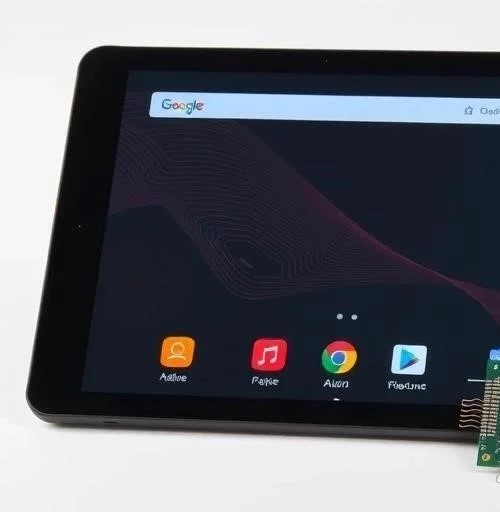
The Xiaomi Pad 5 is powered by the Qualcomm Snapdragon 860. It is an eight-core processor paired with an Adreno 640 graphics chip. In plain terms, this is a former flagship-class engine: not the newest silicon on the road, but a capable one that gives the tablet plenty of power for everyday use, video, multitasking and many games.
That short answer hides an interesting story. The Snapdragon 860 is closely related to the Snapdragon 855 Plus, a high-end mobile platform from an earlier generation. So the Pad 5’s processor is less like a tiny economy motor and more like a seasoned sports car: its design is no longer brand-new, but it still has the hardware to move quickly. Here is what that means in real use—and why the name can cause confusion when shoppers compare Xiaomi tablets.
The quick specification card
- Tablet: Xiaomi Pad 5, standard model
- Processor: Qualcomm Snapdragon 860
- CPU: eight Kryo 485 cores
- Maximum CPU frequency: up to 2.96 GHz
- Graphics: Qualcomm Adreno 640
- Manufacturing process: 7 nm
- Memory and storage: configurations vary by market; the commonly sold model has 6 GB of RAM and 128 GB or 256 GB of storage
Regional versions, software releases and retail listings can differ, so check the exact model and configuration offered where you are buying. But if the product is the regular Xiaomi Pad 5, the headline answer is Snapdragon 860—not Snapdragon 870, and not a MediaTek chip.
What is the Snapdragon 860, exactly?
Snapdragon 860 is a Qualcomm mobile platform built around an eight-core CPU and an Adreno 640 GPU. Qualcomm’s “Kryo” name covers the CPU cores, while “Adreno” refers to the graphics hardware. Together, these parts handle most of the tablet’s computational work: opening apps, processing web pages, playing video, drawing interface animations and rendering game scenes.
The CPU uses three performance groups rather than treating all eight cores as identical. One high-performance core can reach up to 2.96 GHz; three more performance-oriented cores run at up to 2.42 GHz; and four efficiency-focused cores operate at up to 1.8 GHz. The arrangement lets the tablet call on stronger cores for demanding tasks while using the smaller cores for lighter background work.
Think of it as a small crew with different jobs. The fast core is the specialist called in for a sudden burst of work; the middle group handles heavier everyday tasks; the efficiency cores keep routine activity ticking along. This design does not mean every app gets an instant eight-core boost. Software decides how to distribute work, and some tasks depend more on one fast core, the graphics chip, memory or cooling than on the raw number of cores.
Why the “860” can be misleading
Processor numbers look like a straight ladder: a bigger number seems as if it must mean a newer or faster chip. Qualcomm’s naming is not always that simple. The Snapdragon 860 is closely connected to the Snapdragon 855 Plus platform, with a similar high-end CPU and Adreno 640 graphics foundation. It was presented as an updated platform in that family, rather than as an entirely new generation of architecture.
That context matters when reading reviews and shopping comparisons. The 860 should not be treated as if it were a mid-range chip merely because the number is not an 8 followed by a later-generation label. It originated from a premium performance tier. At the same time, its older underlying design means it does not automatically match newer processors in efficiency, connectivity or sustained performance. A chip’s class at launch and its age today are two different facts.
The Pad 5 also has a relatively high-resolution screen, so smoothness depends on more than the CPU name. The processor, graphics chip, display, software optimization and the demands of a particular app all contribute to what you see. A quick swipe through menus, a film stream and a graphically intense game are very different workloads.
How does it feel in everyday use?
For common tablet jobs, the Snapdragon 860 has the resources to feel responsive. Browsing, messaging, reading, watching videos, switching between ordinary apps and working with documents are all well within its comfort zone. The processor is not responsible for every moment of perceived speed, either: storage, available RAM, app design, network conditions and software updates can affect how quickly a task begins or finishes.
For video, the chip can decode supported formats in hardware, reducing the amount of work that would otherwise fall on the CPU. That is useful for streaming and local playback, though the service, file format, app and display settings also matter. In other words, a strong processor cannot fix a weak Wi-Fi signal, an unsupported codec or a subscription plan that limits streaming quality.
For schoolwork or office tasks, the Pad 5 can comfortably serve as a screen for notes, web research, email and productivity apps. It can also switch between multiple applications, but “multitasking” is not a magical promise that every app will remain active forever. Android may pause or reload background apps depending on memory pressure, software behaviour and settings. The 6 GB RAM configuration is relevant here: RAM is working space, not a second processor, and having more of it can help keep more tasks ready at once.
Gaming: capable, but not a guarantee of maximum settings
The Adreno 640 is an important part of the gaming story. Games rely heavily on the GPU to draw 3D worlds, effects and fast-moving scenes, and this graphics chip gives the Pad 5 a substantial performance base. Many games should be playable, and less demanding titles can feel especially comfortable.
Still, “Snapdragon 860” does not mean every game will run at its highest graphics settings, at a fixed frame rate, forever. A game’s own optimization, its chosen resolution, the tablet’s temperature and the length of a session all matter. A demanding title may lower detail or frame rate to remain stable. Long play can also cause the processor to reduce speed as the device warms up—a normal protective behaviour known as thermal throttling.
The tablet’s large display can make games more immersive, but it also asks the graphics chip to draw a lot of pixels. A phone with the same processor may have a smaller screen and a different workload, so benchmark results do not translate perfectly from one device to another. For a buyer, a useful question is not simply “Can it run this game?” but “Can it run the games I care about at settings and smoothness I find acceptable?”
Snapdragon 860 versus Snapdragon 870: the Pad 5 Pro mix-up
One of the most common sources of confusion is the Xiaomi Pad 5 Pro. It is a different model from the standard Pad 5, and some Pro versions use the Snapdragon 870. That is why a specification page or video mentioning “Xiaomi Pad 5 with Snapdragon 870” may actually be describing a Pro model, a regional variant, or simply an inaccurate listing.
| Model name | Processor commonly associated with it | What to remember |
|---|---|---|
| Xiaomi Pad 5 | Snapdragon 860 | The standard model discussed in this article |
| Xiaomi Pad 5 Pro | Snapdragon 870 in commonly listed versions | A separate, higher-tier model; verify the exact version |
Names in listings can be shortened, translated or copied incorrectly. Before buying, look for the full product name and the processor field in a reliable specification sheet. If a seller lists a standard Pad 5 with an 870, treat that as a reason to check—not as proof that the regular model secretly contains a different chip.
Does the 7 nm process matter?
The Snapdragon 860 is manufactured using a 7 nm process. Smaller process numbers are often associated with improvements in efficiency and the ability to fit more components into a given area, but they are not a simple scorecard. Comparing “7 nm” with another chip’s process number alone will not tell you which device lasts longer or performs better.
Battery life depends on the whole tablet: screen brightness and refresh rate, Wi-Fi or cellular activity, battery condition, software, background apps, temperature and what you are doing. Reading an offline book is a gentler task than running a 3D game at high brightness. A processor can be efficient in one workload and work hard in another. So the 7 nm detail is useful technical context, not a promise of a particular number of hours.
What the processor does not tell you
A processor specification is important, but it is only one line in a tablet’s identity. It does not tell you how much storage is available, whether the model supports a particular accessory, how good the speakers are, or how long the manufacturer will provide software updates. Nor does it reveal whether a used device has a worn battery or whether a specific app runs well on its current software version.
Storage is especially easy to confuse with memory. RAM helps active apps and the operating system work; internal storage holds apps, downloads and files. The standard Pad 5 is commonly sold with 6 GB of RAM and either 128 GB or 256 GB of storage, depending on market and version. Do not assume that every listing has the same capacity, and do not assume that storage can be expanded just because the tablet has a USB-C port.
Likewise, a powerful chip cannot make a tablet brand-new again. If you are buying one second-hand, inspect battery health, screen condition, charging behaviour and the seller’s return policy. The processor may still be capable while the rest of the device has aged.
Is the Snapdragon 860 still good enough?
For a person who wants a tablet for browsing, streaming, reading, notes, video calls and a mix of games, the Snapdragon 860 remains a meaningful performance specification. It began life in the high-end class, and the Pad 5’s GPU gives it more than basic app-opening ability. If your needs are moderate, the age of the chip alone is not a reason to dismiss the tablet.
It is less attractive if you need the newest platform features, the strongest possible sustained gaming performance, or a device that will remain at the cutting edge for many years. Newer processors can deliver better performance per unit of energy and may support newer capabilities, but the practical difference depends on the task and the price gap. A discounted older tablet may be a sensible purchase; an old tablet at a price close to a newer model may not be.
For demanding creative work, consider the exact apps you plan to use. A processor that handles ordinary photo editing may not be ideal for complex projects, large files or professional workflows. Check app compatibility and real-device tests rather than relying only on a benchmark score. Benchmarks can help compare chips, but they are snapshots under particular conditions—not a promise of how every app will behave.
How to check the chip on a tablet you already own
- Open the tablet’s Settings and look under About tablet for the model name and device information.
- Check the original box, product documentation or a trustworthy specification page for that exact model.
- If using a hardware-information app, install it from a reputable app store and compare its results with the model’s official specifications.
- Confirm whether the device is the regular Pad 5 or the Pad 5 Pro; similar names can lead to very different processor claims.
Software menus do not always show the processor prominently, and third-party apps can display confusing internal identifiers. The model number and full model name are often the most useful starting points. If buying online, save a copy of the listing and verify the specification before the return window closes.
Bottom line
The standard Xiaomi Pad 5 uses the Qualcomm Snapdragon 860, an eight-core 7 nm processor with an Adreno 640 GPU. Its CPU cores reach frequencies of up to 2.96 GHz, and its design belongs to an earlier flagship family closely related to the Snapdragon 855 Plus. That combination gives the tablet solid capability for everyday tasks and a respectable foundation for games, while its age means it is not equivalent to the newest high-end chips.
If you remember only one detail, remember this: Pad 5 = Snapdragon 860; Pad 5 Pro is a separate model and is commonly associated with Snapdragon 870. The small difference in names can make a big difference to a shopping comparison. Check the exact variant, judge performance against the apps you actually use, and treat the processor as one part of the device—not the whole story.
Frequently asked questions
Is Xiaomi Pad 5 powered by a MediaTek processor?
No. The standard Xiaomi Pad 5 uses Qualcomm’s Snapdragon 860.
How many cores does its processor have?
It has eight Kryo 485 CPU cores arranged in performance and efficiency groups.
What graphics chip does the Pad 5 use?
It uses Qualcomm Adreno 640 graphics, which handles much of the visual rendering in games and other graphics-heavy apps.
Is the Snapdragon 860 the same as the Snapdragon 870?
No. They are different processors. The Snapdragon 870 is commonly listed for the Pad 5 Pro, while the regular Pad 5 is equipped with the Snapdragon 860.
Is it fast enough for games?
It can handle many games, but results vary by title, graphics settings, temperature and software optimization. The chip does not guarantee maximum settings or a fixed frame rate in every game.
Does a higher GHz number always mean a faster tablet?
No. Clock speed is only one factor. Processor architecture, graphics performance, cooling, memory, software and the workload all influence the experience.
In one sentence: the Xiaomi Pad 5 is powered by the Snapdragon 860—a former flagship-class processor that still gives this tablet a capable engine, provided you do not mistake it for the newer Pad 5 Pro.



5 Comments. Оставить новый
I appreciate the article’s clear distinction between the Snapdragon 860 and nearby-sounding chips. Tablet listings can feel like a maze of nearly identical badges; this gives readers a useful compass.
A helpful reminder that a processor’s age is not its whole biography. The article makes the Pad 5’s silicon sound less like a museum piece and more like a dependable instrument that still knows its tune.
The specification card is a welcome patch of calm in a sea of marketing noise. I’d be curious to see the next chapter compare real-world gaming and battery performance across different configurations.
This is the kind of explanation that turns a model number from alphabet soup into something understandable. The regional-variation caveat is especially useful for anyone shopping across different markets.
The “seasoned sports car” comparison gives this processor a personality without pretending it’s fresh off the showroom floor. A lively way to explain why older flagship hardware can still feel quick.