
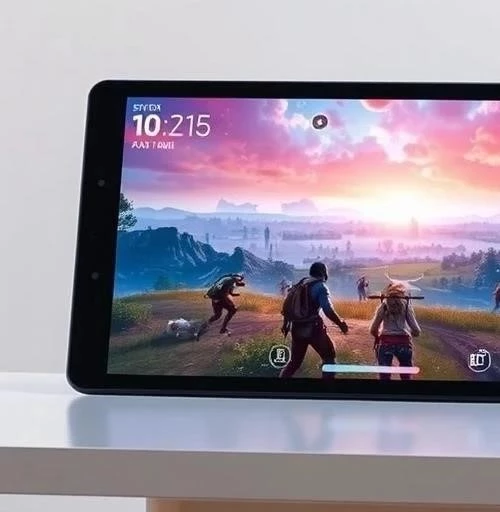
The Xiaomi Pad 6S Pro looks like a tiny gaming cinema: a large, high-refresh-rate screen, powerful Snapdragon 8 Gen 2 chip and room to see more of the battlefield. But the question every would-be squad leader asks is simpler: what frame rate can it actually deliver in PUBG Mobile?
The short answer
Expect smooth performance, with up to 90 FPS a realistic target when the game offers that option. Some versions or device lists may allow a 120 FPS mode, but the tablet’s 144Hz display does not automatically unlock 120 FPS in PUBG Mobile. The game controls its available frame-rate settings, and these can vary by region, update and device compatibility. So treat 120 FPS as a possibility to verify in your own settings—not a guaranteed result.
What it feels like in a match
At high frame rates, camera turns and quick target tracking can feel more fluid than at 60 FPS. The Pad 6S Pro’s large display also makes distant movement easier to follow, though it is less compact than a phone when you’re playing on the move. The Snapdragon 8 Gen 2 has ample performance for demanding mobile games; actual results still depend on graphics settings, temperature and the current game build.
Settings to try
- Choose Smooth graphics first, then select the highest frame-rate option PUBG Mobile makes available.
- If you prefer richer visuals, raise the graphics preset gradually and check whether the FPS option drops.
- Test in a real match for 10–15 minutes. A quick lobby check won’t reveal heat-related dips.
Why FPS can change
Even powerful hardware cannot override a game-side cap. Updates may add, remove or rename frame-rate choices, and regional versions may behave differently. Long sessions, a warm room, charging while playing, background apps and battery-saving modes can also affect sustained performance. A 144Hz panel describes the screen’s refresh capability; it is not a promise that every game renders 144 frames per second.
Bottom line: the Xiaomi Pad 6S Pro is a strong PUBG Mobile tablet, and 90 FPS is a sensible expectation if that mode is enabled for your game version. Check Settings → Graphics on your own device for the definitive answer. If 120 FPS appears, enjoy the extra smoothness; if it doesn’t, the tablet’s fast display still makes a well-tuned 60- or 90-FPS match feel lively.
7 Comments. Оставить новый
This reads like a field guide for frame-rate hunters: check the in-game menu, test under real conditions, and don’t mistake a bright display for a guaranteed 120 FPS.
A big screen can make distant movement feel less like a rumor and more like a target. I appreciate that the article also acknowledges the trade-off: this is no pocket-sized gaming rig.
Charging, heat, background apps—small details that can quietly sabotage a long session. This piece gives readers a sensible checklist instead of promising magic numbers.
The 10–15-minute test is the most practical advice here. A device can sprint through the lobby and still stumble once the match becomes a marathon.
I like that this separates the tablet’s 144Hz screen from the FPS the game actually allows. That distinction saves readers from chasing a number printed on a spec sheet.
The note about regional versions is easy to overlook, but it explains why two Pad 6S Pro owners might see different options. Useful, grounded advice.
Clear, balanced, and refreshingly cautious about 120 FPS. The best takeaway is simple: let PUBG Mobile’s settings menu—not the display’s headline spec—have the final word.