
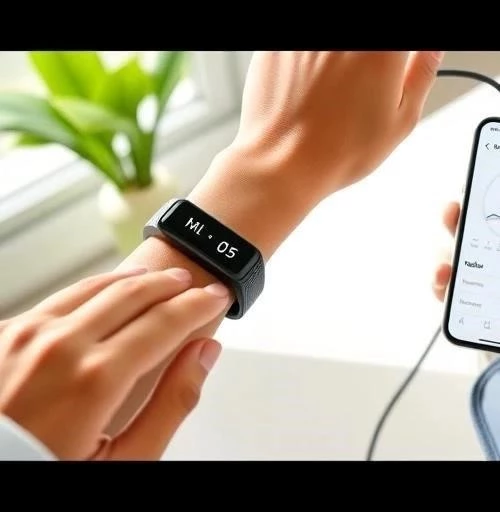
No. Xiaomi Mi Band 4 cannot measure blood pressure. It does not contain the hardware needed to estimate systolic and diastolic pressure, and its standard functions and companion app do not provide a blood-pressure measurement. You can wear the band while checking your pressure, but the reading must come from a separate device.
What the band can measure
Mi Band 4 includes an optical heart-rate sensor. It detects changes in blood flow near the wrist and uses them to estimate pulse rate. Depending on settings and software, the band can show heart-rate readings, activity data, steps, sleep information and notifications. These features are not blood-pressure measurements. A pulse value such as 75 beats per minute cannot be converted into a reliable pressure value such as 120/80 mmHg.
Blood pressure is the force of blood against artery walls. Measuring it reliably generally requires a pressure cuff that temporarily compresses an artery. Mi Band 4 has no inflatable cuff or validated blood-pressure sensor. Its heart-rate sensor and motion sensors cannot replace that equipment.
Why apps or online instructions may be misleading
Some third-party apps, modified firmware, or websites may claim to enable blood-pressure monitoring on the band. A displayed number does not prove that a measurement was taken or that the result is accurate. Unless a device is specifically designed and clinically validated for blood-pressure measurement, treat such readings as estimates at best—not as a basis for diagnosis, medication changes, or urgent decisions. An app cannot add a missing physical sensor to the Mi Band 4.
Do not confuse heart rate with blood pressure. Heart rate counts beats per minute; blood pressure is usually reported as two numbers, systolic over diastolic, in mmHg. They are related aspects of cardiovascular health, but one does not determine the other.
How to measure pressure correctly
- Use a validated automatic upper-arm blood-pressure monitor with a cuff that fits your arm. A wrist monitor may be appropriate in some cases, but follow its instructions and ask a health professional if unsure.
- Avoid exercise, smoking, caffeine, and alcohol for about 30 minutes beforehand. Empty your bladder, then sit quietly for five minutes.
- Sit with your back supported, feet flat on the floor and legs uncrossed. Place the cuff on bare skin, and support your arm at heart level.
- Stay still and silent while the monitor runs. Take a second reading after about one minute if recommended, and record both results with the time and date.
Follow your clinician’s advice about how often to measure and which arm to use. Bring your monitor or a record of readings to appointments if requested. Do not alter prescribed treatment based on a single home reading or an unverified app.
Using Mi Band 4 alongside a monitor
You may keep wearing the band to track your pulse or daily activity, but it is not necessary for a cuff reading. For the clearest result, sit calmly and keep the band’s pulse alerts or notifications from distracting you. If the band reports an unusual heart rate, repeat the observation at rest and consider checking your pulse manually or with an appropriate medical device. Persistent symptoms deserve professional advice, regardless of what the band displays.
When to seek help
Contact a healthcare professional if home readings are repeatedly outside the range they have advised for you. If a very high reading occurs, sit quietly and repeat it after a few minutes; seek urgent medical advice if it remains very high, especially with chest pain, shortness of breath, weakness, confusion, severe headache, or vision changes. Do not wait for a wearable reading to decide whether symptoms are serious.
6 Comments. Оставить новый
The caution about third-party apps is relevant. Readers are reminded to rely on an appropriate monitor for blood-pressure measurements.
A concise and practical explanation of the Mi Band 4’s limitations. The advice to use a separate blood-pressure monitor is clear.
The article makes the difference between pulse rate and blood pressure easy to understand without overstating the band’s capabilities.
The explanation of the hardware limitations is useful, especially the point that an app cannot replace a blood-pressure sensor.
This provides a straightforward overview of what the band can measure and why those readings should not be confused with blood pressure.
The article clearly distinguishes heart-rate monitoring from blood-pressure measurement and explains why the Mi Band 4 cannot provide a reliable pressure reading.