
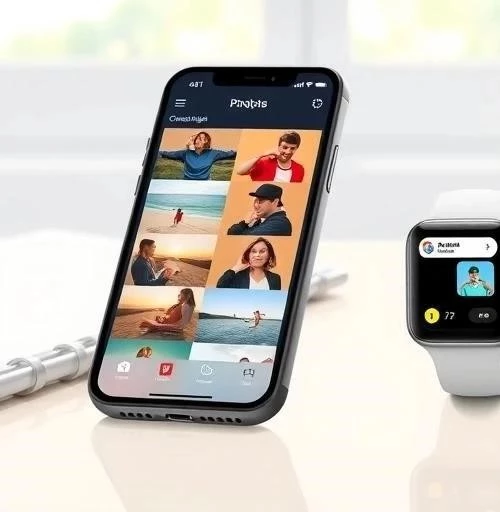
Short answer: You cannot install the official Instagram app on an Apple Watch Series 3. Instagram does not offer a watchOS app, so it will not appear in the watch’s App Store or in the list of apps available to install through the Watch app on your iPhone. The watch can still show Instagram notifications when it is paired with your iPhone, but it cannot provide the full Instagram experience;
Why Instagram cannot be installed
Apple Watch apps must be made specifically for watchOS. Having Instagram installed on an iPhone does not automatically add it to the watch. Instagram’s main features—browsing the feed, watching Reels, viewing Stories, posting photos and managing messages—are designed for the phone app, not for Apple Watch Series 3. Searching the watch’s App Store for Instagram will not change this: there is no official Instagram watch app to download.
Series 3 also runs an older version of watchOS than newer Apple Watch models. That can limit compatibility with some third-party apps, but it is not the reason Instagram is missing: the official app is not available for Apple Watch. If a website or video promises a simple way to install the complete Instagram app on this model, treat the instructions with caution.
Use Instagram notifications on your watch
You can receive alerts about Instagram activity on the watch while your iPhone is paired and connected. This is the closest official alternative to installing the app. Menu names may vary slightly depending on your iOS and watchOS versions.
- Check Instagram on your iPhone. Install the official Instagram app from the App Store and sign in. If it is already installed, open it once to confirm that your account is working.
- Allow iPhone notifications. On the iPhone, open Settings > Notifications > Instagram. Turn on Allow Notifications, then choose the alert types you want, such as banners, sounds or lock-screen alerts. You can also review notification options inside Instagram’s settings.
- Open the Watch app. On the paired iPhone, open Apple’s Watch app and tap My Watch. Choose Notifications and find Instagram in the list of apps. If it is listed, enable Mirror iPhone Alerts From for Instagram.
- Check the connection and alert settings. Keep Bluetooth on and make sure the watch is connected to the iPhone. Notifications usually appear on the watch when it is being worn and unlocked and the iPhone is locked or asleep. If you are actively using the iPhone, alerts may appear there instead.
Depending on your settings and the type of alert, you may see a notification preview or be able to dismiss an alert. Do not expect a full inbox, a browsable feed, Stories, Reels, photo uploads or all Instagram messaging controls on the watch. Notification behavior and available quick actions can vary by software version and by the alert itself.
If notifications do not appear
- Confirm that Instagram notifications are enabled both in iPhone Settings and in the Instagram app.
- In the iPhone Watch app, check that Instagram alerts are mirrored, if that option is available.
- Check Focus, Do Not Disturb and notification-summary settings; these can silence or delay alerts.
- Make sure the watch is worn, unlocked and connected to the paired iPhone. Restarting both devices may help with a temporary connection problem.
- Install available software updates only if they are compatible with your devices. Series 3 has limited support for newer watchOS versions, so some current instructions or apps may not match its menus.
Be careful with third-party apps
Some App Store apps may offer limited ways to view social content or handle notifications, but they are not the official Instagram app and may not support Series 3. Check the developer, compatibility details, privacy information and recent reviews before installing anything. Avoid apps, configuration profiles or websites that ask for your Instagram password outside the official Instagram sign-in process, promise hidden installation methods, or request unnecessary account access. Never share your password or verification code with an unknown service.
Bottom line
There is no official way to install Instagram on Apple Watch Series 3. Pair the watch with your iPhone and mirror Instagram notifications if you want quick alerts; use the Instagram iPhone app for browsing, posting and messaging. This approach uses supported Apple and Instagram features without relying on unofficial installation claims.

3 Comments. Оставить новый
This clearly explains why Instagram cannot be installed on Apple Watch Series 3 and offers notifications as a practical alternative. The distinction between the watch’s older software and Instagram’s lack of a watchOS app is especially helpful.
The article sets expectations clearly and gives sensible steps for receiving Instagram alerts on a paired iPhone and watch. It would be even more helpful with the remaining setup instructions.
A useful, straightforward guide for anyone looking for Instagram on their Apple Watch. The warning to be cautious about unofficial installation claims is a welcome addition.