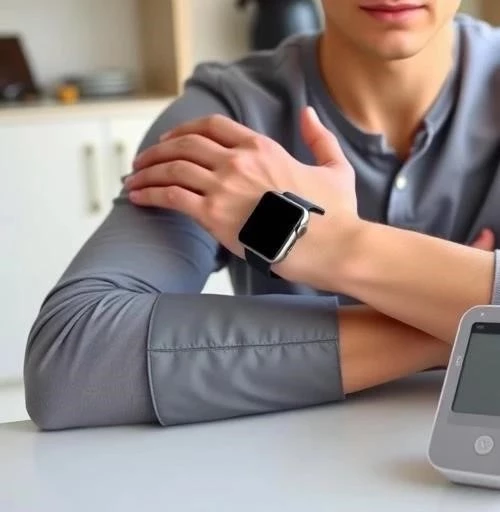
Short answer: Apple Watch Series 3 cannot measure blood pressure by itself. It has no blood-pressure sensor and does not provide a built-in blood-pressure reading. To obtain a measurement, use a blood-pressure monitor with an inflatable cuff. You may be able to view or record the result on an iPhone or watch through a compatible app, but the cuff—not the watch—does the measuring.
What the Apple Watch can and cannot do
Series 3 can measure certain health-related data, including heart rate, but heart rate is not blood pressure. A pulse reading cannot be converted into a reliable systolic and diastolic result. The watch’s sensors, fitness features, and any ECG function available in a particular region do not replace a blood-pressure cuff. An app that displays a number without using a validated measuring device should not be treated as a dependable blood-pressure monitor.
Some third-party products and apps can transfer readings from a compatible cuff to an iPhone, and some may show related information on an Apple Watch. Availability depends on the cuff, app, iPhone, region, and software compatibility. The Series 3 may not support newer app versions or features, so check the manufacturer’s requirements before buying a monitor or relying on a particular integration.
What you need
- A clinically validated automatic upper-arm blood-pressure monitor with a cuff that fits your arm.
- An iPhone and, if you want to use the watch, an app that specifically supports your cuff and the Series 3.
- A correctly sized cuff and a quiet place where you can sit still for several minutes.
Upper-arm cuffs are generally preferred for home monitoring. If you choose a wrist monitor, follow its instructions carefully: wrist position and posture can strongly affect the result. Look for a device validated by a recognized medical or regulatory program, and ask a health professional which type is appropriate for you. Apple Watch itself cannot make a standard cuff unnecessary.
How to take a reading
- Prepare. For about 30 minutes beforehand, avoid smoking, exercise, and caffeine if possible. Empty your bladder. Sit quietly for at least five minutes before measuring.
- Position yourself. Sit with your back supported, feet flat on the floor, and legs uncrossed. Rest your arm on a table so the middle of the cuff is approximately level with your heart. Do not talk or use your phone during the measurement.
- Fit the cuff. Put it on bare skin, not over clothing. Follow the monitor’s directions for placement and tightness. Use the correct cuff size; a cuff that is too small or too large can give misleading results.
- Start the monitor. Keep your arm relaxed and still while the cuff inflates and deflates. Read the systolic and diastolic values on the monitor. If it also reports pulse, that is a separate measurement.
- Repeat and record. Take a second reading after about one minute, unless your clinician or monitor instructions say otherwise. Record both results, the date and time, and any relevant notes. Follow your clinician’s plan for how often to measure.
Viewing or saving results on Apple devices
If your cuff has Bluetooth and a companion app, install the manufacturer’s app on the iPhone, pair the cuff as instructed, and take the reading using that cuff. Check whether the app can save blood-pressure data to Apple Health; permission may need to be enabled in the iPhone’s Health settings. Apple Health can store data from supported sources, but it does not measure blood pressure itself.
If the cuff’s app offers an Apple Watch companion app, install it using the iPhone’s Watch app and check that it supports Series 3 and the installed software. Depending on the product, the watch may show saved readings or notifications, while setup and data entry still happen on the iPhone. If there is no compatible watch app, use the cuff’s display and iPhone app or keep a written log. Do not assume that pairing a cuff with an iPhone automatically sends readings to the watch.
Common misconceptions and safety
Apps that claim to calculate blood pressure from the Apple Watch’s optical heart-rate sensor, a finger placed on the screen, or a camera image are not a substitute for a validated cuff unless they use a specifically validated method and device. A normal heart rate does not prove that blood pressure is normal. Likewise, a single high or low reading does not by itself establish a diagnosis. Repeat an unexpected result after resting, check cuff placement, and discuss repeated unusual readings with a healthcare professional.
Do not change prescribed medication or delay care based only on a watch display or home reading. Seek urgent medical help for severe symptoms such as chest pain, difficulty breathing, weakness on one side, confusion, fainting, or a sudden severe headache. If a reading is extremely high, follow local medical guidance and contact a clinician promptly, especially if symptoms are present.
Bottom line
You cannot directly measure blood pressure with Apple Watch Series 3. Use a validated cuff monitor for the measurement; use a compatible iPhone app, Apple Health, or watch app only to record or display results when supported. For accurate interpretation and a suitable monitoring schedule, follow advice from a healthcare professional.