
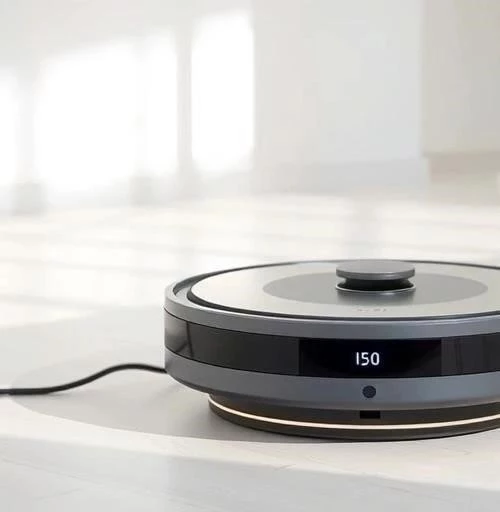
The time needed to charge a Xiaomi robot vacuum depends on its model, battery capacity, current charge level and condition. As a general guide, allow several hours for a full charge. Many models take approximately three to six hours when charging from a low battery, but this is not a universal specification. Check the user manual or the product page for the exact estimate for your device.
Charging for the first time
Before the first cleaning, place the robot on its charging dock and let it charge fully. Depending on the model and how much charge it had when unpacked, this may take around four to six hours or longer. Treat that figure as an estimate rather than a required fixed charging period: the robot’s indicator or app is a better guide to whether charging is complete. There is generally no need to leave a new robot charging for an entire day.
Set up the dock as described in the manual. Put it on a level, dry surface, connect it to power, and leave the recommended clearance around it so the robot can approach and align with the contacts. Position the robot correctly on the dock. If it does not begin charging, check that the dock has power and that the charging contacts on both the robot and dock meet.
How long does a normal recharge take?
A robot that returns to the dock with some battery remaining will usually need less time than one that has nearly run out. Charging time also varies with battery size, battery age, temperature and the specific model. Some Xiaomi robots pause charging or manage their charge according to settings in the app. For these reasons, a single number cannot accurately describe every Xiaomi vacuum.
Look for the charging status in the Xiaomi Home app, if your model supports it, or check the indicator lights and voice prompts. The meaning of lights can differ between models, so consult the manual rather than relying on a color pattern from another device. When the app reports a full battery or the device indicates that charging is complete, it is ready for use.
Should the robot stay on its dock?
For most models, the dock is the normal storage and charging place. Leaving the robot there between cleaning sessions lets it recharge and be ready for its next scheduled run. The charging system is designed to manage the battery when the robot is docked; you do not normally need to unplug it as soon as charging finishes. Follow the instructions for your particular model, especially if it will be unused for a long period.
If you plan to store the robot for weeks or months, check the manual for the recommended battery level and storage procedure. Keep the device and dock in a cool, dry place, away from direct heat. Do not leave the robot in extreme temperatures, and avoid repeatedly allowing the battery to become completely depleted if it can be returned to the dock.
What can make charging slower or prevent it?
- Dirty contacts: Dust or residue on the metal contacts can interrupt charging. Switch off or unplug the dock before gently wiping the contacts with a clean, dry, soft cloth. Do not use water or abrasive materials.
- Poor alignment: Make sure the robot is seated against the dock and that the dock is stable, powered and positioned as the manual recommends.
- Temperature: Very hot or cold surroundings may affect battery charging. Move the robot to a moderate indoor environment and follow the temperature limits in the manual.
- Battery age or damage: A worn battery may take longer to charge, lose power quickly or fail to reach full charge. Contact Xiaomi support or an authorized service provider if the problem persists.
Practical answer
As a simple rule, plan for roughly three to six hours for a low battery to recharge, while recognizing that the exact time varies by Xiaomi model and condition; For the first charge, allow the robot to reach the full status shown by its indicator or app. If it remains uncharged after a much longer period, check the manual, dock power and contacts, then seek support if needed. The model-specific instructions take precedence over any general estimate.

3 Comments. Оставить новый
The guidance on setting up the dock and checking the charging contacts is useful. The article appropriately presents charging-time estimates as approximate.
This is a well-organized overview of first-time and routine charging. It avoids treating one charging duration as applicable to every Xiaomi robot vacuum.
The article clearly explains why charging times vary by model and battery condition. Its recommendation to check the manual and app is practical.