
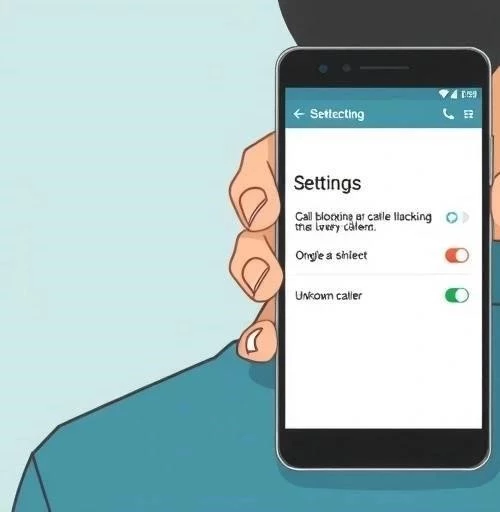
Calls from unfamiliar numbers can be distracting or unwanted. Xiaomi phones offer several ways to silence or block them, but the exact menus depend on the phone model, software version, region and calling app. A device running HyperOS or MIUI may use Google Phone, Xiaomi’s own dialler, or a version of the Security app with a call-blocking feature.
First, distinguish between two meanings of “unknown.” A private or hidden number does not show its caller ID. A number not saved in your contacts is visible but unfamiliar. These are different categories, and one setting may block hidden callers without blocking every unsaved number. Check the description beside a setting before enabling it.
Use Google Phone to block hidden or unidentified callers
Many newer Xiaomi phones use Google Phone as their default calling app. To check whether this method applies, open the Phone app and look at its icon or settings. If the following options are available, use these steps:
- Open Phone.
- Tap the three-dot menu, usually in the upper-right corner, and choose Settings.
- Open Blocked numbers.
- Turn on Unknown, if the option appears.
In Google Phone, “Unknown” generally refers to private or unidentified callers. It does not necessarily mean every number that is missing from your contacts. A caller who displays a normal number may still get through even if that number is unfamiliar to you. If your menu uses different wording, consult its description or check the current version of the app.
To block a specific visible number instead, open the recent-calls list, tap the call, then choose Block or Block/report spam. The exact label can vary. Blocking a number this way is more precise than silencing all callers outside your contacts.
Check Xiaomi’s Blocklist or Security app
Some Xiaomi phones include a Xiaomi dialler or call-filtering controls in the Security app. If you do not see Google Phone’s settings, look for Blocklist in the Security app, or open the Phone app’s settings and search for a blocking or call-filtering section. Menu names and availability differ between MIUI and HyperOS builds.
Where a Blocklist is available, open its settings and look for options such as Block calls from strangers, Block hidden numbers or Block calls from unknown numbers. Enable only the category you want to filter. A “strangers” option may mean numbers that are not in your contacts, whereas a “hidden numbers” option is usually limited to callers whose caller ID is withheld.
- Open Security and select Blocklist, if shown.
- Tap the settings or menu icon in the Blocklist screen.
- Review the available call-blocking categories and their descriptions.
- Switch on the relevant option, then ask someone outside the selected category to call and verify the result.
If Blocklist is missing, that does not necessarily indicate a fault. The feature may not be included in your regional software, or your phone may rely on Google Phone instead. Avoid installing an unfamiliar dialler or call-blocking app solely to reproduce a menu from a different Xiaomi model.
Block one number from the call history
For repeated calls from a particular number, blocking it individually is usually the least disruptive approach. Open Phone, go to Recents or the call history, select the number, and choose Block. If the phone offers a spam-reporting option, you can decide whether to use it. Reporting a call may send information to the calling app or its service provider, so review the prompt before confirming.
You can also manage the list later through Phone settings or Blocked numbers. Select an entry and choose Unblock if you blocked it by mistake. A blocked caller may still be able to leave voicemail, depending on the app, carrier and regional settings;
What if you want to silence all unsaved callers?
Not every Xiaomi dialler provides a single switch for all numbers that are absent from your contacts. If your phone offers a “strangers” or “not in contacts” filter, read its description carefully and use it only if you are comfortable missing calls from new contacts, delivery services, clinics or other legitimate callers. If the option is unavailable, consider using Do Not Disturb or a contacts-only ringtone policy, where supported, rather than assuming the hidden-number setting will block visible numbers.
Do Not Disturb usually silences calls rather than rejecting them. Its rules may let calls from starred contacts or repeat callers through. Find it under Settings > Sound & vibration > Do Not Disturb, or search Settings for “Do Not Disturb.” The location and available exceptions vary by software version. Test the rule so that important calls are not missed.
If the setting is missing or does not work
- Confirm the default Phone app. Open Settings and search for “default apps” or “Phone app.” The available call filters depend on which dialler handles calls.
- Search Settings. Enter terms such as “blocked numbers,” “blocklist” or “caller ID.” Xiaomi moves or renames some menus between releases.
- Update the app and system. Install updates through the official app store and the phone’s system updater. Menu options can change after an update.
- Check the block list. Make sure the number was entered correctly and has not been saved with a different country code or formatting.
- Test carefully. Call from a hidden number and from a visible number not in your contacts. This shows which type the setting actually filters.
Call filtering is not guaranteed to stop every unwanted call. Some callers use changing numbers, and a blocked number can be replaced by another one. If calls continue, contact your mobile carrier to ask about network-level call controls. Do not return suspicious missed calls or share personal information with callers you do not trust.
Key point
On many Xiaomi phones, Google Phone’s Blocked numbers > Unknown setting blocks private or unidentified callers, not every unsaved number. For visible numbers, block them individually or use a Xiaomi “strangers” filter if your version provides one. Because menus differ across models and software versions, check the wording on your own device and test the setting before relying on it.
5 Comments. Оставить новый
The overview acknowledges that Xiaomi phones may use different calling apps and software versions. More details about the Xiaomi Blocklist steps would make the guidance more complete.
The suggestion to block a specific number from the recent-calls list is a helpful alternative to restricting a broader group of callers.
The distinction between hidden callers and numbers not saved in contacts is useful. It helps clarify what the “Unknown” setting may actually block.
This is a straightforward guide, especially in its explanation of what “Unknown” can mean. Checking the setting description before enabling it is sensible advice.
The article gives clear steps for Google Phone and notes that menus can vary between devices. That qualification makes the instructions more practical.