
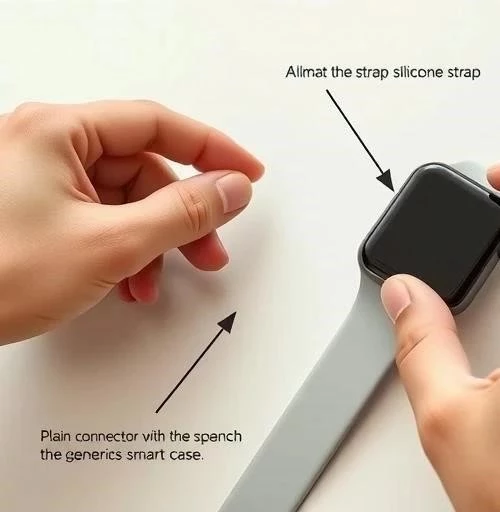
Changing the strap on a Galaxy Watch6 is straightforward once you understand its quick-release connector. The Watch6 and Watch6 Classic use 20 mm bands, but a strap’s width alone does not guarantee a good fit: check that its ends and pins are designed for your watch. A correctly fitted band should sit flush against the case and stay securely in place when gently pulled.
Before you begin
- Take the watch off your wrist and switch it off if you prefer to avoid accidental screen touches.
- Work on a clean, flat surface with a soft cloth underneath. This helps prevent scratches if the watch slips.
- Identify the two sides of the new strap. The buckle is usually attached to the upper half; the shorter, buckle side normally goes toward the top of the watch, and the longer half toward the bottom.
Turn the watch face down. On the back of each strap end, find the small spring-bar release slider. You will use this slider to retract the pin while positioning the strap. Avoid sharp tools: they can scratch the watch or damage the spring bar.
Attach the new strap
- Hold one strap half with its curved end facing the watch case and its release slider accessible.
- Move the slider inward to retract one end of the spring bar. Keep it held while you place the opposite pin end into one of the matching holes between the watch’s lugs.
- Line up the retracted end with the other hole, then slowly release the slider. You should feel or hear the pin settle into place.
- Repeat these steps for the other half of the strap. Make sure both halves lie flat and are not twisted.
Do not force a pin into place. If it will not line up easily, remove the strap and try again; forcing it may bend the pin or mark the case. Keep fingers clear of the small spring bar while releasing it.
Check the connection
Before wearing the watch, inspect both ends of each strap. The pins should be fully seated in their holes, and the strap should not slide sideways or lift away from the case. Gently tug each half away from the watch. If either end comes loose, repeat the fitting steps and check again. Never rely on a strap that has not passed this check.
Removing or troubleshooting a strap
To remove a band, turn the watch over, slide the release control inward, and lift that end of the pin out of its hole; Keep the slider held as you ease the other end free. If the band does not fit, confirm it is a 20 mm quick-release model made for the Galaxy Watch6. Some third-party bands have bulky or unusually shaped connectors that may not clear the case, even when their stated width is correct.
After installation, wear the watch comfortably snug—not tight enough to pinch your skin. Recheck the strap after changing it and occasionally during regular use. A secure fit protects your watch from accidental drops and helps the sensors sit properly against your wrist.
4 Comments. Оставить новый
The guidance on identifying the buckle side and keeping the strap untwisted makes the process easier to follow. A small diagram could make the spring-bar positioning even clearer, but the written instructions are thorough and useful.
This is a useful step-by-step guide for replacing a Galaxy Watch6 strap. I particularly appreciate the reminder to confirm that each spring bar is seated before wearing the watch, since an insecure connection could cause it to fall.
The article explains the quick-release mechanism in accessible language without assuming the reader has changed a watch band before. Its advice to stop and realign the pin instead of forcing it is sensible and safety-conscious.
The instructions are clear and practical, especially the advice to check that the band is designed for the watch rather than relying on width alone. The soft-cloth setup and warning against forcing a pin also help prevent common mistakes.