
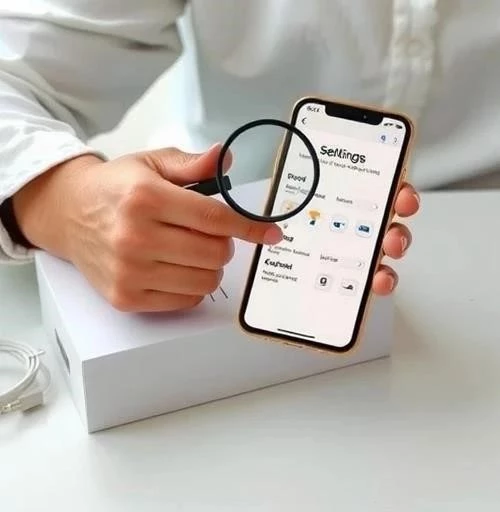
Inspect a Xiaomi‚ Redmi‚ or POCO phone as soon as you receive it‚ preferably while the return period is still open. Keep the receipt‚ packaging‚ and accessories until the checks are complete. Use a trusted Wi-Fi network and avoid entering sensitive information on a device whose condition or origin is uncertain.
Check the box and identifiers
Look for damaged seals‚ crushed corners‚ signs of resealing‚ or accessories that appear used. Packaging varies by model and market‚ so a difference from an online photo is not by itself proof of a problem. Check that the model name and storage configuration on the box match the order.
Turn on the phone and open Settings > About phone to find its model and software details. Dial *#06# to display the IMEI‚ or find it in Settings; compare it with the number on the box and‚ where applicable‚ the SIM tray or purchase documents. A mismatch is a reason to contact the seller. Do not post the IMEI publicly. You can ask the seller or Xiaomi support to confirm warranty or regional eligibility. Availability of online verification tools differs by country‚ and an IMEI lookup alone does not prove that a phone is genuine or unused.
Inspect the exterior
Under good light‚ check the display‚ camera lenses‚ frame‚ buttons‚ and charging port for scratches‚ dust‚ gaps‚ or uneven assembly. Confirm that buttons click normally and that the SIM tray fits flush. Remove any protective film only if you are comfortable doing so and it does not affect the return conditions. Do not open the phone or insert tools into its openings.
Test the screen and controls
Set brightness to a comfortable level and view white‚ black‚ and solid-colour images. Look for dead pixels‚ flicker‚ unusual colour patches‚ or visible burn-in. Test touch response across the entire display by typing and dragging an icon around the screen. Check auto-brightness‚ screen rotation‚ fingerprint unlocking‚ face unlock‚ and the power and volume buttons. Some features depend on the model and settings.
Test essential hardware
- Calls and connectivity: Insert your SIM‚ place a call‚ and test mobile data‚ Wi-Fi‚ Bluetooth‚ and GPS where practical.
- Audio: Record and play a voice memo; check the microphone‚ earpiece‚ speaker‚ and headphone or USB audio if supported.
- Cameras: Test each available lens‚ focus‚ flash‚ video‚ and the front camera. Check that images save and playback works.
- Charging: Use a compatible charger and cable. Confirm that charging starts‚ the connector feels secure‚ and the phone does not become unusually hot.
Review software and battery
Check the Android version‚ MIUI or HyperOS version‚ storage‚ and security update date in Settings. Install official updates over a reliable connection‚ then restart the device. Confirm that the installed software and available features are appropriate for your region. Be cautious if the phone has an unlocked bootloader‚ unfamiliar apps‚ or a seller-installed ROM; ask Xiaomi support or the seller before changing system software.
Battery percentage can fluctuate during initial setup and updates. Use the phone normally for a while and watch for rapid discharge‚ unexpected shutdowns‚ or excessive heat. A single short test cannot establish long-term battery health.
Keep a record
Photograph any defect‚ save the receipt and order details‚ and contact the retailer promptly if something does not match or work. Describe the issue clearly and follow the seller’s return process. Do not attempt repairs or factory modifications before reporting a problem‚ since they may affect your warranty or return rights.

5 Comments. Оставить новый
The article appropriately notes that packaging differences and online IMEI checks are not conclusive proof of a problem or of authenticity.
The checklist offers practical first steps for inspecting a new phone, especially the advice to compare identifiers and keep the purchase materials.
The emphasis on checking the device within the return period is useful. The guidance is clear about avoiding actions that could affect return conditions.
This provides a measured overview of basic phone checks and includes helpful cautions about protecting sensitive information and not sharing an IMEI publicly.
The screen and exterior checks are described in a straightforward way, with sensible reminders not to open the phone or insert tools into its openings.