
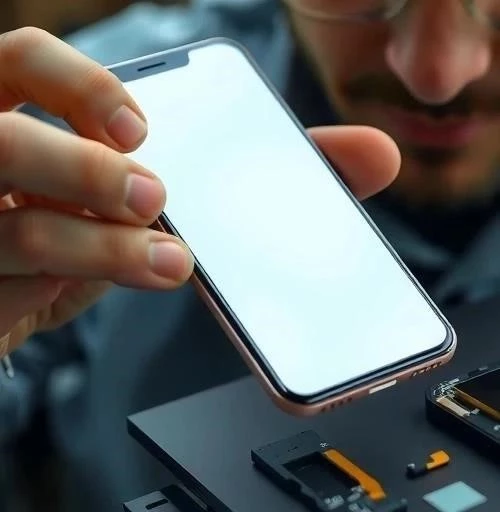
A Xiaomi screen may look convincing and still be a third-party replacement. Conversely, differences in brightness or colour do not automatically prove that a display is counterfeit: settings, screen protectors, wear and the phone’s model can all affect what you see. The checks below can help you spot warning signs, but no visual test or secret code can conclusively authenticate a part. For certainty, ask an authorised Xiaomi service centre to inspect the device.
First, clarify what “original” means
A phone may have its factory-installed display, a genuine Xiaomi service replacement, or a compatible screen made by another supplier. A genuine replacement is not necessarily the original screen fitted when the phone was manufactured. Also, Xiaomi uses different display technologies across its range: one model may have an AMOLED panel, while another uses LCD. Identify the exact model and its published specifications before comparing the screen.
Inspect the display and its fit
- Look at the edges. Uneven gaps, excess adhesive, a raised panel, dust beneath the glass or a screen that sits crookedly can indicate a poor repair. These clues suggest workmanship issues, not necessarily a non-genuine part.
- Check the glass and frame. Poorly aligned bezels, rough edges or a front camera that appears mispositioned deserve attention. Compare with the same model, since designs can differ between versions.
- Watch for marks. Scratches, fingerprints or residue beneath the glass may point to a used or mishandled replacement. They cannot establish who made the panel.
Test image quality and touch response
Set brightness to a comfortable level, turn off automatic brightness and display filters such as Reading mode, then view plain white, black, red, green and blue images. Look for persistent lines, dead pixels, uneven colour, flicker or unusual bright patches. On an LCD, black may look grey because the backlight stays on; on an AMOLED screen, black pixels can appear unlit. That difference is normal and depends on the model.
Open a drawing app or use the phone’s touch test, if available, and slowly trace across the entire screen. Check the edges, corners and keyboard area for missed or ghost touches. Test scrolling and gestures as well. Poor touch response may indicate a defective panel, installation problem or software issue; it is not proof of a counterfeit display.
Check the phone’s features
Try the functions your model is supposed to support: its advertised refresh-rate options, in-display fingerprint reader, proximity behaviour during calls and automatic brightness. Confirm the specifications for your exact regional model—similar Xiaomi names can have different hardware. A missing feature or a fingerprint sensor that no longer works after a repair is a reason to have the installation checked, though settings, calibration or damage can also be responsible.
Use Xiaomi’s built-in diagnostics carefully
Some Xiaomi phones provide hardware tests through the CIT diagnostic menu. Depending on the software version, it may be accessible from a testing option in Settings or by tapping the kernel-version entry several times under the phone’s detailed information. Menu names and availability vary. If a display or touch test is offered, use it to identify faults. Passing a test confirms only that the tested functions respond; it does not prove that the panel is an original Xiaomi part. Avoid changing unfamiliar diagnostic settings.
Ask for repair and part records
If the screen was replaced, request the repair invoice, the service centre’s name and the part description. Contact Xiaomi support or an authorised service provider using details from Xiaomi’s official website to ask whether the repair can be verified. A seller’s claim, packaging, QR code or serial label alone is not reliable authentication; labels can be copied, and part-identification methods differ by model.
What to do if you are buying a used phone
- Check the exact model and compare its display specifications with Xiaomi’s official product information.
- Test colours, brightness, touch, refresh-rate settings and relevant sensors in person.
- Ask directly whether the screen has ever been replaced and request documentation.
- Include an authorised inspection in the purchase agreement if originality matters to you.
Bottom line: appearance and function tests can reveal defects or suspicious repair quality, but they cannot reliably distinguish every genuine display from a high-quality compatible one. For a dependable answer, combine the model-specific checks with repair records and an inspection by an authorised Xiaomi service centre.

3 Comments. Оставить новый
I appreciate the distinction between signs of a poor repair and proof that a screen is counterfeit. Visual checks can raise questions, but they cannot authenticate a component on their own.
The recommendation to consult an authorised service centre is sensible, especially when screen quality or repair history is uncertain. It would also be useful to mention checking any repair paperwork.
Good advice to start with the exact phone model rather than relying on a generic comparison. A genuine service replacement and the factory-fitted screen are not always the same thing.