
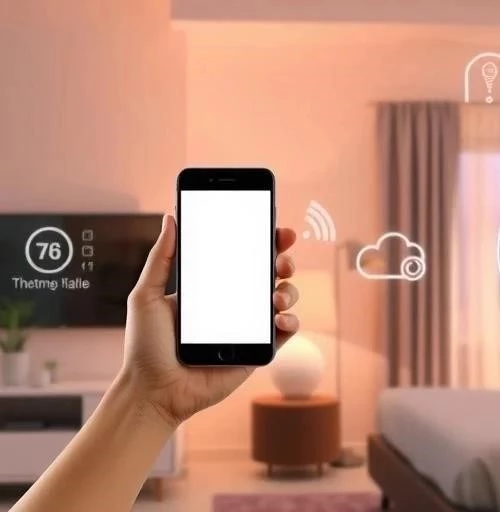
A Xiaomi smart home can feel less like a collection of gadgets and more like a small stage crew: a sensor gives the cue‚ a lamp takes its mark‚ and the air purifier quietly enters at just the right moment. Smart Scenes are the scripts behind those performances. In Xiaomi’s Mi Home or Xiaomi Home app‚ they let compatible devices respond automatically to an event‚ a schedule‚ or a tap on your phone.
What is a Smart Scene?
A Smart Scene is an automation: a rule that connects a trigger to one or more actions. Instead of opening separate controls to switch on a light‚ adjust a plug‚ and start a device‚ you tell the app what should happen and when. The scene then carries out those steps for you‚ provided the required devices are set up and available.
Think of it as a tiny “if this‚ then that” sentence. If the door sensor detects that the front door opened after sunset‚ then turn on the hallway lamp. Or: if it is 7:00 a.m.‚ then open the curtains and start the kettle’s smart plug—if your equipment and local safety rules make that suitable.
Depending on your app version‚ region‚ device models‚ and account setup‚ you may see scenes presented as automations‚ smart scenarios‚ or similar terms. The idea is the same: combine compatible Xiaomi ecosystem devices into a useful routine.
The three ingredients of a scene
- Trigger: The event that starts the routine. It could be a time‚ a sensor reading‚ a button press‚ or a device changing state.
- Condition: An optional requirement that must also be true‚ such as “only after sunset” or “when nobody is home.” Available conditions vary.
- Action: What the system does next: switch a light on‚ change a supported setting‚ send a notification‚ or control another compatible device.
A simple scene may have one trigger and one action. A more ambitious one can link several actions‚ creating a sequence rather than a single switch-flip. Some routines can be started manually; others run in the background. The exact choices depend on your devices and the features offered in your version of the app.
Everyday scenes worth trying
The “I’m home” welcome
Use a supported arrival trigger‚ or start the scene with a shortcut‚ to turn on the entry light and set another device to a comfortable mode. If you use location-based automation‚ check the app’s location permissions and test it before relying on it. Phones can be frugal with background activity‚ and a welcome scene that naps through your arrival is not much of a butler.
A calmer bedtime
Tap a bedtime scene to switch off selected lights‚ turn on a night-light‚ and adjust compatible devices. A manual scene is especially useful when you want one reliable button without building a complicated chain of conditions.
Light that follows the day
Schedule a lamp to turn on near sunset‚ or use an available light sensor as a trigger. Add a condition if you want the routine to behave differently at different times. This can make a dark hallway feel welcoming without leaving every light burning all evening.
A quieter “away” routine
When you leave‚ a scene might switch off selected plugs or lights and send a reminder. Choose actions carefully: don’t automate appliances that must not be left unattended‚ and don’t treat a smart-home routine as a replacement for proper locks‚ alarms‚ or safety checks.
How to create one
- Open Mi Home or Xiaomi Home and sign in to the account that contains your devices.
- Check that each device is added‚ online‚ and controllable from its own page.
- Find the scenes or automation section. Its name and location can differ between app versions and regions.
- Choose whether the scene starts manually or automatically. Select a trigger‚ then add any available conditions.
- Add the actions‚ save the scene‚ and test it. Start with one trigger and one action; add complexity only after the basic routine works.
Why a scene might not run
First‚ look for the simple culprits: a device is offline‚ the trigger was not reached‚ a condition is false‚ or the app lacks a permission it needs. Check Wi-Fi‚ Bluetooth or hub connections as appropriate‚ and confirm that the devices are assigned to the expected home and room. Some automations depend on a phone‚ gateway‚ or internet connection; others may run through a hub or locally. Behaviour differs by device and setup‚ so do not assume every scene works during an outage.
Region matters‚ too. Xiaomi devices and features are not universally available in every country or server region. A device may appear in one regional version of the app but not another‚ and changing regions can affect access to existing devices or automations. Before rebuilding your setup‚ check compatibility and the manufacturer’s current guidance.
Scenes‚ shortcuts‚ and voice control
A scene is not necessarily the same as a physical switch or a voice command. A switch gives you a way to start something; a voice assistant may provide another way to control supported devices. A manually launched Smart Scene can act as a shortcut‚ while an automated scene can run because a trigger occurred even when nobody says a word. Whether voice assistants can start a particular scene depends on integration and regional support.
A small automation‚ thoughtfully made
The best Smart Scene is not the one with the most steps. It is the one that removes a repeated irritation without creating a new surprise. Name routines clearly‚ test them at the time and conditions they are meant to run‚ and keep important controls easy to reach. Review permissions and connected devices from time to time‚ especially if household members or equipment change.
In short‚ Xiaomi Smart Scenes turn separate smart devices into coordinated routines. They can make a room respond to a schedule‚ a sensor‚ or a single tap—like a home that has learned a few useful cues. Start small‚ check what your devices actually support‚ and let convenience grow one dependable scene at a time.

5 Comments. Оставить новый
The article makes a technical feature feel almost theatrical, but the practical structure keeps the metaphor from stealing the show. I’d happily read a follow-up about troubleshooting scenes when one performer—say, the sensor—misses its cue.
A useful guide that doesn’t pretend every Xiaomi app or region works identically. That note about changing names and options is like a small compass for readers whose screens don’t match the instructions exactly.
The curtain-and-kettle morning routine is a vivid example, and the safety caveat keeps it grounded. It captures the best promise of a smart home: fewer tiny chores between waking up and feeling awake.
I like that this explains automation as a sentence rather than a maze of settings. It turns “if this, then that” into something you can picture—and gently reminds us that the devices still need to be compatible and available.
The “small stage crew” image makes home automation feel delightfully human: sensors cue the scene, and devices step into their roles. The clear trigger-condition-action breakdown gives the performance a practical backstage map.