
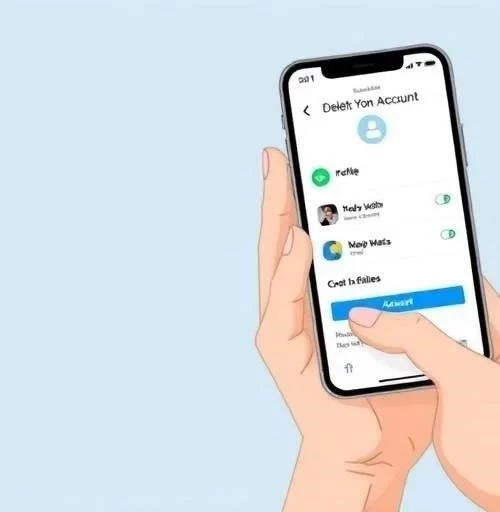
If you no longer use Huawei Health, you can remove the app from your phone, disconnect a wearable, or request deletion of the Huawei account associated with the service. These are different actions. Uninstalling Huawei Health does not, by itself, delete your account or the data linked to it. In most cases, deleting the account means submitting a deletion request for your Huawei ID, which may also affect other Huawei services that use the same login.
Before proceeding, decide whether you want to delete your Huawei account permanently or simply stop using Huawei Health. The account-deletion process can be difficult or impossible to reverse after it is completed. Menu names and available options may differ depending on your country, device, operating system, app version, and Huawei ID region.
What account are you deleting?
Huawei Health is generally linked to a Huawei ID. That ID may also be used for other Huawei products and services, such as the AppGallery, cloud features, themes, or device services; Deleting the Huawei ID is therefore broader than deleting a fitness app profile. It may affect information and access beyond health and activity tracking.
Some people use Huawei Health without signing in, or connect it to a third-party account or service. If you do not see the same menus described below, check which account is signed in and whether the data you want to remove is stored by Huawei Health, by your phone, or by another service. Deleting one account does not necessarily erase copies held elsewhere.
Before you submit a deletion request
- Save information you may need. Review your activity history, workouts, health measurements, settings, and any available export or backup options. Download or record information before starting deletion if you want to keep a copy.
- Check connected devices. Note the watches, bands, scales, or other accessories paired with Huawei Health. You may need to unpair them or reset them before using them with a different account or phone.
- Review other Huawei services. Consider whether the same Huawei ID is used for cloud storage, purchases, subscriptions, or other services. Check for active payments and follow the relevant cancellation process; deleting an account may not automatically cancel every third-party or app-store subscription.
- Check your sign-in details. Make sure you can access the Huawei ID and its verification method. The deletion flow may ask you to enter your password or confirm your identity.
- Read the confirmation screens. Huawei’s current notices should describe which services and information are affected, whether there is a waiting period, and whether deletion can still be canceled. The exact terms can vary by region.
Delete the Huawei account through Huawei Health
- Open Huawei Health and sign in to the Huawei ID you intend to delete.
- Open the Me or profile tab. Depending on the app version, this may be shown as a profile icon or a personal-information page.
- Tap Settings, then look for Account, Account center, or an option that opens Huawei account settings.
- In the account center, open the account or security settings and look for Delete account, Close account, or a similarly named option. It may be inside a privacy or account-management section.
- Review the consequences and any information about a pending period. If you still want to continue, follow the on-screen instructions, complete any identity check, and confirm the request.
- Keep any confirmation message or reference information. If Huawei displays a date or a cancellation option, note it and follow the instructions shown there.
If Huawei Health does not provide a deletion option, use the official Huawei account-management or account-center service for your region. You can usually reach it from Huawei’s official website by signing in with the relevant Huawei ID and opening account or privacy settings. Do not enter your password on a page reached through an unsolicited message or an unfamiliar link. Check that the site is an official Huawei domain and that it serves your country or account region.
What to expect after requesting deletion
A deletion request may not take effect immediately. Huawei may require a waiting or processing period, and the account page should explain the current rules for your region. If the account remains in a pending state, access may be limited. Where a cancellation option is offered, use the official account page and complete any required verification before the stated deadline. Do not assume that signing out or removing the app cancels a deletion request.
Once deletion is completed, you may lose access to Huawei Health data associated with the account and to other Huawei services using the same ID. Depending on the service and applicable rules, some records may be retained for a limited time or kept where required for legal, security, or transaction purposes. The confirmation screen and Huawei’s privacy information are the best sources for the terms that apply to your account.
If you only want to stop using Huawei Health
You do not have to delete your Huawei ID just to remove the app from a phone. If you want to keep access to other Huawei services, consider these less extensive options:
- Sign out of Huawei Health, if the app provides that option;
- Unpair the wearable in Huawei Health or in your phone’s Bluetooth settings; If you plan to give the device away, follow its instructions to reset it and remove personal information.
- Review app permissions in your phone settings and disable permissions you no longer want the app to use.
- Remove the app from the phone after checking whether any information you want to keep has been backed up or exported.
- Review connected apps and services, and revoke access where the relevant account settings allow it.
These steps can reduce ongoing use of the app, but they are not the same as deleting data from Huawei’s systems. If your goal is to remove account-linked information, use the account-deletion or privacy request process and read its confirmation carefully.
Removing Huawei Health from Android or iPhone
To uninstall the app, use the normal app-management controls on your phone. On Android, press and hold the Huawei Health icon and choose the uninstall option, or find the app under Settings and Apps. On an iPhone, press and hold the app icon and choose the option to remove the app. The exact labels vary by operating-system version.
Uninstalling removes the app from that device; it does not necessarily erase account data stored online, data synchronized to another device, or information held by a connected service. If you are selling or handing over your phone, also use the phone’s own backup and factory-reset guidance after signing out of accounts you no longer want on the device.
Troubleshooting
The delete option is missing
Check that you are signed in, update Huawei Health, and open the Huawei ID account center directly. Some functions are presented differently by region or app version. If account deletion is not available online, contact Huawei support through the official support channel for your country and ask how to submit an account-closure request.
I cannot sign in or pass verification
Use Huawei’s official account-recovery process to restore access before requesting deletion. If you no longer control the email address or phone number used for verification, contact official support and be prepared to verify ownership. Avoid sharing passwords or verification codes with anyone who contacts you unexpectedly.
I want to delete only health information
Look in Huawei Health’s privacy, data-management, and account settings for controls to remove particular records or manage synchronization. The availability of these controls may vary. If the app does not offer the choice you need, consult Huawei’s privacy notice or submit a privacy request through the official channel for your region. Specify whether you are asking to delete particular health records, disconnect a service, or close the entire Huawei ID.
The wearable still appears connected
Remove the pairing in the app and, if necessary, in the phone’s Bluetooth settings. A wearable may retain local settings or records until it is reset. Follow the model-specific instructions, especially before giving the device to another person.
How to confirm the request
After you submit a request, check the account center or confirmation message for its status and any next steps. If Huawei requires a waiting period, follow the stated conditions and avoid relying on an assumed deadline. If you change your mind, use the cancellation method described by Huawei before the request is completed. If no status is shown, contact official support and provide the account details requested through a secure channel.
To delete a Huawei Health account, identify the Huawei ID used by the app, review and save anything you want to keep, then submit an account-deletion request through Huawei Health’s account center or Huawei’s official account-management service. Confirm the consequences before proceeding: closing the Huawei ID can affect other Huawei services, and uninstalling the app alone does not delete online account data. Because procedures and retention rules can change by region, rely on the current instructions displayed by Huawei for your account.



2 Comments. Оставить новый
The article clearly distinguishes uninstalling the app from deleting a Huawei ID, which helps readers understand the broader consequences of account deletion. It also appropriately recommends checking where data is stored before taking action.
The guidance is organized around useful considerations, including saving information and checking connected devices. Since the text ends mid-sentence, the full instructions would be needed to assess the deletion steps.