
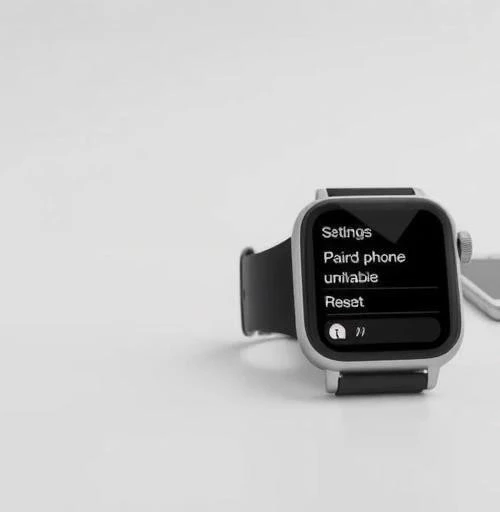
You can erase an Apple Watch even if its paired iPhone is unavailable. However, erasing the watch is not always the same as fully unpairing it: Activation Lock may remain. Before selling or giving the watch away, make sure you can remove it from your Apple Account as well.
Option 1: Erase the watch from its Settings
Use this method if you can unlock and operate the Apple Watch. You do not need the iPhone nearby, but you may need the watch passcode.
- Connect the watch to its charger and keep it there until the process is finished.
- On the watch, open Settings.
- Tap General, then Reset.
- Choose Erase All Content and Settings.
- Enter the passcode if requested, then confirm the erase.
If the watch has a cellular plan, you may be asked whether to keep or remove it. If you are transferring ownership, remove the plan from the watch and contact your carrier to cancel or transfer the service. Erasing the watch does not necessarily cancel a cellular subscription.
Option 2: Erase a watch when you have forgotten its passcode
If you cannot unlock the watch, you can start an erase using its buttons. Put the watch on its charger. Press and hold the side button until the power button appears. Then press and hold the Digital Crown until the erase option appears. Tap Reset, and confirm when prompted. Keep the watch connected to power while it resets.
The exact screens can vary by watchOS version. This procedure erases the watch; it does not bypass Activation Lock. If the erase option does not appear, check Apple’s instructions for your watchOS version or contact Apple Support.
Remove Activation Lock without the paired phone
Activation Lock is designed to prevent someone else from setting up a lost or erased watch. After resetting, the watch may ask for the Apple Account email address and password previously used with it. You need the account owner’s credentials to activate it again.
If you are the owner and are preparing the watch for someone else, use a browser or another trusted device to sign in to iCloud.com/find with your Apple Account. Select the Apple Watch in the device list and erase it if necessary. When the erase is complete, choose the option to remove the device from your account. You can also use the Find My app on another Apple device and remove the watch from your account there. Menu names may differ slightly by software version.
If you cannot access your account, recover it at iforgot.apple.com. A previous owner must remove their own watch from their account; the new owner cannot do this for them. Apple may ask for valid proof of purchase before considering an Activation Lock support request.
What to know before you reset
- Your data: Erasing removes content and settings stored on the watch. A recent backup is normally created when you unpair using the iPhone, so a reset done without that phone may not preserve a fresh backup. Health and other data already synced with iCloud may still be available in your account.
- Pairing again: After erasing, you can pair the watch with a compatible iPhone. You may need your Apple Account password to complete setup.
- Finding the watch: If it is lost, use Find My to locate or remotely erase it. Do not remove it from your account until you are sure you no longer need its location or Lost Mode protections;
Best choice
If you regain access to the paired iPhone, unpair the watch in the Watch app; this is the preferred way to create a backup and remove Activation Lock automatically. If the phone is unavailable, erase the watch from its own Settings or use the passcode-reset procedure, then remove it from your Apple Account through Find My. A factory reset alone does not guarantee that the watch is ready for a new owner.


8 Comments. Оставить новый
The steps are easy to follow, and the explanation of why the previous owner’s account may still be needed prevents confusion.
A useful explanation of what can be done without the iPhone and what still requires the Apple Account owner. Concise and informative.
Clear instructions, especially for the situation where the paired iPhone is no longer available. The reminder about the cellular plan is useful too.
Good coverage of both reset options. I’m glad the article also points out that erasing a cellular watch may not cancel its service.
The distinction between erasing the watch and removing Activation Lock is really helpful. It’s an important detail to know before handing it to someone else.
This is a practical guide for preparing an Apple Watch for transfer. The note to check Apple’s instructions if the screens differ is sensible.
I appreciate that this explains what to do if you’ve forgotten the passcode without implying that Activation Lock can be bypassed.
Helpful and straightforward. The warning about Activation Lock is especially valuable for anyone buying a used watch.