
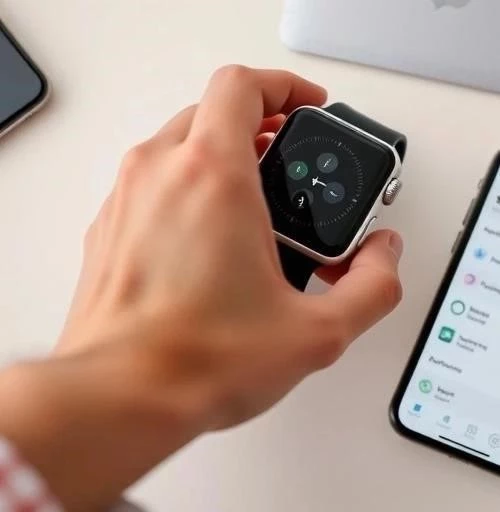
To identify an Apple Watch accurately, check its model number rather than relying only on its appearance. Many generations look similar, while size, case material, and available features can vary within the same generation. The model number provides the clearest starting point.
Find the model number on the watch
- Open the Settings app on your Apple Watch.
- Tap General, then About.
- Find the entry labelled Model Number. It may initially show a longer part number beginning with a letter such as M.
- Tap that entry. The display should change to a shorter code beginning with “A”, followed by four digits, such as Axxxx.
Record the A-number exactly. It is a hardware model identifier, not the watch’s serial number. Search for that number on Apple’s official support page for identifying Apple Watch models to find the product name, generation, case sizes, and other specifications.
Use the paired iPhone
If the watch is connected to an iPhone, you can check it there instead. Open the Watch app, select My Watch, and go to General > About. Locate Model Number and tap the displayed value to reveal the A-number. The labels or layout can differ slightly depending on the software version.
Check the case and packaging
Some Apple Watch cases have identifying text engraved around the back sensor area. Depending on the model, this can include the series name, case size, material, or other details. Engraving may be small, worn, or difficult to read, so use it as a secondary check rather than the only source. The original box may also state the product name and size, but boxes can be mixed up, especially with used devices.
What else can help?
- Case size: The size in millimetres can narrow down the options, but several generations share similar dimensions.
- Digital Crown and side button: Their appearance and placement may help distinguish certain models, though they are not conclusive on their own.
- Cellular support: A red mark on the Digital Crown or side button is common on some cellular models, but design details differ by generation. Check the A-number to confirm.
- Special features: An always-on display, action button, depth sensor, or other hardware can point toward a family of models, but features may overlap.
Apple Watch Ultra models are generally recognizable by their larger, rugged cases, while SE models and standard Apple Watch models can be harder to tell apart at a glance. A visual match alone is not a reliable way to establish the exact generation.
Model number, serial number, and software version
These identifiers are different. The A-number identifies a hardware model. The serial number is specific to an individual watch and can be found in the same About screen; it is mainly useful for support and service. A watchOS version describes the installed software, not the hardware generation. An older watch may run newer software, and a newer one may have an older installation.
If the watch will not turn on
Try checking the paired iPhone or looking for legible case markings. If neither is available, the original receipt or Apple account device information may help. For a second-hand purchase, ask the seller to show the About screen and compare the A-number with Apple’s model information. Do not publish the serial number or share it with an untrusted person.
In short: open Settings on the watch, go to General and About, tap Model Number, and look up the resulting A-number. Confirm the result against the case size and features when you need to identify the exact version or verify a device before buying accessories.
2 Comments. Оставить новый
The article gives clear steps for finding the Apple Watch model number on both the watch and a paired iPhone. It also appropriately explains that the A-number is different from the serial number.
The guidance on using case details and packaging as secondary checks is useful, especially for used devices. The article notes that similar designs can make appearance alone unreliable.