
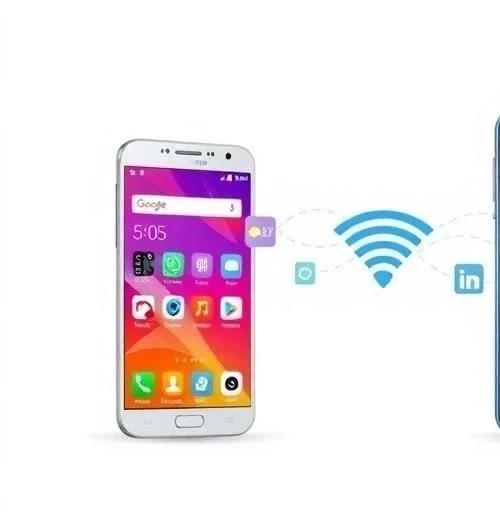
Moving to a Samsung Galaxy does not mean leaving your contacts‚ photos‚ and messages behind. For most people‚ Samsung Smart Switch is the best starting point: it is Samsung’s official migration tool‚ supports Android phones such as Xiaomi‚ and can copy many common types of content in one guided process. However‚ no transfer method guarantees that every app‚ setting‚ or private account will move exactly as it was‚ so prepare both phones and check the result before wiping the old one.
Before you begin
- Charge both phones‚ connect them to Wi-Fi‚ and update Smart Switch if needed. Install it on the Xiaomi from Google Play if it is not already available.
- Check that the Samsung has enough free storage for the selected files. Keep both devices nearby and unlocked during the transfer.
- Make a separate backup of important information. Sync contacts and calendars with your Google account‚ and back up photos or files to a computer or cloud service. This is sensible protection against interruptions.
Use Smart Switch
- Open Smart Switch on the Samsung. On a newly set-up phone‚ you may be prompted to start it during initial setup; otherwise‚ open the app from Settings or the app list.
- Choose Receive data‚ then select Galaxy/Android. On the Xiaomi‚ open Smart Switch and choose the option to send data.
- Choose a connection method. A cable‚ sometimes with a suitable USB adapter‚ is usually faster and more stable for large transfers. Wireless transfer is convenient when you do not have the right cable.
- Follow the on-screen prompts to connect the phones. Grant the permissions requested on the Xiaomi‚ then select the categories you want to copy‚ such as contacts‚ messages‚ photos‚ videos‚ documents‚ and calendar entries.
- Start the transfer and keep the phones connected until Smart Switch reports that it is complete. The time required depends on the amount of data and the connection.
What may not transfer
Smart Switch can move many useful items‚ but it should not be treated as a perfect clone of a Xiaomi phone. Some apps may need to be downloaded again‚ and their internal data‚ logins‚ or settings may not be included. Banking apps‚ secure folders‚ and authenticator apps often require separate setup. Check WhatsApp’s own chat-backup and restore instructions‚ and make sure you can access your accounts before changing phones. Content protected by app restrictions may also be excluded.
If Smart Switch is unavailable
Use Google account sync for contacts‚ calendars‚ and other supported data‚ then copy photos and documents through a computer or cloud storage. Bluetooth can handle a few small files‚ but it is inefficient for a full migration; Third-party transfer apps are another option‚ yet check their permissions and reputation before granting access to personal information.
Verify before erasing Xiaomi
On the Samsung‚ open key contacts‚ photos‚ messages‚ and files; test calls and account access; and reinstall any missing apps. Keep the Xiaomi untouched until you are confident that essential information is present and backed up. This final check takes only a little time and is safer than assuming a completed transfer copied everything.

9 Comments. Оставить новый
The coverage of contacts, messages, photos, and documents gives readers a useful idea of what they can select. The qualification that results vary is also appropriately cautious.
The recommendation to verify the transferred information before wiping the Xiaomi is sound. It protects against losing anything that may not have copied as expected.
It is helpful that the article tells readers to keep both phones nearby and unlocked. Those small preparation steps can prevent avoidable interruptions during a lengthy transfer.
The advice to back up important information before transferring is especially useful. Even a straightforward migration can miss app data or account settings, so keeping a separate copy is a sensible precaution.
This is a practical migration overview rather than an unrealistic guarantee. The preparation checklist and clear connection options make it easier to plan the move from Xiaomi to Samsung.
The instructions are accessible for someone who has not used Smart Switch before. Mentioning that the app may appear during setup or be opened later makes the guidance more flexible.
This guide gives a clear sequence for using Smart Switch, from preparing both phones to checking the transfer. I also appreciate that it does not promise that every app or setting will move.
The reminder to check available storage on the Samsung is easy to overlook but important. A transfer can be delayed or incomplete if the new phone does not have enough room.
The comparison between cable and wireless transfer is practical. Explaining that a cable is often more stable for large transfers helps readers choose a method based on their situation.