
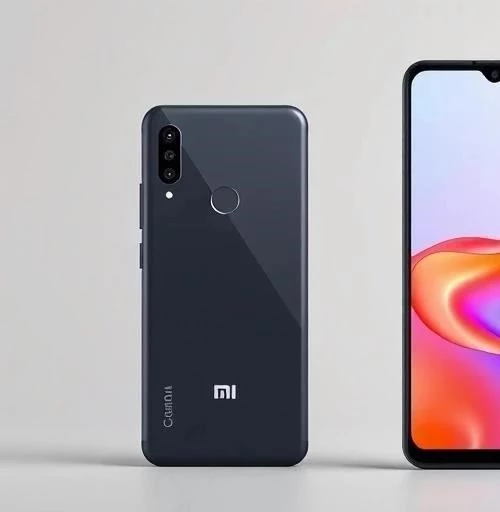
“Xiaomi Redmi” sounds like the name of one phone․ It isn’t․ It is more like a busy train station: Redmi is the family, and several different handsets may be arriving under that sign․ Some are simple everyday phones; others add faster screens, stronger cameras, or the word Note․ So if you have a Redmi in your hand and don’t know which one it is, you are not missing an obvious clue․ The family name alone simply isn’t enough․
First, decode the name
Xiaomi is the company․ Redmi is one of its phone lines, generally known for offering practical features at a range of prices․ A complete name might look like “Redmi 12,” “Redmi Note 13,” or “Redmi Note 13 Pro․” Each extra word or number matters: two phones that share most of a name can still have different screens, cameras, processors, charging speeds, or network support․
Think of the naming system as a small address․ “Redmi” tells you the neighbourhood; the number points to a generation or series; “Note” marks another branch; and words such as “Pro” or “5G” narrow the address further․ But names can vary by country, and similar-looking models may not be identical worldwide․ Don’t identify a phone by its colour, camera bump, or a seller’s shortened title alone․
How to discover the exact model
- Open Settings․ Look for About phone, My device, or a similarly named menu․ The displayed device name is a useful first clue․
- Find the model number․ On the same screen, check for “Model” or “Model number․” This code is often more precise than the friendly name․ Copy it exactly, including letters and punctuation․
- Check the box or receipt․ The retail label may show the full name, memory configuration, and regional version․ Compare it with the phone itself rather than assuming the box belongs to it․
- Use the IMEI carefully․ The IMEI identifies a device, but it is private information․ Don’t post it publicly or send it to an unknown person․ If you need help, use an official Xiaomi support channel or a trusted carrier․
- Compare reliable listings․ Search the exact model number on Xiaomi’s official site or in trustworthy support documentation․ A visual match is a hint, not proof․
If the phone turns on, Settings is usually the easiest detective․ If it doesn’t, check the original packaging, purchase records, or the small regulatory label where available․ Avoid opening the handset just to find a number: that can damage the phone or affect its warranty․
What the name won’t tell you
A model name is the beginning of the story, not the whole plot․ A phone may be sold with different memory or storage options, and regional versions can differ in supported mobile bands, software, or included accessories․ Even two phones with similar names may have noticeably different cameras or displays․ Before buying, trading, or ordering a case, confirm the full model name and model code․
Also check the installed software․ Xiaomi phones may use different software branding or versions depending on the model, region, and update history․ A menu that looks different from a video tutorial does not automatically mean the phone is fake․ Confirm the model first, then look up instructions that match its software version․
If you are choosing one to buy
Start with your real daily habits, not the longest specification list․ A phone for messaging, maps, browsing, and video may not need the same strengths as one used for demanding games or frequent photography․ Compare these practical details:
- Display: size, brightness, resolution, and refresh rate affect comfort and smoothness․
- Camera: look for sample photos and reviews, especially in low light․ A larger megapixel number alone does not guarantee better pictures․
- Battery and charging: consider how long it lasts in real use and whether the charger is included in your market․
- Performance: compare the exact processor and memory configuration if you play games or keep many apps open․
- Updates and support: check the seller’s region-specific information and how long the model is expected to receive updates․
- Fit and protection: verify the precise model before buying a case or screen protector․ “Redmi Note” is not a universal case size․
A quick, sensible buying check
Before paying, ask for the exact full name, model number, storage capacity, and region․ Check whether the phone is new, refurbished, or used; inspect the screen, cameras, charging port, speakers, and buttons; and confirm that it can connect to your carrier․ For a second-hand device, make sure it is not locked to someone else’s account․ A low price is exciting, but an unclear model name is a reason to pause and verify—not a reason to guess․
The short answer
If all you know is “Xiaomi Redmi,” you know the brand family, not the exact phone․ Open Settings → About phone, write down the full model name and model number, then check those details against a reliable source․ That tiny code is the phone’s passport: once you have it, you can find the right specifications, update guidance, accessories, and value․
Until then, let the mystery remain a mystery․ Redmi is not one particular handset hiding behind a red curtain; it is a whole cast․ Find the name on the phone’s own “About” page, and the curtain lifts․

2 Comments. Оставить новый
The “busy train station” metaphor makes Redmi’s tangled family tree feel instantly navigable. I especially like the reminder that a model number is a better compass than a familiar name—or a flashy camera bump.
A practical little antidote to phone-name guesswork. The privacy note about IMEI numbers is a welcome lock on the side door: useful guidance, without asking readers to leave their keys lying around.