
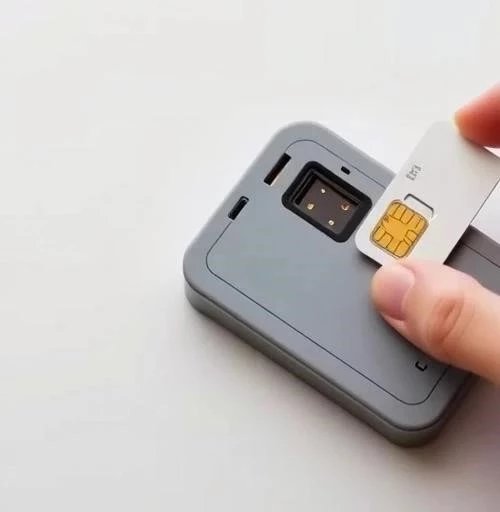
The Huawei E3372 is a USB modem that connects a computer or compatible router to a mobile network․ Installing the SIM is straightforward, but the card’s size and orientation can vary between E3372 versions․ Check the markings on your modem and the instructions supplied with it before inserting anything․ Never force a card into the slot․
Before you begin
- Unplug the modem from the computer or router․ Do not insert or remove the SIM while the modem is connected or active․
- Have your mobile operator’s SIM card ready․ Many E3372 versions use a standard Mini-SIM (2FF), but versions and regional packages can differ․ Confirm the required size from the slot, device label, or manual․
- If your SIM is a smaller size, use it only if the modem supports that size or a suitable adapter․ A loose or poorly fitted adapter may catch inside the slot․ Do not cut a SIM by hand․
- If the SIM has a PIN, make sure you know it․ Repeatedly entering the wrong PIN can lock the card and require the operator’s PUK code․
Find the SIM slot
Look over the modem for a small removable cover, sliding panel, or exposed card slot․ On many E3372 models, the SIM slot is beneath a cover near one end of the device․ Open the cover gently with a fingernail; avoid using a knife or other sharp tool, which could damage the casing or your hand․ Some versions also have a microSD slot․ Do not confuse it with the SIM slot: check the small printed symbol or the diagram in the manual․
Insert the SIM
- Hold the modem with the slot facing you and locate any SIM icon, outline, arrow, or diagram beside it․ This indicates the correct direction for the card․
- Compare the SIM’s cut corner with the shape shown by the slot․ Align the card so its contacts face the direction indicated on the modem․ The contact-side orientation is not identical on every model, so follow the device markings rather than relying on a general rule․
- Slide the SIM into the SIM slot slowly and evenly․ Keep it flat and straight․ On a spring-loaded slot, press gently until it clicks or stays in place; on other versions, push it in only as far as the guide shows․
- Check that the SIM is seated flush and is not tilted or sticking out unexpectedly․ Close the cover without pinching the card, then reconnect the modem to the computer or router․
Connect and check the connection
Give the modem a short time to start and register with the mobile network․ The indicator light may change or blink as it searches for service and connects․ Open the modem’s management page or connection software if required․ If prompted, enter the SIM PIN carefully․ A new or previously unused modem may also need the operator’s APN settings; consult your carrier for the correct APN, username, and password, if any․
If the SIM is not detected
- Unplug the modem, remove the card gently, and check that it is the correct size and is aligned with the slot diagram․ Reinsert it without force․
- Inspect the SIM for cracks, dirt, or a damaged corner․ If needed, wipe its contacts gently with a clean, dry, lint-free cloth․ Do not use liquid or scrape the contacts․
- Test the SIM in a phone that accepts the same size․ Check that it is active, has no outstanding account restriction, and can connect to the operator’s network․
- Restart the computer or router, try another USB port, and check the modem’s connection software․ Some routers require you to select the modem or enter APN details in their settings․
- If the modem still reports “No SIM” or cannot register, check the model-specific manual and contact the operator or Huawei support․ Do not probe the slot with metal objects․
Tip: When removing the SIM, unplug the modem first․ If it is spring-loaded, press the card gently to release it, then pull it out straight․ Keep the SIM and any adapter away from children and store them safely when not in use․


8 Comments. Оставить новый
The reminder to follow the markings on the specific modem is especially helpful, since SIM orientation can vary across versions.
I like that the instructions recommend checking the manual and device markings rather than assuming every E3372 is identical.
Clear and cautious instructions. The warning against cutting a SIM by hand is a particularly useful reminder.
The notes about SIM adapters and PINs cover common issues that could otherwise make setup frustrating.
The advice to unplug the modem before handling the SIM is simple and important. A helpful detail for anyone preparing to install a card.
This is a practical guide, especially for first-time users. The safety advice is straightforward without being overwhelming.
The distinction between the SIM slot and the microSD slot is useful. It is easy to overlook that some models have both.
I appreciate the clear warning not to force the SIM into the slot. That could help prevent damage to both the card and modem.