
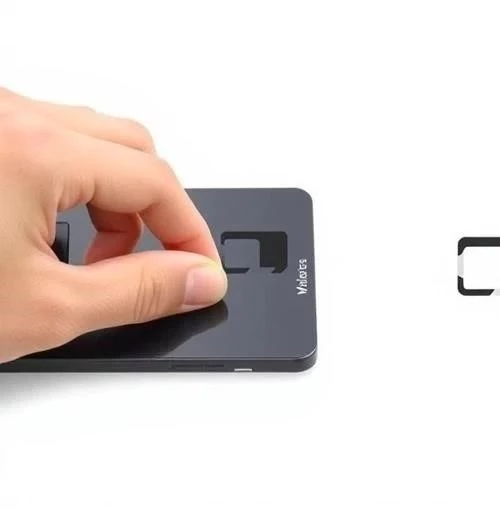
The Redmi 4X uses a removable side tray, so you do not need to take off the back cover or remove the battery. Insert the card carefully: forcing the tray or placing a SIM incorrectly can damage the contacts or the tray itself.
Before you begin
- Use a nano-SIM card. A larger SIM will not fit properly; do not cut it by hand, since an uneven edge can jam or damage the slot.
- If you need two SIM cards, check that your phone and carrier support the arrangement you plan to use. The Redmi 4X has a hybrid tray: the second position can be used for a second nano-SIM or a microSD card, not both at once.
- Have the SIM-eject tool that came with the phone ready. A straightened paper clip can work in an emergency, but use it gently.
Step-by-step instructions
- Power off the phone. This is the safest way to avoid interruptions while changing cards. Wait until the screen is completely off.
- Find the tray. Look along the left edge of the Redmi 4X for the narrow tray outline and its small eject hole; Make sure you have found the hole in the tray, not a microphone opening.
- Eject the tray. Hold the phone steady and place the eject tool straight into the hole. Press gently until the tray releases, then pull it out with your fingers. Do not twist the tool or use excessive force.
- Place the SIM card. Match the card’s clipped corner to the shape of the tray. The nano-SIM should lie flat and sit securely in its cutout. If using two SIMs, follow the tray markings; do not force a card into a position intended for a memory card.
- Reinsert the tray. Keep it level and slide it back into the phone in the same orientation. It should fit smoothly and sit flush with the edge. If it catches or sticks out, remove it and check the card’s position rather than pushing harder.
- Turn the phone on. Wait for the network name or signal indicator. If prompted, enter the SIM PIN.
If the SIM is not detected
Turn the phone off and check that the card is seated flat, facing the correct way, and free of dust. Reinsert the tray gently, then restart the phone. If possible, test the SIM in another phone, or try a known-working SIM in the Redmi 4X. This helps distinguish a card or carrier problem from a phone issue. Check that airplane mode is off and that the SIM is enabled in the phone’s settings.
If the tray will not eject, do not pry it open with a knife or push a thick object into the hole; you could damage the mechanism. If the tray or card is bent, or the phone still cannot read a working SIM, ask a qualified repair service or your carrier for help. Careful alignment is more important than force.
9 Comments. Оставить новый
Overall, this is a careful and useful set of instructions. The reminders about using a nano-SIM and handling the eject tool gently make the process feel manageable and safer.
I appreciate the warning against cutting a larger SIM by hand. A poorly cut card could cause more trouble than simply getting the correct nano-SIM.
The article avoids encouraging force, which is important for a delicate tray. I also like that it suggests checking the card alignment rather than pushing harder.
This is a practical guide because it covers preparation as well as insertion. Turning the phone off and checking that the tray sits flush are both worthwhile precautions.
The explanation of the hybrid tray is helpful and concise. It makes clear that users must choose between a second SIM and a memory card in that position.
The instructions are clear and appropriately cautious. Explaining that the second tray position is shared by a SIM and a microSD card helps prevent a common misunderstanding.
The guidance is accessible without assuming much technical knowledge. Mentioning the SIM PIN and checking for a network signal gives readers a useful way to confirm the installation.
The step-by-step structure makes this easy to follow, especially for someone who has never removed a phone tray. The advice to stop if the tray catches is sensible.
The reminder to distinguish the eject hole from a microphone opening is particularly useful. That small detail could help readers avoid damaging the phone.