
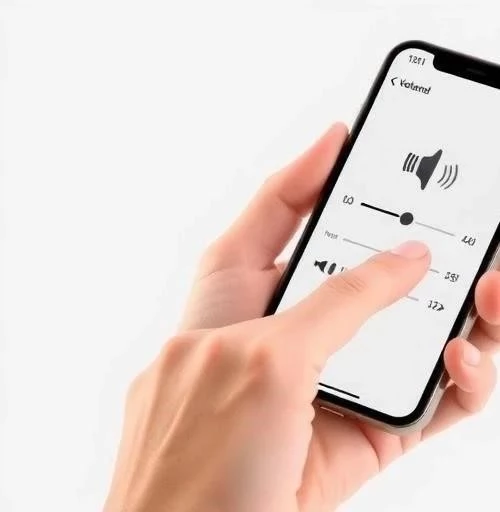
Your Xiaomi can be a pocket-sized concert hall—but sometimes the singer sounds as if they’re performing from the next room․ Before reaching for a mysterious “maximum volume” code or an untrusted booster app, work through these safe, model-friendly fixes․ Menu names differ between MIUI, HyperOS, and phone models, but the route is usually similar․
Make sure you’re turning up the right sound
Press a volume button while the sound you want is playing․ Tap the three-dot menu or the slider controls, if shown, to reveal separate levels for Media, Call, Ringtone, and Alarm․ Raise Media for videos and music; Call for the person on the other end; Ringtone for incoming calls․ A loud ringtone won’t make a quiet film louder—each slider has its own job․
For calls, also raise the in-call volume during a call․ The phone may hide that control until then․ Check that Do Not Disturb, Silent mode, or an active Focus setting isn’t muting alerts you expected to hear․
Check the sound settings
Open Settings → Sound & vibration and explore the options available on your device․ Some Xiaomi phones offer Dolby Atmos, sound effects, or an equalizer․ Try the built-in music, movie, or voice preset, or adjust the equalizer gently: a small lift in the frequencies that make speech clearer can help more than pushing every slider to the ceiling․ If an effect makes audio quieter or distorted, switch it off and compare․
Look for a headphone volume limit or safe-listening option if headphones seem unusually quiet․ Its label and location vary by region and software version; Turn off a limit only if appropriate—and keep listening levels safe; prolonged loud audio can damage hearing․ Settings may reset after reconnecting headphones, so test the exact pair and app you use․
Give Bluetooth a quick reset
With Bluetooth headphones or a speaker, check their own volume buttons as well as the Xiaomi’s․ Disconnect and reconnect the device, confirm the correct output is selected, and test another audio app․ In Bluetooth settings, forget and pair the accessory again if the connection is behaving oddly․
Some devices synchronize their volume with the phone; others keep separate controls․ If the levels appear linked or unexpectedly low, search Settings for absolute volume or Bluetooth volume options, if your software provides them․ Change one setting at a time, reconnect, and compare․ Don’t assume every Xiaomi model has the same switch․
Clear the speaker’s path
A case, dust, or a hand over the speaker grille can muffle sound․ Remove the case briefly and test again․ Inspect the openings in good light; if dusty, use a clean, dry, soft brush with gentle strokes․ Don’t poke the grille with a pin, pour in liquid, or blast it with compressed air․ If the phone got wet, follow its care guidance rather than trying to “push” water out with loud audio․
Try a familiar recording at moderate volume․ If only one app sounds quiet, check its in-app volume, equalizer, and audio settings․ If calls are muffled but music is clear—or one speaker is much quieter than the other—the issue may be the earpiece, microphone area, or hardware, not the master slider․
Restart, update, then escalate
Restart the phone, install available system updates, and test again․ Updates can fix audio bugs; they can also rename or move settings, so use the Settings search bar for terms such as “sound,” “Dolby,” or “volume․” Avoid secret engineering menus and random “volume booster” apps: they may distort sound, request unnecessary permissions, or risk speaker damage without fixing the cause․
A quick volume checklist
- Raise the correct slider while the sound is playing․
- Check the accessory’s own controls and selected audio output․
- Test without the case and inspect the speaker grille gently․
- Compare another app, restart, and check for updates․
If sound remains faint, crackles, or disappears after a drop or spill, back up important data and contact Xiaomi support or a qualified repair shop․ The aim isn’t to make every slider shout; it’s to find the quiet link in the chain and restore clear, comfortable sound․
1 Comment. Оставить новый
The best volume boost here is really a bit of sound detective work: find which slider, setting, or Bluetooth device is quietly holding the concert back. I especially like the reminder that louder isn’t always clearer—sometimes the fix is a gentler equalizer, not turning every knob to eleven.