
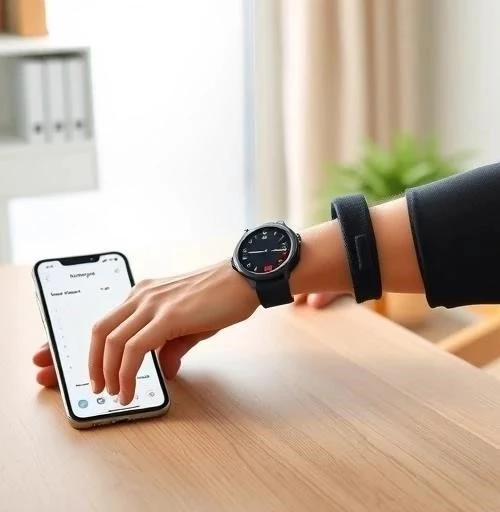
The Galaxy Watch 5 can estimate blood pressure using its optical heart-rate sensor and Samsung Health Monitor. Before using it, check that the feature is approved and available in your country: access, supported phones and setup requirements vary by region. The watch is not a cuff-based medical monitor, and its readings should not be used to diagnose or treat a condition.
What you need
- A Galaxy Watch 5 with the latest available software.
- A compatible Samsung Galaxy phone with Samsung Health Monitor installed. In supported regions, the app is generally obtained through the Galaxy Store.
- A validated upper-arm blood-pressure monitor with an inflatable cuff. You need it to calibrate the watch.
If the Blood Pressure option is missing, update the watch and phone apps, check regional availability and compatibility, and follow Samsung’s local setup instructions. Do not rely on unofficial app installations or workarounds for a health feature.
Set up and calibrate
- Pair the watch with your phone and open Samsung Health Monitor on both devices. Accept the prompts and complete any requested permissions or setup.
- Choose the blood-pressure feature and begin calibration. Sit quietly for about five minutes. Avoid exercise, caffeine, nicotine and conversation beforehand; follow the cuff manufacturer’s instructions.
- Put the cuff on your upper arm, with your arm supported at heart level. Wear the watch snugly on the opposite wrist, as instructed by the app. Keep both arms still and relaxed.
- Take three cuff readings within the app’s calibration window—Samsung specifies three measurements within 30 minutes. Enter each cuff result when prompted. The watch uses these paired readings to establish its estimate.
Use the same arm positions and a properly fitted cuff each time. If calibration fails, check the fit, posture and app prompts, rest, then try again. Never enter a guessed value.
Take a reading
- Sit in a quiet place with your back supported, feet flat and legs uncrossed. Rest for five minutes; do not talk or move during the measurement.
- Wear the watch correctly and keep the watch-wearing arm supported at heart level. Open Samsung Health Monitor on the watch and tap Measure or the on-screen start control.
- Stay still until the measurement finishes. Review the result on the watch or phone, and save it if the app offers that option. Record the time and any relevant symptoms.
Keep readings meaningful
Samsung says calibration should be repeated every 28 days. Recalibrate sooner if the app requests it, or if a major change affects the fit or sensor contact. Take readings under similar conditions and follow the app’s instructions; watch estimates can differ from cuff readings and may be affected by movement, a loose strap, cold skin or poor sensor contact.
Use a validated upper-arm cuff for decisions about your health and confirm unexpected watch results with it. The watch is intended for tracking, not emergency assessment. Do not change medication or delay care based on a watch reading. If repeated cuff measurements are unusually high or low, contact a healthcare professional. Seek urgent help for severe symptoms such as chest pain, difficulty breathing, weakness or confusion, regardless of the displayed number.

4 Comments. Оставить новый
This is a useful overview, but the text appears to stop mid-sentence in the reading instructions, so the article feels incomplete.
The regional-availability warning is important and helps set realistic expectations before someone spends time looking for the feature.
The calibration instructions are practical, especially the advice to take three cuff readings and never enter a guessed value.
I appreciate the clear reminder that the watch is not a cuff-based medical monitor and should not be used to diagnose or treat a condition.