
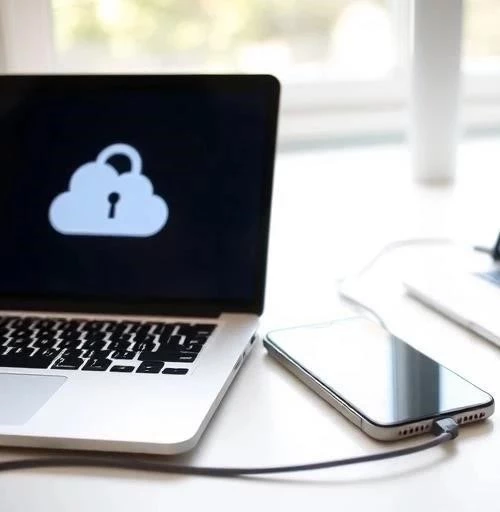
If a Xiaomi phone is locked‚ the safest recovery method depends on what kind of lock is in place‚ whether the phone can still be accessed‚ and whether backups were enabled. Modern Android devices encrypt user data. A screen lock is therefore not merely an obstacle to a file browser: without the correct credential‚ the stored information may not be readable. Use only methods for a device you own or are authorized to manage.
Before trying anything
- Do not reset or unlock the bootloader. A factory reset erases local data‚ and unlocking the bootloader normally wipes the phone. Repeated guesses can also trigger delays or‚ if configured‚ automatic erasure.
- Keep the phone charged. Avoid unofficial recovery tools‚ firmware downloads‚ and instructions that require flashing the device. They can erase data‚ introduce malware‚ or make recovery harder.
- Identify the problem. A forgotten PIN or pattern differs from a broken screen‚ a disabled account‚ or a phone that will not start. The right solution depends on the situation.
Check cloud backups first
From another trusted device‚ sign in to the Google account used on the Xiaomi phone and check Google Photos‚ Google Contacts‚ Google Drive‚ and any available device backup. Photos and files may have synced automatically‚ but this depends on the settings and the last successful backup. Check the Xiaomi Cloud website or account services as well‚ if Xiaomi Cloud was enabled in your region and the relevant items were selected for syncing. A backup may not contain every app‚ message‚ or recently added file.
Do not share account passwords or verification codes with a recovery service. Use official Google and Xiaomi sign-in pages‚ and confirm that you are accessing the correct account. If you cannot sign in‚ recover the account through the provider’s official account-recovery process before changing anything on the phone.
If the screen is damaged
If the phone is on but the display or touch panel does not work‚ a repair shop may be able to temporarily replace or reconnect the screen so you can enter your usual PIN or password. Ask the technician not to reset‚ update‚ or flash the device‚ and explain that preserving data is the priority. A USB mouse connected through a compatible OTG adapter can help with some touch failures‚ but it will not remove the lock; you still need to enter the correct credential. USB file transfer to a computer commonly requires the phone to be unlocked and file access to be approved on its screen.
If you forgot the screen credential
There is generally no supported way to extract encrypted local files while bypassing the lock. Try credentials you genuinely remember‚ carefully and without rapid repeated attempts. If the phone accepts biometric access‚ use it only as permitted by the device; Android may require the PIN‚ pattern‚ or password again after a restart or security event. Xiaomi support or an authorized service center can explain account and device options‚ but service staff cannot guarantee that encrypted data can be recovered without the credential.
Remote “Find My Device” or Xiaomi device-management features may help locate‚ secure‚ or erase a phone‚ depending on setup. An erase command is not a data-recovery method. Do not choose it if your goal is to preserve files.
Removable storage and specialist help
If the phone has a microSD card‚ remove it only after powering the device off‚ then check it with a card reader. Some cards hold ordinary files; others are encrypted‚ formatted as internal storage‚ or simply not used for media. A card protected by device encryption may not work in another phone or computer. Many Xiaomi models do not have a microSD slot.
For valuable data‚ consult an established mobile-data recovery specialist before authorizing work. Ask for a written description of the proposed procedure‚ whether it may erase data‚ and what fees apply if recovery fails. Avoid anyone promising guaranteed access‚ asking for your account credentials‚ or claiming they can defeat encryption without the correct authorization.
After access is restored
Once you can unlock the phone‚ copy important files to a computer and verify that the copies open. Then enable suitable cloud or local backups‚ store recovery codes securely‚ and keep a record of the account associated with the device. The most reliable route is usually a verified backup or restoring normal access—not bypassing the lock.


7 Comments. Оставить новый
The advice to avoid unofficial recovery tools highlights important security and data-loss risks.
The reminders to check Google and Xiaomi backups before changing the phone are practical and clearly presented.
The guidance is organized around identifying the problem first, which helps readers understand that recovery options can differ.
The article clearly explains why a screen lock can affect access to data and why a factory reset may cause data loss.
The distinction between a forgotten credential and a damaged screen makes the guidance easier to apply.
The recommendation to use official account-recovery services and protect verification codes is a useful security reminder.
The article appropriately notes that backup availability depends on account settings and when syncing last occurred.