
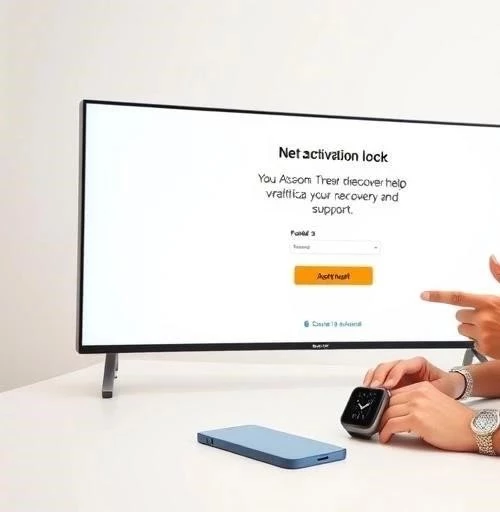
Activation Lock is a security feature designed to prevent another person from setting up an Apple Watch after it has been lost or erased. It is linked to the Apple Account used with Find My. When setup requests the account credentials of the previous owner, the watch is still associated with that account. There is no legitimate universal code or setting that bypasses this protection.
If the watch is yours
Enter the Apple Account email address and password previously used with the watch. If you have forgotten the password, reset it through Apple’s official account-recovery process. You can use a trusted Apple device or visit Apple’s account-recovery website. If you are unsure which account is linked, check the email addresses you use for Apple services and search your inbox for Apple receipts or account messages.
If the password is correct but the watch remains locked, check that the device has an internet connection and restart the setup process. Follow the instructions shown on the paired iPhone, if available. Erasing the watch does not remove Activation Lock: it deletes local data, while the association with the Apple Account remains. Repeatedly erasing or restarting the watch is therefore unlikely to resolve an account-ownership issue.
If you bought the watch second-hand
Contact the seller and ask them to remove the watch from their Apple Account. The seller may be able to do this in person by entering their credentials during setup. Alternatively, they can use Apple’s official Find My or account-device management options to remove the watch from their account. They should follow Apple’s current instructions and confirm that the device no longer appears as linked to them.
Do not ask the seller merely to provide a password. The safer option is for them to remove the device themselves, without sharing account credentials. If the seller cannot or will not release the watch, request a refund through the marketplace or payment provider. Keep the listing, messages, receipt, and any other evidence of the transaction.
If the owner is deceased or the device belongs to an organization
For a watch managed by a company or school, contact the organization’s IT administrator. It may have enrolled the device in a management system and may be able to release it through its authorized account. For a device belonging to a deceased family member, consult Apple’s official guidance for access to a deceased person’s account and prepare the documentation Apple requires. Procedures depend on the circumstances and local rules.
When to contact Apple
If you are the legitimate owner and cannot recover the account, contact Apple Support. Apple may review a request to remove Activation Lock when you provide acceptable proof of purchase and other requested details. A receipt should identify the device clearly; requirements can vary by country and case. Support cannot be assumed to unlock every watch, and ownership documentation may be necessary.
Avoid unofficial “unlock” services
Websites, applications, and individuals promising instant Activation Lock removal may request money, account passwords, verification codes, or remote access to your computer. Such offers can be scams, can expose personal information, and may not produce a usable watch. Modified software or hardware techniques can damage the device, compromise its security, or stop working after an update. Do not share Apple Account credentials or one-time codes with an unlock service.
3 Comments. Оставить новый
This is a practical overview of the legitimate options for resolving an Activation Lock issue. The suggestion to seek a refund if a seller cannot release the watch is especially relevant for second-hand purchases.
The guidance appropriately directs owners to Apple’s account-recovery process and second-hand buyers to contact the seller. It also emphasizes avoiding the exchange of account passwords.
The article clearly explains that Activation Lock remains linked to the previous owner’s Apple Account even after the watch is erased. Its distinction between erasing data and removing the account association is useful.