
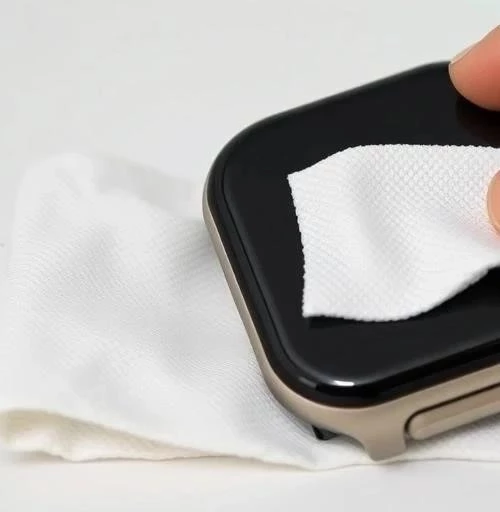
A scratch on an Apple Watch is frustrating, but trying to polish it away can cause more damage than the mark itself. The right approach depends on the screen material and the depth of the scratch. First, identify your model: Series 4 aluminum cases use Ion-X glass, while stainless-steel models use sapphire crystal. Neither material is safely restored at home with abrasive cleaners.
Start with a careful inspection
Turn off the watch and remove it from its charger. Wipe the display gently with a clean, dry microfiber cloth; dust or a smear can look like a scratch. If needed, slightly dampen the cloth with fresh water, then dry the screen. Do not spray liquid directly onto the watch or use sharp tools to test the mark. If the glass is cracked, chipped, or has a raised edge, stop cleaning and arrange professional service. A damaged screen may no longer protect the watch from water.
Why home polishing is risky
Toothpaste, baking soda, metal polish, and household “scratch removers” are not reliable fixes. Their abrasives may dull the glass, leave uneven patches, or wear away the screen’s oil-resistant coating. Polishing can also affect the display’s clarity and may push residue into openings. A surface scratch can sometimes appear less visible after professional assessment, but there is no safe DIY compound that guarantees its removal. Deep scratches generally require display service rather than polishing.
What you can do safely
- Clean first. Use only a soft microfiber cloth and, when necessary, a little water on the cloth.
- Check the mark in good light. If it remains visible from different angles, it is likely a scratch, not a smudge.
- Protect the screen. A compatible screen protector can help prevent new marks and may make a shallow scratch less noticeable. It will not repair damaged glass.
- Seek a repair estimate. Contact Apple or an authorized service provider to ask what service is available for your specific watch and region. Availability can vary for an older model.
Bottom line
For an Apple Watch Series 4, the safest “removal” method is gentle cleaning; avoid DIY abrasives. If a scratch bothers you, protect the display and get a professional assessment before paying for repair. If the screen is cracked or the watch has been exposed to water after damage, do not wear or charge it until it has been checked.

4 Comments. Оставить новый
The article clearly distinguishes between making a mark less noticeable and actually repairing the glass. Explaining that a screen protector can help prevent further damage without fixing an existing scratch sets realistic expectations.
I appreciate the practical emphasis on cleaning the screen gently before deciding it is scratched. The advice to stop and seek service if the glass is cracked or chipped is also important, given the potential effect on water resistance.
This is a sensible guide because it puts identifying the type of damage ahead of trying a quick fix. The warning against abrasive household products is especially useful, since they can damage coatings even when a scratch remains.
This is a careful, useful overview for Apple Watch owners who might otherwise try toothpaste or polish. The recommendation to check repair options for the specific model and region recognizes that service availability can vary.