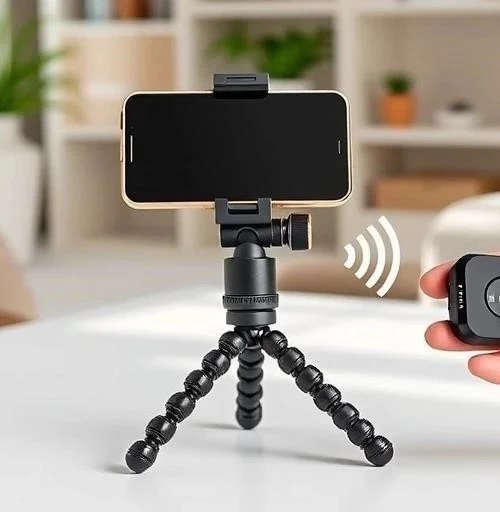
A Xiaomi tripod can hold your phone steady for photos, video calls, and recording. Many models also include a Bluetooth remote in the handle, while others are simple stands with no wireless controls. The exact design varies, so check your model’s instructions if a button or feature is different. The steps below cover the common Xiaomi selfie-stick tripod with a detachable or built-in Bluetooth shutter.
Set up the tripod
- Place the tripod on a flat, stable surface. Open all three legs fully and make sure they are locked or spread securely.
- Extend the pole only as far as needed. Avoid pulling beyond its marked limit, and tighten any locking sections before mounting your phone.
- Open the phone holder and position your phone in the centre. The clamp should grip the sides securely without pressing the volume or power buttons. Check that the phone cannot slip out when the holder is tilted.
- Adjust the angle and tighten the head or joint. Keep the tripod balanced, especially when the pole is extended.
Pair the Bluetooth remote
- Charge the remote if your model has a rechargeable battery. If it uses a replaceable battery, check that it is installed correctly. Some remotes are powered by a small button cell.
- Turn on Bluetooth in your phone’s settings. Keep the phone and remote close together while pairing.
- Switch on the remote or enter pairing mode. Depending on the model, you may need to press and hold its shutter or power button until an indicator light flashes. Consult the label or manual if the light does not appear.
- On your phone, open Settings > Bluetooth and wait for available devices. Tap the name that matches the remote, such as a Xiaomi or Mi device. Confirm the connection if prompted.
- Open the phone’s Camera app and press the remote’s shutter button once. The phone should take a photo. Some models also support starting or stopping video, but this depends on the remote and camera app.
Usually, you pair the remote with the phone, not the tripod itself. The tripod is a mechanical holder; Bluetooth is handled by the remote. Once paired, the phone may reconnect automatically when Bluetooth is on and the remote is powered.
If the remote does not connect
- Make sure the remote is switched on, has a working battery, and is in pairing mode. A steady light can mean it is already connected; a flashing light often indicates pairing, though signals vary by model.
- If the remote appears in the Bluetooth list but will not pair, tap its name and choose Forget or Unpair. Restart Bluetooth, then try pairing again.
- Disconnect it from another phone or tablet. Many small remotes connect to one device at a time.
- Restart your phone and move away from other Bluetooth devices that may be interfering. Keep the remote close during setup.
- If pairing succeeds but the shutter does nothing, test the standard Camera app. Some third-party camera apps may not respond to Bluetooth shutter buttons, and button behaviour can differ between Android and iPhone.
Using the tripod safely
Before taking a photo, check that the legs are open, the phone is firmly clamped, and the head is tightened. On uneven ground or in wind, use a low position and keep a hand near the setup. Do not leave an extended tripod unattended, and fold it before carrying it. If your Xiaomi model has no remote, you can still use the phone’s timer or a compatible Bluetooth shutter.
Quick recap: Open and secure the legs, mount the phone, turn on the remote, pair it in Bluetooth settings, then test the shutter in the Camera app. If the menu name or pairing method differs, follow the instructions for your specific tripod model.