
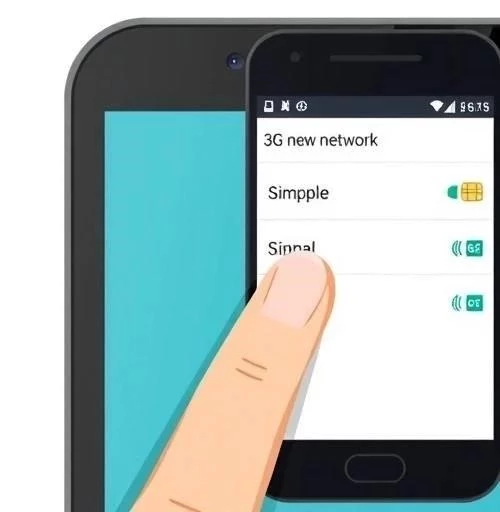
You can select 3G on many Xiaomi phones through the mobile network settings. The exact menu names vary between MIUI and HyperOS versions, and some newer models or mobile operators no longer offer a 3G-only option. If you cannot find it, your phone, SIM card, or carrier may not support selecting 3G in your area.
Before you change the network mode
Check that 3G service is still available where you are. Mobile operators in many countries have shut down their 3G networks or are in the process of doing so. In those areas, choosing 3G may leave you with a weak connection or no mobile data. If your goal is to improve reception, compare the available modes first: 4G or 5G may work better, depending on local coverage.
On a dual-SIM Xiaomi phone, identify which SIM you use for calls or mobile data. Network settings are usually adjusted separately for each SIM. You may also need to turn off Wi-Fi temporarily to check whether mobile data works after making the change.
Switch to 3G in MIUI or HyperOS
- Open Settings on your Xiaomi phone.
- Tap SIM cards & mobile networks, Mobile networks, or a similarly named option.
- If you use two SIM cards, select the SIM you want to change.
- Open Preferred network type, Preferred network mode, or Network type.
- Choose an option that includes 3G, such as Prefer 3G, 3G/2G, or WCDMA preferred.
The wording depends on the phone, software version, and carrier. “WCDMA” is a common name for 3G technology. If the list includes both a 3G-only mode and a combined mode, the combined option is generally more practical: it lets the phone fall back to 2G when 3G coverage is unavailable. A 3G-only setting, if offered, can cause calls or data to fail outside 3G coverage.
Give the phone a few seconds to reconnect. The signal icon may change, and mobile data can briefly disconnect while the device registers on the network. To check the result, turn off Wi-Fi and open a webpage or another app that uses mobile data.
If the 3G option is missing
First, check the menu for each SIM separately. Some Xiaomi models show different network options depending on which SIM is selected for mobile data. You can also use the Settings search field and try phrases such as “preferred network type,” “mobile network,” or “network mode.” Menu labels may differ after a system update.
If no 3G option appears, the carrier may have restricted manual network selection, the SIM or plan may not support the service, or the phone may not provide that setting in its current software. Some recent models omit 3G-only choices because operators increasingly use 4G and 5G. Installing an unofficial system modification or changing hidden phone settings is not recommended: it can disrupt connectivity and may affect emergency calls.
Troubleshooting after selecting 3G
- No signal: Return to the network-type menu and select an automatic mode, such as 4G/3G/2G or 5G/4G/3G/2G. Restart the phone if it does not reconnect.
- Calls work, but data does not: Confirm that mobile data is enabled for the correct SIM and that the plan includes data. Check the access point name (APN) using the carrier’s instructions.
- Data is unusually slow: This is expected in many cases because 3G is generally slower than 4G or 5G. Switch back to an automatic or 4G-preferred mode if speed matters.
- Settings do not take effect: Turn Airplane mode on for about ten seconds, then turn it off. If that fails, restart the device and check the setting again.
As another basic check, confirm that the SIM is active and seated correctly. If you recently changed carriers, ask the operator whether 3G service is available for your SIM and location. Avoid resetting network settings unless necessary; doing so can remove saved Wi-Fi networks and Bluetooth pairings, depending on the software version.
How to switch back
Return to Settings > SIM cards & mobile networks (or the equivalent menu), choose the relevant SIM, and select an automatic network mode. An option such as Prefer 4G or 5G/4G/3G/2G usually allows the phone to choose the strongest supported network. If 3G has been discontinued by your operator, selecting an automatic mode is the appropriate choice.
Frequently asked questions
Will switching to 3G improve reception?
Not necessarily. Signal strength depends on the local network and available bands. In some places 3G may have coverage where 4G is weak, but elsewhere it may be slower or unavailable. Test the connection and switch back if service worsens.
Can I force 3G on every Xiaomi phone?
No. The available choices depend on the model, software, SIM, and carrier. If 3G is absent from the standard settings, there may be no supported way to enable it.
In short: open the mobile network settings for the appropriate SIM, select a 3G-compatible network mode if available, and test the connection. Use an automatic mode if 3G is unavailable, unreliable, or no longer supported by your carrier.
1 Comment. Оставить новый
The steps are clear, and the note about 3G shutdowns is useful. Since menu names and available network modes vary by device and carrier, checking the selected SIM and local coverage before changing the setting can help avoid connection issues.