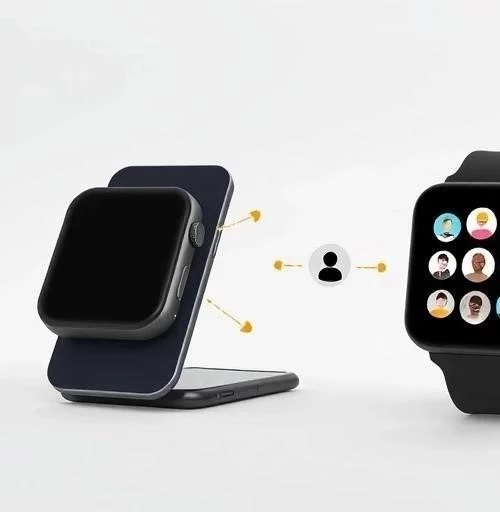
To see callers’ names or use contacts from an X8 Pro, pair the watch with its companion app on your phone and allow the required permissions. The exact app and menu names can differ: “X8 Pro” is used for watches sold in different versions, so follow the app and instructions supplied with your specific device. Contact syncing normally copies or displays phone contacts through the app; it does not necessarily save a full address book directly on the watch.
Before you start
- Charge the watch and turn on Bluetooth on your phone.
- Install the companion app recommended in the watch’s manual, packaging, or QR code. App names vary by model and region.
- Allow the app to run in the background. Keep the phone and watch close together during setup.
- Check that the contacts you want are saved in the phone’s address book, rather than only in an unsupported account or messaging app.
Pair the watch and enable contact access
- Open the companion app and create an account if the app requires one.
- Choose an option such as Add device, Bind device, or Search. Select the X8 Pro when it appears and confirm pairing on both devices if prompted. For initial setup, pair through the app rather than using only the phone’s Bluetooth settings.
- When Android or iOS asks for access to contacts, choose Allow. If you previously denied it, open the phone’s Settings, find the companion app under Apps or Privacy, and enable Contacts permission. Menu wording differs by phone.
- In the app, open the device page and look for Contacts, Frequent contacts, Phonebook, or a similar feature. Turn it on, select the people to share, then tap Sync, Save, or Apply.
- Wait for the transfer to finish. Keep Bluetooth active and the app open until the watch confirms completion. Open the watch’s contacts or call feature to check the result.
If contacts do not appear
First, confirm that the watch is connected inside the companion app; a Bluetooth connection alone may not enable phonebook access. Check Contacts permission again, then close and reopen the app. Toggle Bluetooth off and on, restart both devices, and repeat the sync. If the app offers a contact limit, select fewer entries and test again. Keep the app updated, and check whether its device page offers firmware updates.
If names are missing but calls still arrive, the watch may support call alerts without contact-name display. Some X8 Pro versions can store only a small favorites list, while others simply show information supplied by the phone. Removing and pairing the device again can help, but do this only after checking the manual; it may erase watch settings. Avoid installing an unfamiliar app or granting unrelated permissions.
Privacy and expectations
Contact access lets the companion app read phonebook details so it can display names or send selected contacts to the watch. Grant only permissions needed for the feature, and revoke them in phone settings if you stop using contact sync. Since X8 Pro versions and companion apps differ, there is no single guaranteed menu path. If the options above are absent, use the app identified for your exact watch, or ask the seller whether that version supports contact synchronization.