
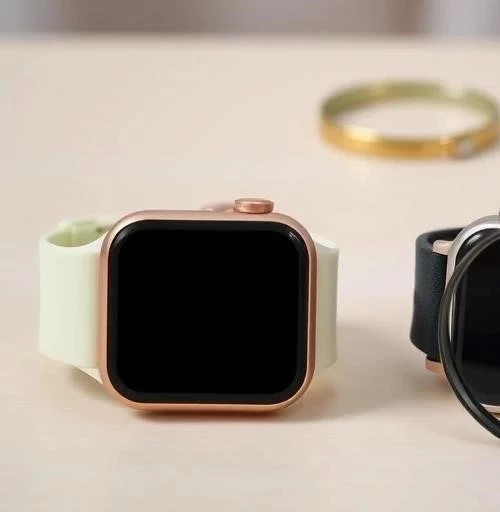
Buying a used Apple Watch can save money, but a convincing counterfeit may copy the packaging, screen graphics and even a real serial number. No single visual check proves that a watch is genuine. The strongest evidence comes from combining its physical details, identification information, pairing behaviour and purchase history. Use the checks below before paying, and do not rely on a seller’s screenshots alone.
Check the model and its physical details
Apple Watch Series 8 was sold in 41 mm and 45 mm sizes, in aluminum or stainless steel, with GPS or GPS + Cellular options. Compare the case, finish, colour and band with Apple’s specifications for the exact model being offered. A mismatch is a warning, although it may also mean the seller has fitted a replacement band or case part. Bands are easy to change and are not proof of authenticity.
Inspect the rear crystal and case closely. A genuine watch has neatly finished sensor components and clear, precise markings; poor alignment, rough edges, blurry lettering, uneven gaps or a loose-feeling Digital Crown deserve scrutiny. Check that the side button and Crown move smoothly and that the display sits evenly in the case. These clues can reveal poor workmanship, but a counterfeit may look convincing, while a genuine used watch may have scratches or replaced parts.
Verify the information on the watch
On the watch, open Settings > General > About. Check the model name, model number and serial number. You can also find identifying information in the paired iPhone’s Watch app under My Watch > General > About. Compare those details with the box and sales receipt if available. Differences may have an innocent explanation, such as a replacement box, but the seller should explain them clearly.
Enter the serial number on Apple’s official coverage-check page, reached by navigating to Apple’s website yourself. A result that recognises a device is useful, not conclusive: counterfeiters sometimes copy serial numbers from real products. A valid result cannot establish that the watch in your hand is the one associated with that number. Treat a serial that returns no result, identifies a different product, or appears on multiple listings as a reason to pause and contact Apple Support.
Pair it with an iPhone
This is one of the most practical checks. Bring an iPhone compatible with the watch and use Apple’s built-in Watch app to start pairing. A genuine Apple Watch should follow Apple’s setup process and appear as an Apple Watch, not merely connect as a generic Bluetooth accessory. Check that the displayed model and information correspond to the device. A fake may imitate the interface or show an animation, so pairing is strong evidence only when combined with the other checks.
Do not buy a watch that remains linked to someone else’s Apple Account. The seller should unpair it using the Watch app and remove it from their account; then you should be able to begin setup with your own iPhone. Activation Lock is an anti-theft protection, not a defect to bypass; If the seller says it can be removed later, refuses to erase the watch, or asks you to use unofficial software, walk away.
Test real functions, not just the screen
After setup, test the touchscreen, Crown, side button, speaker, microphone, charging and notifications. Check that the watch shows normal Apple settings and can install or update software through Apple’s supported process. Series 8 includes health and safety features such as heart-rate monitoring, temperature sensing and Crash Detection, but a menu or demo screen is not proof that sensors work; Ask to test functions safely and compare them with Apple’s documentation. Do not use a medical reading as an authenticity test or as a substitute for medical advice.
Battery condition matters too, especially for a used device. On the watch, check Settings > Battery > Battery Health where available; Unexpectedly rapid drain, overheating, charging interruptions or a battery-health figure that behaves oddly may indicate damage or a poor repair. These problems do not by themselves prove counterfeiting, but they affect value and should be reflected in the price.
Examine the seller, packaging and price
- Prefer Apple or an authorised reseller, or a reputable second-hand seller with a written return policy.
- Ask for an original receipt when available and confirm the exact model, condition and included accessories.
- Be cautious of a price far below comparable offers, urgency, stock photos, sealed-box claims without proof, or refusal to meet and demonstrate pairing.
- Inspect the charger and packaging, but remember that boxes, labels and accessories can be copied or swapped.
Meet in a safe place and test the watch before payment. Avoid irreversible transfers to unknown sellers. If buying online, use a payment method and marketplace process that provide buyer protection. A genuine watch can still be stolen, damaged, locked or misrepresented, so authenticity is only one part of a safe purchase.
What is the best decision rule?
Look for several independent signs: consistent model details, a clean physical finish, information that makes sense, successful setup through Apple’s Watch app, no Activation Lock, and a credible seller with a return option. If any major check fails, do not let a matching serial number or attractive box overrule it. Ask Apple Support or an authorised service provider to inspect a doubtful device before buying. When the seller will not allow basic verification, the safest conclusion is simple: do not purchase it.
9 Comments. Оставить новый
Checking the watch’s information on the device and through the paired iPhone app is a practical suggestion. Comparing those details with available records adds another layer of verification beyond appearance alone.
I appreciate the distinction between signs of poor workmanship and definitive proof. Scratches or replacement parts can affect a genuine watch, so buyers should consider the full picture rather than reject a device based on one detail.
The model-size and finish checks give buyers concrete details to compare before a purchase. The article also fairly notes that a mismatch may have an innocent explanation, so asking the seller for clarification is a reasonable next step.
The advice to treat screenshots cautiously is especially relevant when buying remotely. Buyers should verify information on the actual watch and consider its condition, model details and purchase history before handing over money.
Recommending that readers visit Apple’s coverage page directly is sensible. It reduces the risk of relying on a seller-provided link, while the reminder that a recognized serial number is not conclusive helps prevent overconfidence.
The article makes an important point: no single check can establish that a used Apple Watch is genuine. Combining physical inspection with software and purchase records is a more reliable approach.
This is a measured guide for second-hand buyers. It avoids promising that a serial-number lookup will settle the question and instead encourages readers to combine checks and seek a clear explanation for inconsistencies.
The warning that bands are easy to replace is useful. Buyers sometimes treat matching accessories as evidence of authenticity, but checking the watch itself and its identifying information is much more meaningful.
The physical inspection advice is helpful because it focuses on several details, including the Crown, buttons, display fit and sensor markings. Taken together, those observations can flag concerns without being presented as absolute proof.