
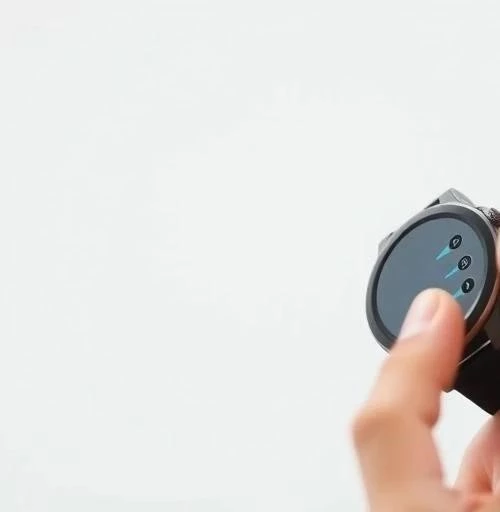
Your Apple Watch may tap your wrist and invite you to take a mindful breath just as you’re rushing for a train. If you want those nudges to stop‚ you can switch off the reminders without deleting the Mindfulness app or changing any health features.
Turn off reminders on your iPhone
- Open the Watch app on your iPhone.
- Tap My Watch‚ then scroll down and select Mindfulness. On older software‚ this may be labelled Breathe.
- Under reminders‚ switch off Start of Day and End of Day. If you see scheduled or additional reminders‚ turn those off too.
The change should sync to your watch. The exact wording can vary slightly with your watchOS version.
Change it on the watch itself
Prefer to do it wrist-first? Press the Digital Crown‚ open Settings‚ and tap Mindfulness (or Breathe on older versions). Turn off the start- and end-of-day reminders there. If the options aren’t visible‚ use the Watch app on your iPhone instead.
Still seeing alerts?
Check the Watch app’s Notifications settings and look for Mindfulness or Breathe. Depending on your software‚ you can disable its notifications or choose how they appear. You can also use a Focus mode to quiet notifications temporarily‚ though that affects other alerts as well.
What this does—and doesn’t do
Turning off reminders stops the watch from prompting you to begin a session. It doesn’t switch off breathing‚ heart-rate tracking‚ or other health monitoring. You can still open the Mindfulness app whenever you choose and start a breathing session manually. If you only want fewer interruptions‚ adjust the reminder schedule rather than disabling every notification.
Quick check: After changing the setting‚ wait a moment for your iPhone and watch to sync. If a prompt remains‚ restart the watch and check that you changed the setting for the paired watch—not a different device. The invitation may be gone; the choice to pause and breathe is still yours.


7 Comments. Оставить новый
A useful reminder that technology can offer a pause without owning the pause. The distinction between silencing a prompt and disabling health features is especially reassuring.
Helpful details for the easily confused—especially the note that older software may call the feature Breathe. It turns a tiny troubleshooting task into a much calmer one.
The best part is the gentle permission to choose: keep the app, keep the benefits, and simply decline the nudge. A small setting with a surprisingly human point.
I appreciate the warning about Focus modes affecting other alerts. That little distinction could save someone from silencing a whole orchestra when they only meant to mute one instrument.
That final thought lands beautifully. A notification can be switched off; the possibility of taking a breath remains available whenever life makes room for it.
I like the wrist-first option—it feels oddly satisfying to solve a watch problem directly on the watch. Clear, practical guidance without making the settings feel like a maze.
A refreshingly sensible guide: no dramatic fixes, just two routes through the settings and a quick sync check. The watch can invite; the wearer gets the final word.