
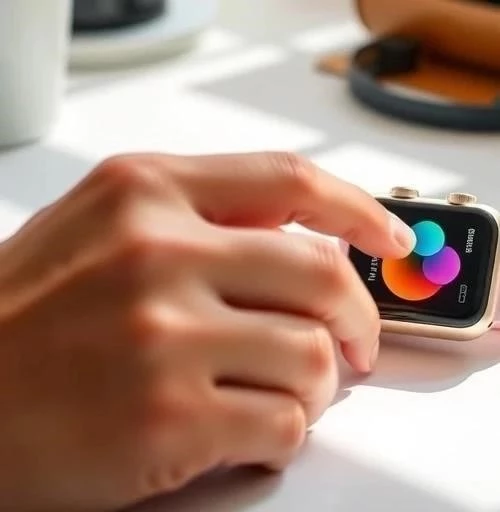
The exact controls can vary between versions sold under the name “Macaron Color Watch Smart.” The information provided for this topic does not include a manufacturer’s manual or model-specific instructions; the search results refer mainly to the macaron dessert. Therefore, use the steps below as general guidance for a rechargeable touchscreen smartwatch, and check the watch’s own manual or packaging if a control looks different.
Charge the watch before starting
If the screen is blank, the battery may be empty. Connect the charging cable or magnetic charging clip supplied with the watch to a suitable USB power source. Align the charging contacts on the back of the watch with the pins or pads on the charger; Magnetic connectors usually attach only in the correct position; if they do not sit flush, turn the connector around rather than forcing it.
Look for a charging symbol, battery icon, or other indication on the display. If nothing appears, reposition the charger and inspect the contacts for dirt, moisture, or protective film. Try another compatible USB port or adapter. Leave the watch charging for at least 20–30 minutes before attempting to turn it on, especially if it has been stored unused. Charging time varies by model. Do not use a damaged cable, and avoid charging the device while it is wet.
Press and hold the power control
- Find the physical button on the side of the watch. Some versions have one button, while others may have a crown or more than one control.
- Press and hold the button for about 3–5 seconds. A quick press may only wake the screen, so keep holding until a logo, startup animation, or display appears.
- Release the button when the watch begins to start. Allow it a little time to load before pressing anything else.
If there is no visible button, check the edges of the case and the instructions supplied with the product. On some touchscreen watches, connecting the charger may wake the display, but this does not necessarily mean the watch is fully powered on. Do not press hard on the screen or try to pry open the case.
If the screen is still blank
Confirm that the charging cable is firmly connected at both ends and that the charging contacts meet cleanly. Remove any packaging film covering the contacts. Leave the watch on the charger for longer, then hold the side button again. If the watch has two buttons, consult its labels or manual before trying combinations; button sequences are not universal.
If the screen briefly lights and then goes dark, the battery may still be too low, or the device may be restarting. Continue charging and try once more. If the watch becomes unusually hot, smells burnt, shows a swollen case, or has visible damage, disconnect it and stop using it. Contact the seller or manufacturer instead of attempting a repair.
Complete first-time setup
After startup, follow any prompts on the watch to select a language, set the time, or choose basic preferences. Some watches set their time automatically after connection to a phone; others allow manual setting. A setup screen may ask you to scan a QR code or install a companion app. Use the app name or download link printed in the supplied documentation. Do not assume that an app with a similar name is the correct one.
To pair the watch, turn on Bluetooth on your phone, open the recommended app, and follow its device-adding instructions. Keep the watch near the phone and accept pairing requests on both devices if prompted. Some models require pairing through the app rather than through the phone’s Bluetooth menu alone. Grant only the permissions you need, and review the app’s privacy information before enabling access to contacts, notifications, location, or health data.
Using the watch after it turns on
A short press of the side button may wake or dim the screen, while a longer press may open a power menu or restart options. Touchscreen gestures and button functions differ by model, so use the manual to identify them. If the display turns off, tap it or press the button once before assuming the watch has powered down. Screen timeout, brightness, and raise-to-wake settings may also affect whether the display appears active.
Common questions
Can I turn it on without charging it?
Only if the battery has enough power. If it has been unused for a long time or will not respond, charge it first.
How long should I hold the button?
Start with 3–5 seconds. If that does not work, check the specific manual; a longer press or a different control may be required on another version.
Why does the watch show a logo and then go blank?
The battery may be depleted, or the watch may be restarting. Charge it, check the connector, and try again. Repeated shutdowns after charging may require support from the seller or manufacturer.
Charge the Macaron Color Watch Smart, align its charger correctly, and hold the side power button until the display starts. Then follow the on-screen setup and use the companion app specified for your particular version. Because model-specific instructions were not available in the supplied information, confirm button functions, charging requirements, and app details against the product manual or seller’s support before trying unusual reset procedures.


9 Comments. Оставить новый
The article notes that the supplied charger and product instructions should take priority when a control or connection differs.
The explanation gives readers a reasonable starting point when the display is blank, while acknowledging that charging times vary.
The troubleshooting suggestions are practical, including checking the charger alignment and inspecting the contacts.
The reminder to consult the watch’s manual is useful, especially for a product name that may cover multiple versions.
The article clearly explains basic charging and startup steps while noting that controls may differ between models.
The charging safety notes are straightforward, particularly the guidance not to charge the watch while it is wet.
The steps are organized in a helpful order, starting with charging before moving to the power control.
The advice to hold the power button for several seconds distinguishes startup from a quick screen wake.
The article appropriately avoids presenting general smartwatch instructions as model-specific directions.