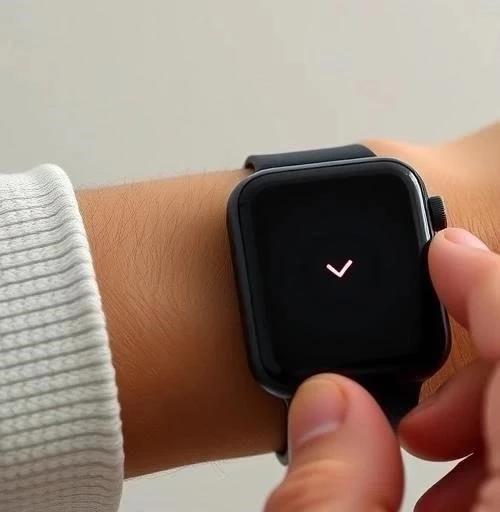
If your Redmi Watch 2 Lite is new, has been switched off, or has run out of battery, turning it on is usually straightforward․ The key is to use the physical side button and, if the screen stays blank, check the charge before assuming the watch is faulty․ These steps matter because a drained battery can make a normal start-up attempt look like a hardware problem․
Turn on the watch
- Find the physical button on the side of the watch case․
- Press and hold it for a few seconds, rather than tapping it briefly․
- Release the button when the Redmi or Xiaomi start-up logo appears, then allow the watch to finish starting․
A short press may only wake the display when the watch is already running; it may not start a powered-off watch․ Hold the button steadily and give the device time to respond․ Avoid repeatedly pressing it in quick succession, since that does not provide more power and can make it harder to tell whether the watch has begun booting․
If the screen does not turn on
First, connect the supplied magnetic charging cable to the watch and a suitable USB power source․ Line up the charging contacts on the back of the watch with the pins on the charger․ The magnetic connector should settle into place; check that it is not attached at an angle and that the contacts are clean and dry․ If the cable does not sit correctly, the watch may not charge even though it appears connected․
Leave the watch connected for at least 10–15 minutes before trying again․ A deeply discharged battery may need time to accept enough charge to show anything on the screen․ Then, while it is still connected, press and hold the side button for several seconds․ If the display remains blank, leave it charging longer and repeat the check․ Do not assume that a blank screen immediately means the watch is broken․
Use a reliable USB power source and inspect the cable and adapter for visible damage․ If possible, try another compatible USB port or power adapter; Do not use a damaged cable, force the magnetic connector, or attempt to open the watch․ If the watch becomes unusually hot, disconnect it and seek assistance rather than continuing to charge it;
What to do after it starts
When the logo appears, give the watch time to complete its start-up․ On first use, follow the instructions displayed on the screen․ To set it up with a phone, install Xiaomi’s Mi Fitness app from the phone’s official app store, enable Bluetooth, and follow the in-app pairing instructions․ Keep the phone near the watch while pairing․ If a QR code or confirmation prompt appears, use the app or the watch as directed rather than trying to pair through unrelated settings first․
Pairing is a separate step from switching the watch on: the watch can power up without a phone, but connecting it enables setup and syncing features․ If the app cannot find the watch, check that Bluetooth is enabled, the app has the requested permissions, and the watch is not already connected to another phone․ Follow the app’s on-screen guidance; menu names can vary with software versions․
If the button seems unresponsive
Make sure you are pressing the actual side button and holding it continuously․ If the watch is charging, check that the charging symbol or another sign of power appears, then try the button again․ If there is still no response after a prolonged charge with a known-good power source, disconnect and reconnect the charger once, making sure the contacts align․ Do not repeatedly force the button or use sharp objects to clean the contacts․
If the device was recently exposed to water, impact, or extreme heat, or if it continues to show no sign of charging, contact Xiaomi support or the retailer․ A damaged battery or charging circuit cannot be fixed safely by pressing the button longer․ Keep proof of purchase and describe what you have already tried; this helps support distinguish a setup issue from a charging or hardware fault․
Quick answers
Which button do I use? The physical button on the side of the Redmi Watch 2 Lite;
How long should I hold it? Hold it for a few seconds, until the start-up logo appears․ If the battery is empty, charge first․
Can I turn it on from the phone? No phone setting replaces the watch’s physical power button․ The phone app is used for pairing and setup after the watch starts․
In short
Hold the side button until the logo appears․ If nothing happens, align the magnetic charger properly, allow the battery to charge, and try again․ This simple sequence is the most sensible first response: it checks the usual causes without risking damage․ If charging and a careful restart still produce no response, seek qualified support instead of attempting an improvised repair․