
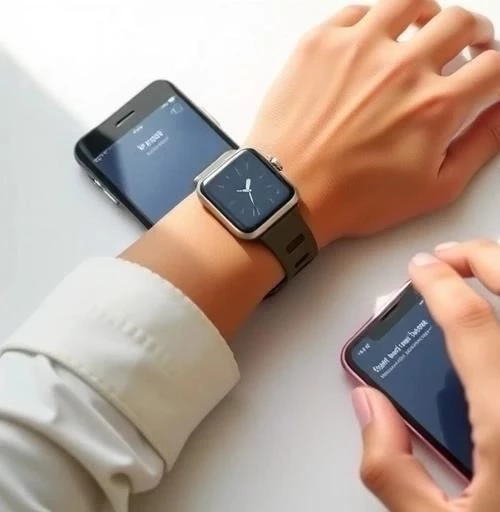
An Apple Watch can leave your wrist in a minute; leaving your Apple Account is the part that takes care. Before you sell, give away, or recycle an old watch, unpair it properly. This creates a final backup when possible, erases personal data, and—most importantly—turns off Activation Lock so its next owner can set it up;
The best route: use the iPhone it is paired with
- Keep the watch and iPhone close together. Make sure Bluetooth is on and both devices have power.
- Open the Watch app on the iPhone and tap My Watch. If you see more than one watch, tap All Watches.
- Tap the i button beside the old watch, then choose Unpair Apple Watch.
- If it is a GPS + Cellular model, choose whether to keep or remove its cellular plan. If the watch is leaving your ownership, remove the plan. You may still need to contact your carrier to cancel or transfer service.
- Enter your Apple Account password if asked. This step removes Activation Lock. Wait while the iPhone creates a backup and the watch erases itself.
When the process finishes, the watch should show the setup screen—the familiar invitation to pair. That screen is a good sign, but the important test is that Activation Lock has been removed. The new owner should be able to begin setup without being asked for your Apple Account details.
No paired iPhone? You can still erase it
On the watch, open Settings > General > Reset > Erase All Content and Settings. Enter the passcode if requested and confirm. On a cellular model, you may be offered a choice about the plan; remove it if you are handing the watch to someone else.
Important: erasing directly on the watch does not, by itself, remove Activation Lock. If the watch is still linked to your account, its next owner may hit a digital locked door during setup. Use Find My on an Apple device or visit icloud.com/find, sign in with the Apple Account linked to the watch, select the watch, and erase it if necessary. Then choose the option to remove it from your account. Menu wording can vary slightly by software version.
Forgot the passcode?
Place the watch on its charger. Press and hold the side button until the power controls appear, then press and hold the Digital Crown until the erase option appears. Tap Reset, then confirm. This erases the watch, but it does not bypass Activation Lock: you must still remove the watch from your Apple Account before transferring it.
Before the watch changes hands
- Save what matters. Unpairing through the Watch app normally makes a backup on the iPhone. Health and Activity data sync through iCloud when enabled. A watch cannot be restored from a backup that was never made, so allow the process to finish before moving on.
- Check your account. Confirm the old watch no longer appears as a device you own in Find My or your Apple Account device list. If it does, remove it there.
- Remove the personal touches. Take off bands, wipe the watch, and include the charger if you promised one. Never share your Apple Account password or passcode with a buyer.
If you are keeping it as a spare
You can leave the cellular plan in place if you intend to use the watch again, but unpairing still erases its contents. To set it up later, bring it near your iPhone and follow the pairing prompts. If you are giving it to a family member, remember that their iPhone and Apple Account—not yours—should complete setup.
The quick checklist
Paired iPhone available: Watch app → All Watches → info button → Unpair Apple Watch → enter your Apple Account password. No iPhone: erase in the watch’s Settings, then remove it from your account through Find My. The first path is usually smoother because it handles the backup and Activation Lock together. Think of unpairing as handing over an empty stage: the watch is ready for its next story, and your data stays with you.
3 Comments. Оставить новый
This turns a potentially awkward resale-day puzzle into a calm sequence of steps. The setup-screen detail is a reassuring signpost—and the reminder to verify Activation Lock is the part that keeps the digital door from staying shut.
A useful little departure checklist for a device that has quietly kept so much of someone’s life on its wrist. I especially like the clear distinction between erasing the watch and actually releasing it from the account.
The strongest advice here is that a clean screen is not the same as a clean handoff. Activation Lock is the invisible key, and this guide makes sure it does not travel to the next owner.