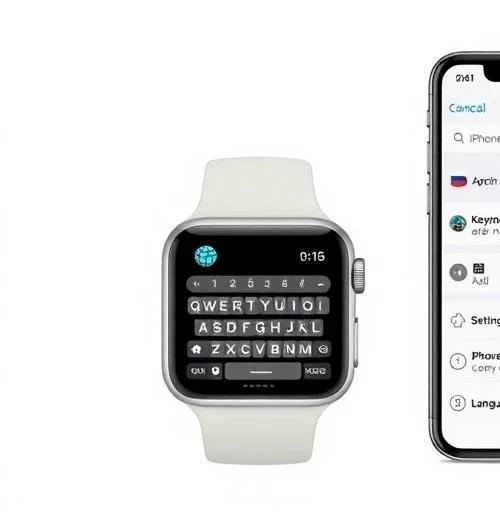
Short answer: You may not be able to add a full Russian on-screen keyboard to Apple Watch Series 7. The watch’s built-in keyboard is available only for selected languages, and the choices can depend on your watchOS version and region. Adding Russian to your iPhone’s keyboards is useful, but it does not guarantee that Russian will appear as a keyboard on the watch. You can still send Russian messages using dictation or by replying from your iPhone.
Check whether Russian is available
- Update your watch and paired iPhone to the latest compatible versions of watchOS and iOS.
- On your iPhone, open Settings > General > Keyboard > Keyboards, then tap Add New Keyboard and select Russian.
- On Apple Watch, open Settings > General > Keyboard, if that menu is available. Check the keyboard language options, or open a message reply and look for a globe or language button.
- If Russian is listed, select it. If a globe key appears while typing, tap it to switch between available layouts.
Menu names and options can vary with watchOS. If Russian does not appear among the watch’s offered languages, there is no setting that can force the built-in keyboard to display it. Changing the iPhone’s region, restarting the watch, or repeatedly adding the Russian iPhone keyboard will not necessarily add Russian support to watchOS.
Use Russian dictation instead
For a quick reply, open the message on your watch, tap the reply field, and choose the microphone or dictation option. Speak your message in Russian, then review the recognized text before sending. If recognition uses the wrong language, check the dictation language options shown on screen and confirm that Russian dictation is available on your software version. Dictation support and keyboard-layout support are separate features.
Other practical options
- Reply on iPhone: Open the notification or conversation on your phone and type with its Russian keyboard.
- Use a short preset reply: Configure suggested or custom replies in the relevant app or notification settings, where supported.
- Try handwriting only if offered: Scribble availability is also language-dependent; do not assume it supports Russian just because Russian is enabled on the iPhone.
Bottom line: First check the keyboard-language list on the watch itself. If Russian is absent, the most reliable watch-based workaround is dictation; for accurate text, type the message on the paired iPhone. Apple Watch Series 7 hardware does not by itself guarantee that every iPhone keyboard language is available on the watch.