
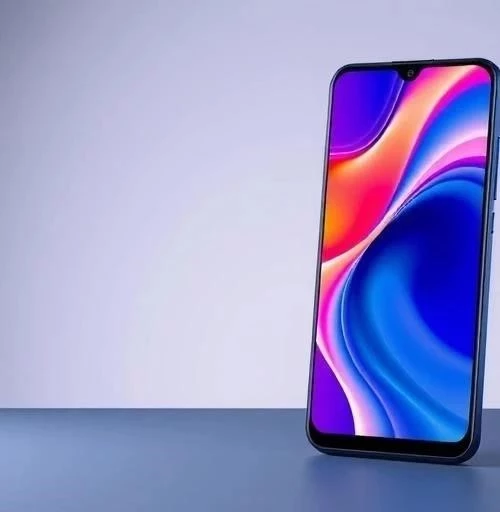
The short answer: the Xiaomi Redmi Note 13 has a display with a refresh rate of up to 120 Hz. In plain language‚ the screen can refresh its image as many as 120 times per second—twice as often as a conventional 60 Hz display. Scrolling can feel smoother‚ animations look more fluid‚ and supported games may respond with a more immediate visual rhythm.
But “Redmi Note 13” is a family name‚ not a single specification sheet. There are standard‚ Pro and Pro+ models‚ and versions can differ by market. The regular Redmi Note 13 4G and Redmi Note 13 5G are both generally listed with 120 Hz displays‚ as are the main Pro models. If you are buying a particular handset‚ check the exact model and regional product page: a familiar name does not guarantee that every detail is identical everywhere.
What does 120 Hz actually feel like?
Imagine the display as a tiny flipbook. At 60 Hz‚ it can show up to 60 new frames each second; at 120 Hz‚ it can show up to 120. Swipe through a long webpage and text may glide more cleanly. Open menus‚ move between home screens or scroll a social feed‚ and the motion can feel less like a sequence of steps and more like a continuous stream.
The difference is easiest to notice when the screen is moving. A still photo does not become more detailed simply because the display refreshes faster. Nor does 120 Hz automatically make every game run at 120 frames per second. The screen’s refresh rate is its capacity; the app‚ game‚ processor‚ graphics settings and software all help decide what you actually see.
Refresh rate is not touch-sampling rate
These two numbers are often mixed up. Refresh rate describes how frequently the display updates its picture. Touch-sampling rate describes how frequently the phone checks for finger input. A specification such as 240 Hz for touch sampling—where listed for a particular version—does not mean that the display itself runs at 240 Hz. For the Redmi Note 13‚ the headline screen figure is 120 Hz;
Think of it as a stage and a microphone: refresh rate is how often the stage scenery can change; touch sampling is how often the microphone listens for your cue. Both affect the sensation of interaction‚ but they measure different things.
Can you choose 60 Hz or 120 Hz?
Usually‚ yes. On many Redmi Note 13 software versions‚ look under Settings → Display → Refresh rate (the wording or menu location may vary). You may see a higher-rate option‚ a standard-rate option‚ or a mode that adjusts the refresh rate according to the content. The exact choices depend on the model‚ software version and region.
- Choose 120 Hz if you value fluid scrolling and quick-looking animations.
- Choose 60 Hz if you prefer to reduce display power use or simply do not notice a meaningful difference.
- Try the automatic or recommended mode if it is available: it can balance smoothness and battery life without asking you to keep changing settings.
A higher refresh rate can use more power‚ although real battery life also depends on brightness‚ signal strength‚ apps and many other factors. Some content may be shown at a lower rate even when 120 Hz is selected. That is normal: the setting allows a higher ceiling; it does not force every video‚ game and page to produce 120 distinct frames every second.
Why does the screen sometimes look like 60 Hz?
First‚ check that the higher refresh-rate setting is enabled. Then remember that the effect is most visible during motion‚ not while reading a motionless page. A video recorded at 24 or 30 frames per second still contains that number of source frames; a 120 Hz panel cannot invent all the missing detail. Likewise‚ a game may cap its frame rate for compatibility‚ performance or temperature reasons.
Brightness‚ animations and your own visual sensitivity matter too. Some people spot the difference the moment they swipe; others find it subtle. If you are comparing phones in a shop‚ scroll the same page on both devices rather than judging by a static wallpaper. That is where the refresh rate’s little “silk over glass” trick is easiest to see.
So‚ is Redmi Note 13 a 120 Hz phone?
Yes: the Redmi Note 13 series is generally associated with a 120 Hz display‚ including the standard 4G and 5G versions. For the exact handset in your hand—or the one in a listing—confirm the full model name and regional specifications‚ especially if the seller’s description is brief. And keep the key distinction in mind: 120 Hz is the screen’s maximum refresh rate‚ not a promise that every app will run at 120 frames per second.
In everyday use‚ the number is less a technical trophy than a small change in the phone’s character. Set it high and the interface can feel like it has traded its hard shoes for soft ones. Set it lower to save power‚ and the phone still does the same jobs—just with a more traditional cadence.
1 Comment. Оставить новый
The flipbook comparison makes refresh rates click without turning the explanation into a spec-sheet maze. I especially like the reminder that a 120 Hz screen is a capable stage, not a promise that every game will perform at 120 frames per second.