
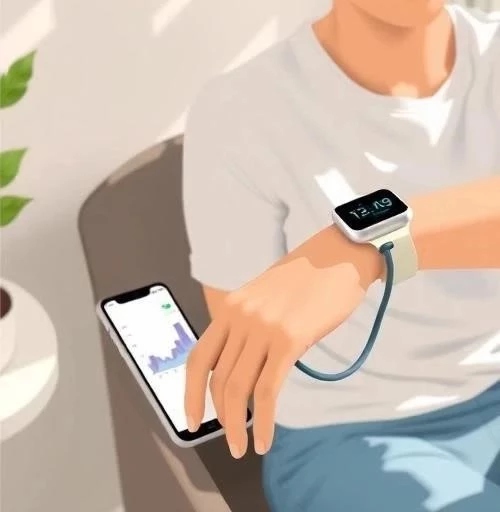
The short answer: an Apple Watch does not take a conventional blood-pressure reading. It has no inflatable cuff, so it cannot display the familiar numbers—such as 120/80 mmHg—that a blood-pressure monitor measures. Your Watch can help you notice certain heart-related patterns and keep health information close at hand, but for an actual reading you need a blood-pressure cuff.
Think of the Watch as a lookout, not a tiny doctor’s office. Here’s how to use it wisely.
What the Apple Watch can—and cannot—tell you
Apple Watch models do not directly measure systolic or diastolic blood pressure. The optical sensor on the back shines light into your wrist to track changes in blood flow; it is not a substitute for the pressure-sensitive cuff wrapped around your upper arm.
On supported models, in supported regions, and with compatible software, Apple’s hypertension notifications may look for patterns that could be consistent with chronic high blood pressure. This feature analyzes trends over time; it does not give you a blood-pressure number, check your pressure on demand, or diagnose hypertension. Availability and setup requirements can vary, so check Apple’s current compatibility information for your Watch and country.
How to get a real reading and save it with Apple Health
- Choose a validated monitor. Use a properly sized upper-arm cuff recommended by a healthcare professional. Some Bluetooth monitors can send readings to an iPhone app and, if supported, Apple Health. The cuff—not the Watch—does the measuring.
- Prepare for a calm measurement. For about 30 minutes beforehand, avoid smoking, caffeine, and exercise. Empty your bladder, then sit quietly for five minutes. Keep your back supported, feet flat on the floor, and legs uncrossed.
- Position the cuff correctly. Put it on bare skin, following the device instructions. Rest your arm on a table so the cuff is roughly level with your heart. Don’t talk or move during the reading.
- Take two readings. Follow the monitor’s instructions and, unless your clinician has advised otherwise, wait about one minute between readings. Record both rather than choosing the lower one.
- Sync or enter the result; If your monitor’s app supports Apple Health, open that app and allow it to share blood-pressure data. You can also check Health on iPhone: tap Browse, then Heart, then Blood Pressure. If the option is available, use Add Data to enter a reading manually. Menu names can vary by iOS version and device.
Your Apple Watch can then be useful as part of the wider picture: wear it as directed, keep its software up to date, and review relevant health information in the Health app. A connected cuff may make logging easier, but the Watch itself still isn’t taking the measurement.
What to do about hypertension notifications
If your model and region support the feature, look in the Health app’s profile or Health Checklist for Hypertension Notifications and follow the on-screen instructions. You may need a compatible iPhone and a recent version of iOS and watchOS. The feature needs time to assess patterns; it is not an instant test. Wear the Watch snugly, as Apple recommends, and use it consistently. A notification is a prompt to follow up—not proof that you have high blood pressure.
If you receive an alert, arrange a conversation with a healthcare professional and bring a log of cuff readings. They may recommend a validated home monitor, measurements at particular times, or a different plan. Don’t stop or change prescribed medication because of a Watch notification, and don’t dismiss a clinician’s advice because no alert appeared.
Make your readings more useful
- Measure at consistent times, such as morning and evening, if your clinician recommends it.
- Write down the date, time, readings, and any relevant context—stress, illness, or a missed medication dose.
- Use the same arm and a cuff that fits; an incorrect cuff size can distort results.
- Bring your monitor and log to an appointment so a professional can check your technique and compare devices.
One unusual reading is a snapshot, not the whole story. Repeat it after sitting quietly and discuss persistent high readings with a clinician. If a very high reading comes with chest pain, shortness of breath, weakness, confusion, vision changes, or another severe symptom, seek emergency care rather than waiting for a Watch alert.
The takeaway
You can’t measure blood pressure on an Apple Watch. You can measure it with a suitable cuff, save the results in Apple Health, and use compatible Watch features as an additional source of health insights. Let the cuff provide the numbers, the Watch help track patterns, and your healthcare professional interpret what those numbers mean for you.

6 Comments. Оставить новый
A refreshingly grounded take on wearable health: useful technology, honest boundaries, and no suggestion that a glowing wrist can replace professional care.
The calm-measurement advice reads like a tiny ritual for getting better data. It turns a routine check into something more thoughtful than simply pressing a button.
I like that the article treats the cuff as the instrument and the Watch as the notebook. That small distinction could prevent a surprisingly large misunderstanding.
The “lookout, not a tiny doctor’s office” image makes the distinction memorable. A useful reminder that smart health features can spot clues without replacing a proper measurement.
The strongest point is the difference between noticing a pattern and producing a reading. That distinction deserves a place on the screen of every health gadget.
This is the kind of tech explanation I wish came stitched inside every smartwatch box: clear about the limits, practical about what to do next, and free of medical fog.