
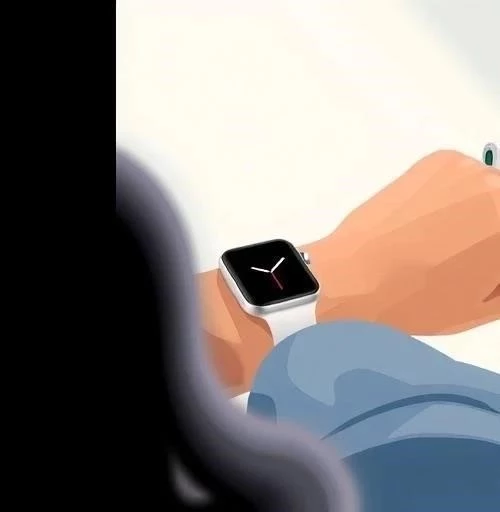
The short answer: no․ Apple Watch Series 6 has no temperature sensor for measuring your body temperature, so there’s no hidden button, secret wrist gesture, or clever app that can turn it into a thermometer․ It can tell you plenty about your day, but it cannot give you a reliable fever reading․
That distinction matters because “temperature” can mean several things․ A thermometer measures body temperature at a particular moment․ A wearable may instead track changes in skin temperature over time․ Those readings are not interchangeable—and neither should be confused with the temperature of the room or your watch․
What Series 6 can—and can’t—do
Series 6 includes sensors and features such as heart-rate monitoring, an ECG app, and blood-oxygen measurements․ These can offer useful health information, but none measures body temperature․ The watch’s Health app also can’t create a temperature reading from heart rate, blood oxygen, or your activity data․ If an app claims to read your fever with Series 6 alone, treat the result with caution: software cannot replace a missing temperature sensor․
Apple introduced wrist-temperature sensing on later models, including Apple Watch Series 8 and Apple Watch Ultra․ Even there, the feature is designed to track changes in wrist temperature during sleep, not to act as an on-demand clinical thermometer․ So upgrading may add a useful trend, but it does not turn the watch into a quick fever checker․
How to check your temperature instead
- Use a real thermometer․ Choose a digital thermometer intended for the measurement method you plan to use—such as oral, ear, forehead, or underarm—and follow its instructions․
- Prepare consistently․ For an oral reading, avoid taking it immediately after hot or cold food or drink; follow the device’s guidance about waiting․ For other methods, position the thermometer correctly and keep it in place for the specified time․
- Read and record the result․ Note the number, time, and measurement method․ Different methods can produce different readings, so compare like with like rather than treating every number as directly equivalent․
- Use Apple Watch as a companion, not the thermometer․ You can note symptoms or keep a health log on your iPhone, and use the watch for supported features such as heart-rate tracking․ Enter an actual thermometer reading only if your chosen app allows it․
Why a wrist reading can be misleading
Your wrist is not the same as the measurement sites used by a medical thermometer․ Skin temperature can shift with room temperature, exercise, sleep, circulation, clothing, and how snugly the watch fits․ A warm wrist does not automatically mean fever; a cool one does not prove that you’re well․ Even a wearable designed to detect temperature trends should be interpreted according to its feature description, not as a diagnosis․
Be especially skeptical of third-party apps that promise to calculate body temperature using Series 6 sensors․ An app may display a number, but a polished screen does not mean the watch measured that number․ Check what hardware and method the app actually uses․ If it relies on a separate thermometer, it may simply be recording that device’s result; if it claims to infer temperature from unrelated sensors, don’t use it to make health decisions․
Can the watch still help when you feel unwell?
Yes—as a supporting tool․ Your watch may help you notice changes in measurements it genuinely supports, and your iPhone can help you keep a symptom diary․ Write down when symptoms began, how you feel, and the thermometer reading with its method․ Trends and context are more useful than a mystery number from an unsupported feature․
But don’t let a normal heart-rate or blood-oxygen reading reassure you that you have no fever, and don’t use those readings to rule out illness․ They answer different questions․ If you feel seriously unwell, symptoms are worsening, or you’re concerned about a child or someone medically vulnerable, contact a healthcare professional․ Seek urgent help for severe symptoms, following local medical guidance․
The practical takeaway
To measure body temperature, use a thermometer—not Apple Watch Series 6․ The watch can be a helpful health companion, but it cannot provide a direct temperature reading․ Later Apple Watch models can track overnight wrist-temperature changes for specific purposes; that feature is still not the same as checking your temperature on demand․ Think of Series 6 as a dashboard with several useful gauges, not a thermometer hiding among them․

3 Comments. Оставить новый
A useful reminder that a sleek wrist computer is still not a pocket clinic. The distinction between a temperature trend and a fever reading deserves to be printed on the charger.
Clear, practical, and refreshingly wary of apps that promise medical magic. Wearables can be insightful narrators of patterns—but they shouldn’t be mistaken for instruments built to deliver a clinical answer.
The best part is the gentle myth-busting: no secret gesture can summon a sensor that isn’t there. For an actual temperature, the humble thermometer remains the hero of the story.