
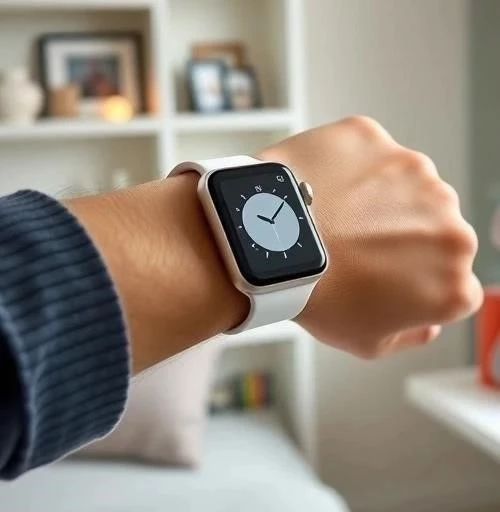
Your Apple Watch can count a heartbeat, notice a workout, and tap your wrist with a tiny message. It feels as if it ought to be able to tell you whether you have a fever, too. But here’s the important twist: Apple Watch Series 7 cannot measure your body temperature. It has no temperature sensor designed to take a reading from your skin, and no setting or app can turn it into a medical thermometer.
That doesn’t make the watch useless when you feel unwell. It can help you keep track of symptoms and health information—but the actual temperature reading must come from a thermometer. Think of the Series 7 as a helpful health notebook, not a tiny doctor hiding under the screen.
Why the Series 7 can’t give you a temperature reading
The Series 7 has sensors for features such as heart rate and blood oxygen, but it does not include the wrist-temperature sensors found on later Apple Watch models. Apple introduced temperature sensing with Apple Watch Series 8 and Apple Watch Ultra. Those watches use changes in wrist temperature during sleep for certain health insights, including retrospective cycle tracking. Even those models are not ordinary, on-demand fever thermometers.
That distinction matters. A temperature sensor on a watch measures the skin near the wrist, which can be affected by room temperature, bedding, exercise, circulation, and how snugly the watch fits. A clinical thermometer is designed and tested to estimate body temperature using a specific method. The two kinds of measurement are not interchangeable.
What you can do with a Series 7 instead
If you suspect a fever, use a reliable digital thermometer and follow its instructions. Depending on the device, it may take an oral, ear, forehead, or underarm reading. Use the same method when comparing readings over time, because results from different locations can vary. If you are unsure how to interpret a reading, check the thermometer’s guidance or ask a health professional.
- Rest first. Sit quietly for a few minutes. Recent exercise, a hot shower, or being bundled in blankets can affect a reading.
- Take the measurement with the thermometer. Place it as directed by its manufacturer. Don’t estimate a temperature from your watch’s heart rate, skin feel, or a third-party app.
- Record the result. Note the time, reading, measurement method, and symptoms. This creates a more useful picture than a number alone.
- Use your watch as a logbook. Add a note in a health or journal app, or record information in the Health app where appropriate. You can also use a reminder to check again at a sensible interval.
Can an app measure temperature through the watch?
No app can make Series 7 hardware detect a body-temperature value that its sensors do not measure. Apps may let you enter a thermometer result manually, display information from a separate connected device, or show estimates based on other data. Those are not the same as the watch taking your temperature. Be cautious of apps that promise a precise fever reading from the Series 7 alone; a displayed number can look scientific without being a valid measurement.
The watch can still provide context. For example, you may notice that your heart rate is higher than usual, or use a reminder to drink fluids or rest. But heart rate can change for many reasons—including activity, stress, medication, and illness—so it cannot confirm or rule out a fever. Treat these signals as observations, not a diagnosis.
What about wrist temperature on newer Apple Watches?
On supported models, temperature sensing is generally intended to track changes over time during sleep, rather than produce a conventional temperature reading whenever you tap the screen. The feature may require sleep tracking and several nights of data, and availability can depend on model, software, settings, and region. It is not a substitute for a thermometer when you need to know whether you have a fever.
If temperature trends are relevant to you, check Apple’s current instructions for your exact watch and iPhone, and read what the feature does—and does not—claim. A trend can be informative in its proper context; it should not be mistaken for a clinical measurement.
When to seek medical advice
A single number does not tell the whole story. Age, symptoms, health conditions, measurement method, and how the person looks and feels all matter. Seek professional advice if a fever is persistent, unusually high, accompanied by concerning symptoms, or involves an infant or someone medically vulnerable. Get urgent help for severe trouble breathing, confusion, difficulty waking, or other emergency symptoms. Follow local medical guidance rather than relying on a watch notification.
The short answer
You cannot measure body temperature with Apple Watch Series 7. Take the reading with a proper thermometer, then use the watch to help record when it was taken and how you feel. In this story, the watch is the messenger and notebook; the thermometer is the instrument that supplies the number.
That may be less magical than pointing your wrist at a fever and getting an instant answer. It is also more honest—and when health is involved, honest technology is the most useful kind.