
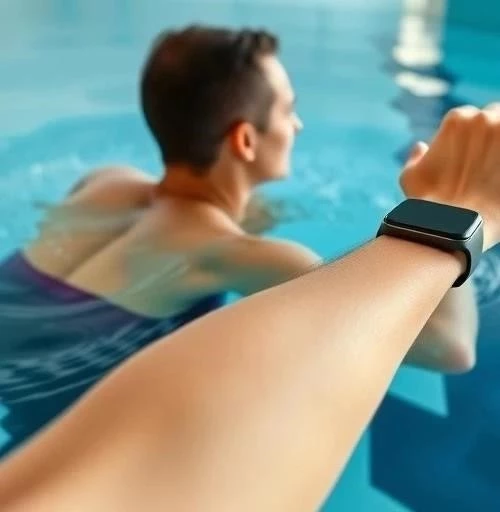
The short answer: Some Apple Watch models can be worn for swimming, but “water-resistant” does not mean waterproof—and a shower is not automatically safe. Before getting in the water, check your exact model and consider what is in the water. A brief swim in a pool is different from a hot, soapy shower or a forceful water sport.
Check your model first
Apple Watch Series 2 and later, including Apple Watch SE models, are rated water-resistant to 50 metres under ISO standard 22810:2010. This supports shallow-water activities such as swimming, but it is not a guarantee against damage in every situation. Apple Watch Ultra models have a 100-metre rating and are designed for additional water activities; follow Apple’s specific depth and activity guidance for your Ultra generation. The original Apple Watch and Series 1 are splash-resistant, not intended for swimming or submersion.
Water resistance can diminish over time as seals age or after impacts, repairs, or exposure to chemicals. It is not a permanent condition, and the watch cannot be tested or resealed by the user. If your watch is older or damaged, take the conservative option and keep it dry.
Is it safe to shower?
It is generally wiser to remove your watch before showering. Even when a model can tolerate water, soap, shampoo, conditioner, perfume, and cleaning products may harm seals or acoustic membranes; Hot water and steam can also be more demanding than a swim. A low-pressure shower is not the same as a jet or water sport, but avoiding unnecessary exposure is the more reliable way to protect the device.
If you do wear a suitable model in the shower, do not treat its rating as a promise of protection. Keep it away from direct high-pressure spray, rinse off residue promptly with fresh, lukewarm water, and dry it carefully. Never use a hair dryer, compressed air, or heat to speed up drying.
Swimming: a safer routine
- Confirm that your model is suitable for swimming and inspect it for cracks or other damage.
- Start a Pool Swim or Open Water Swim workout if you want swim tracking. Water Lock can prevent accidental screen taps during the workout.
- After swimming, rinse the watch gently with fresh water, especially after exposure to a pool or sea water. Do not press buttons or turn the Digital Crown under water unless Apple’s instructions for your model specifically allow it.
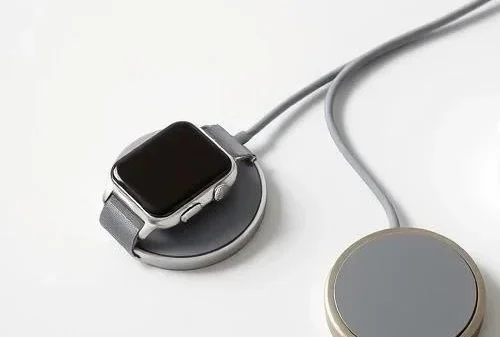
- Dry the watch and your skin with a soft, lint-free cloth. Let the band dry too; a wet band can irritate skin. Wait until the watch is fully dry before charging.
What Water Lock does—and does not do
Water Lock locks the display so water is less likely to trigger unwanted inputs. It does not make a watch waterproof or improve its water-resistance rating. When you turn the feature off, the watch may play tones to help clear water from the speaker. This is a clearing function, not proof that every part of the watch is dry.
Bottom line
For a supported model in a calm pool, swimming is within the intended use; for a soapy shower, hot tub, sauna, or forceful water activity, removing the watch is the safer choice. Check Apple’s current guidance for your exact model, since ratings and permitted activities differ. If the watch behaves unusually after getting wet, dry it gently and contact Apple Support rather than trying to open or heat it.
2 Comments. Оставить новый
This article gives practical, appropriately cautious advice by distinguishing water resistance from waterproofing. The model-by-model guidance and explanation of how soap, heat, age, and damage can affect seals help readers make informed choices rather than relying on a rating alone.
The comparison between swimming and showering is especially useful: a watch’s ability to handle shallow water does not make it suitable for hot, soapy exposure. The recommendations to check the exact model and dry the watch gently are clear, sensible precautions.