
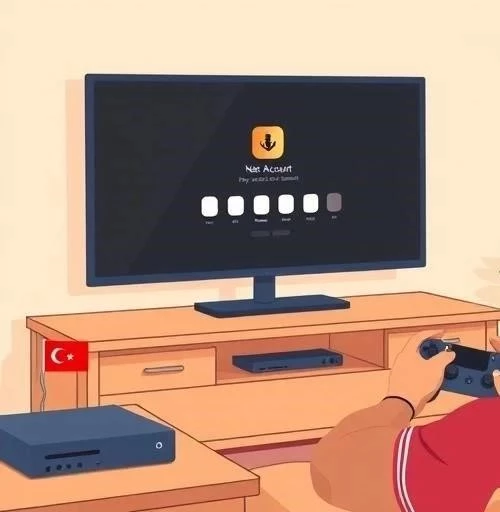
A new PSN account is a little like a passport: the country you choose at the border can shape the Store you see, the currency you pay in, and which payment options work․ On PS4, setting up a Turkish account is straightforward—but the important detail is that the country/region should reflect your real circumstances․ Sony generally does not let you change an account’s country after registration, and regional storefronts are not interchangeable․
Before you begin: if you live in Turkey, or have a legitimate reason and the required local details to use a Turkish account, follow the steps below․ If you live elsewhere and are considering a different region simply to access cheaper prices or unavailable content, check PlayStation’s current terms and local rules first․ Entering invented identity, address, or payment information can cause verification, payment, or account-recovery problems․ This guide does not provide fake Turkish addresses or ways to bypass regional checks․
What you need
- A PS4 connected to the internet, with its system software up to date․
- An email address you can access․ It must not already be linked to another PSN account․
- Your correct date of birth․ It can affect age restrictions and account recovery․
- Accurate location and address information accepted by Sony for the selected country․
- A strong, unique password and a phone or other recovery option, if offered․
You do not need to change the PS4 console’s system language to create an account for a particular country․ Console language and PSN account region are separate settings․ You can keep the menus in English while registering, if that is more comfortable․
Create the account on your PS4
- Open the user menu․ Turn on the console and choose New User on the profile-selection screen․ Select the option to create a user, then accept the relevant terms shown on screen․
- Start PSN registration․ Choose the option to sign up for PlayStation Network rather than signing in to an existing account․ Menu wording can vary slightly with the console’s software version․
- Choose the country or region carefully․ Select Turkey only if it is an appropriate region for your account․ This choice is usually permanent for that PSN account․ Do not assume you can switch it later by changing the console’s language, address, or network settings․
- Set the language and date of birth․ Pick a language you can read, then enter your real birth date․ Age affects which features and content are available; a child should use a properly configured child account linked to a family manager, not an adult’s invented date․
- Enter the requested location details․ Complete the address fields using accurate information that you are entitled to provide and that meets Sony’s requirements․ If you cannot supply valid details for Turkey, stop and use the region that applies to you instead of guessing․
- Add your sign-in email and password․ Use an inbox you can open now and keep access to in the future․ Create a password that is not reused on other websites․ If the form asks for an online ID, choose a name that is not personally revealing and that follows PlayStation’s rules․
- Review privacy and communication options․ Select who can see your real name, activity, friend list, and messages․ You can usually adjust privacy settings later, but it is sensible to begin with a level you are comfortable with․
- Verify the account․ Check your email for a message from PlayStation and follow its verification link or code․ If it does not arrive, inspect spam or junk folders and confirm that you typed the address correctly․
- Finish setup and secure sign-in․ Follow any prompts for security, two-step verification, or recovery details․ Save your sign-in email and password in a secure password manager, not in a public note or shared chat․
Creating an account on the web
You can also register through PlayStation’s official account-creation page in a browser, then sign in to that account on the PS4․ Choose the country/region during registration, fill in the requested details accurately, verify the email, and review the security settings․ Use only official PlayStation pages; search advertisements and unofficial “account generators” may lead to phishing sites or accounts you cannot recover․ If the website’s available country options or requirements differ from the console’s, follow the current official instructions rather than trying to force a mismatch․
Signing in on the console
Once registration is complete, return to the PS4 user screen․ Choose New User or the relevant sign-in option, then enter the email address and password for the new account․ The console may ask you to accept updated terms or confirm settings․ You can keep multiple users on one PS4, but trophies, saves, friends, and purchases are associated with the account that used them; do not expect them to merge automatically․
Using the Turkish PlayStation Store
Open the PlayStation Store while signed in to the Turkish account․ The storefront, catalog, prices, and displayed currency are determined by the account’s region and can change over time․ Availability is not guaranteed: a game, add-on, subscription, or promotion may differ from what appears in another country’s Store․
Payment is often the part that surprises people․ A bank card may be rejected if its issuing country, billing details, or other requirements do not match the Store’s rules․ Check the payment methods currently accepted by PlayStation for Turkey before making an account or adding funds․ Do not repeatedly submit mismatched card details; repeated declines can trigger security checks․ If you use a PlayStation Store wallet code, make sure it is intended for the same country/region as the account․ Codes from another region commonly will not redeem․
Read the product page before buying․ Check the language options, included content, edition, age rating, and any subscription conditions․ A purchase is tied to the account that bought it, and refunds are governed by PlayStation’s current refund policy․ Keep receipts and order-confirmation emails, and never share your password or verification code with a seller who promises to “activate” a game for you․
Common problems and sensible fixes
- “Email already in use․” That address is already linked to a PSN account․ Sign in to the existing account or use an email address you control that is not registered with PlayStation․
- No verification email․ Check spam, search your inbox for “PlayStation,” and wait a few minutes․ Confirm the address on screen before requesting another message․ Never follow a verification link sent by an unknown person․
- The Store rejects a payment method․ Confirm that the method is supported for the account’s region and that the billing details are accurate․ Contact the card issuer or PlayStation Support; do not invent a billing address․
- A voucher will not redeem․ Check that its region matches the account and that the code has not already been used․ A code bought for another country usually cannot be converted by changing console settings․
- You selected the wrong country․ Because country/region is generally fixed after account creation, changing the console language will not correct it․ Contact official PlayStation Support for guidance; do not pay a stranger to “convert” the account․
- You cannot access the account later․ Use the official password-reset process․ Keeping control of the email account and enabling available security features makes recovery much easier․
One console, more than one account
A PS4 can have several user profiles, which is useful when different household members need separate saves, privacy settings, and trophy histories․ Some content may be playable by other users on a console when the account that purchased it has the appropriate console-sharing or primary-PS4 settings enabled, but sharing rules depend on the content and Sony’s current policies․ A second regional account does not move purchases, subscriptions, or wallet funds from your first account․ Check the official guidance before relying on sharing for a particular game or add-on․
A quick pre-registration checklist
- Is Turkey genuinely the appropriate account region for you?
- Can you provide the requested information accurately?
- Do you control the email address and know how to recover it?
- Have you checked accepted payment methods and voucher-region rules?
- Do you understand that the region is not normally editable later?
If you can answer those questions confidently, the process is simply a sequence of careful choices: create a new PS4 user, register for PSN, select the appropriate region, provide truthful details, verify your email, and secure the account․ Think of the country selection as the account’s foundation, not a decorative flag․ Taking a minute to get it right is far easier than trying to rebuild the whole structure after the Store has already opened its doors;
PlayStation menus, payment options, and account requirements can change․ For the latest rules, consult PlayStation’s official support pages for account creation, country/region settings, payment methods, and vouchers․

6 Comments. Оставить новый
A grounded introduction to a topic that often attracts dubious advice. Its strongest point is reminding readers that an account is more than a storefront—it also depends on trustworthy information and reliable recovery options.
Clear, measured, and refreshingly honest about regional rules. The checklist feels like packing for a journey: bring the details you can verify, and leave guesswork at home.
A useful guide with its compass pointing in the right direction: accurate details matter more than chasing a different storefront. The warning about account recovery is practical, not preachy.
The distinction between PS4 language settings and PSN region is a particularly helpful little key. It turns what could seem like a maze into a sequence of sensible checks.
This reads like a small map with the dangerous shortcuts clearly marked. I’m glad it avoids fake addresses and explains why invented information can become a real headache later.
The passport comparison makes account region feel instantly understandable. I especially appreciate the reminder that a console’s language and an account’s country are separate things—two settings that are easy to mistake for one another.